> ## Documentation Index
> Fetch the complete documentation index at: https://gcore.com/docs/llms.txt
> Use this file to discover all available pages before exploring further.
# Always online: provide the stale cache if the origin is unavailable
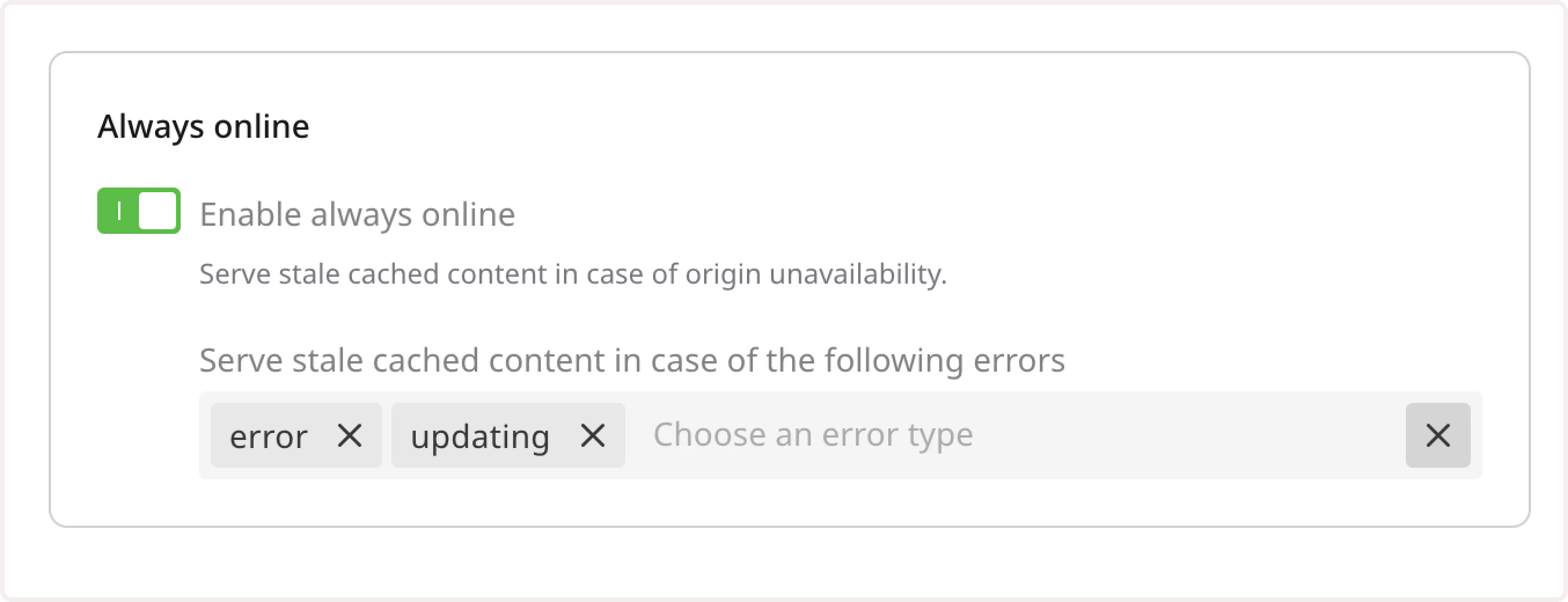
The option allows serving stale cached content in case of the following errors: error (network or connectivity issues), timeout, invalid\_header, updating (cache updating),http\_500, http\_502, http\_503, http\_504, http\_403, http\_404, http\_429.
HTTP response for the stale content will contain the header X-Cache: Stale. CDN will check origin availability with each user's request. As soon as the origin becomes available, fresh files will be cached and served. If the origin is unavailable for a long time, CDN will send Stale content until origin becomes available.
Please, note that when the site is unavailable, the CDN cache may have not enough content for a correct page display. Situations, when a user will not be able to see some images, style sheets, or other static content, are possible.
To manage this option go to your Resource Advanced Settings, find the **Cache** section and click **Always online**. You can enable the toggle and choose error codes for which a CDN serves stale content.