> ## Documentation Index
> Fetch the complete documentation index at: https://gcore.com/docs/llms.txt
> Use this file to discover all available pages before exploring further.
# Ignore the set cookie or query string parameters when caching content on CDN servers
## Query string setting
The "Ignore Query String" option determines how the CDN will cache URLs that have query parameters. Query parameters are optional pairs of key and value separated by an equal sign (=) and joined by an ampersand (&), that appear at the end of a URL following a question mark (?). For example:
```
http://cdn.example.com/photo.jpeg?id=6&color=blue
```
This option is disabled by default. To enable it in the Gcore Customer Portal:
1\. Go to CDN and select the CDN resource you want to configure.
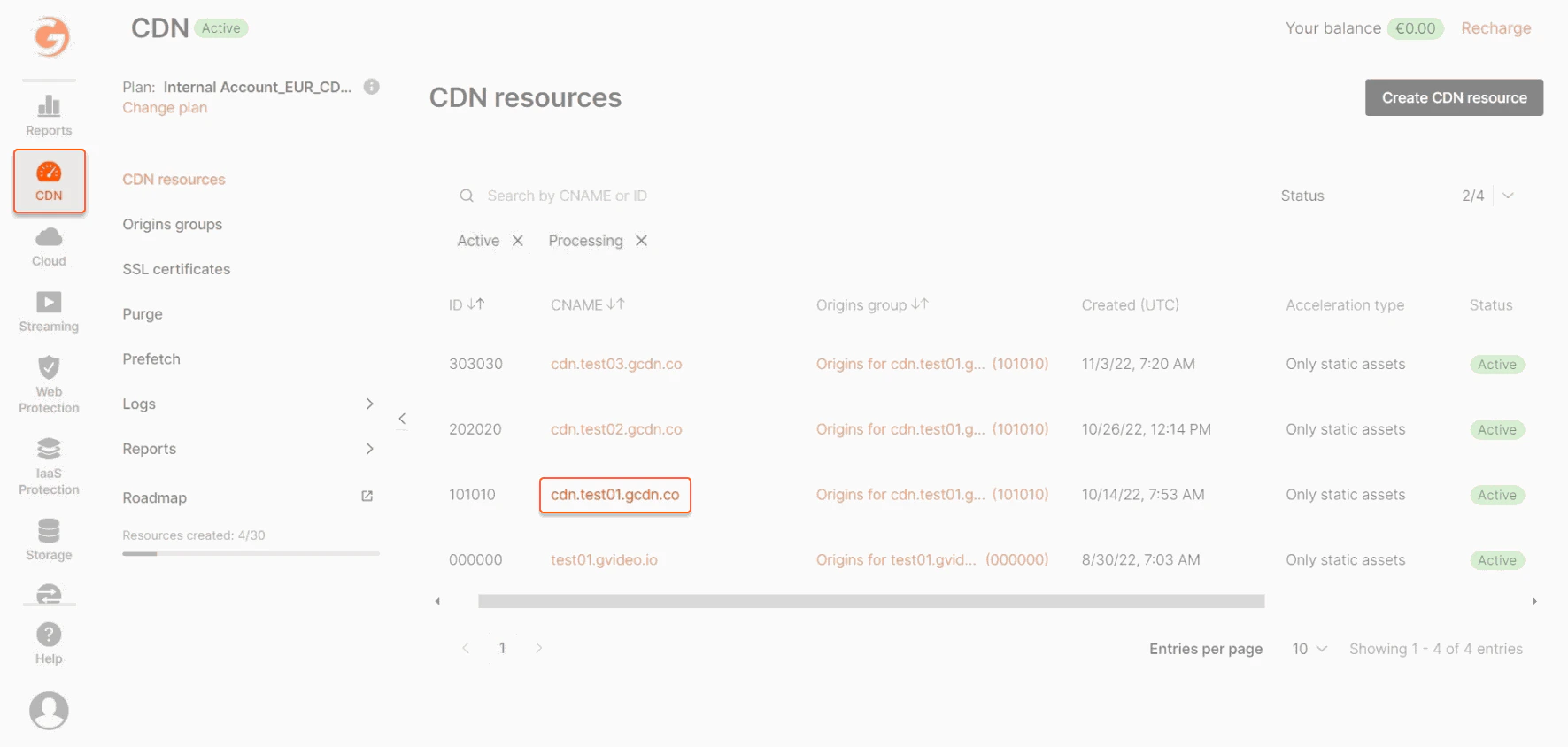 2\. In the sidebar, under the "Cache" section, click **Query string**.
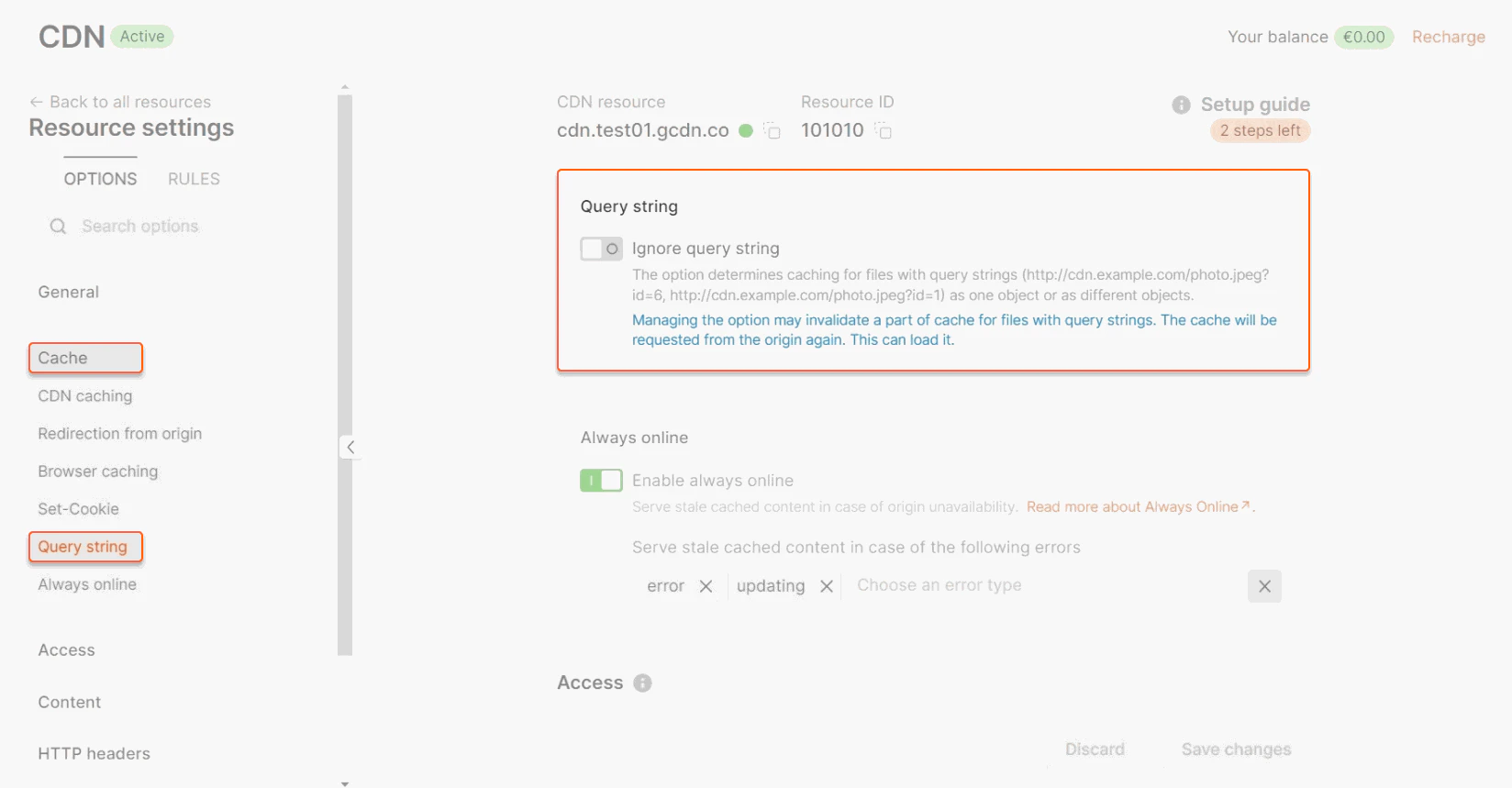 The enabled option has 3 modes:
* **Ignore All**. Selected by default. Files with different query parameters are cached as objects with the same key, regardless of the parameter value.
The enabled option has 3 modes:
* **Ignore All**. Selected by default. Files with different query parameters are cached as objects with the same key, regardless of the parameter value.
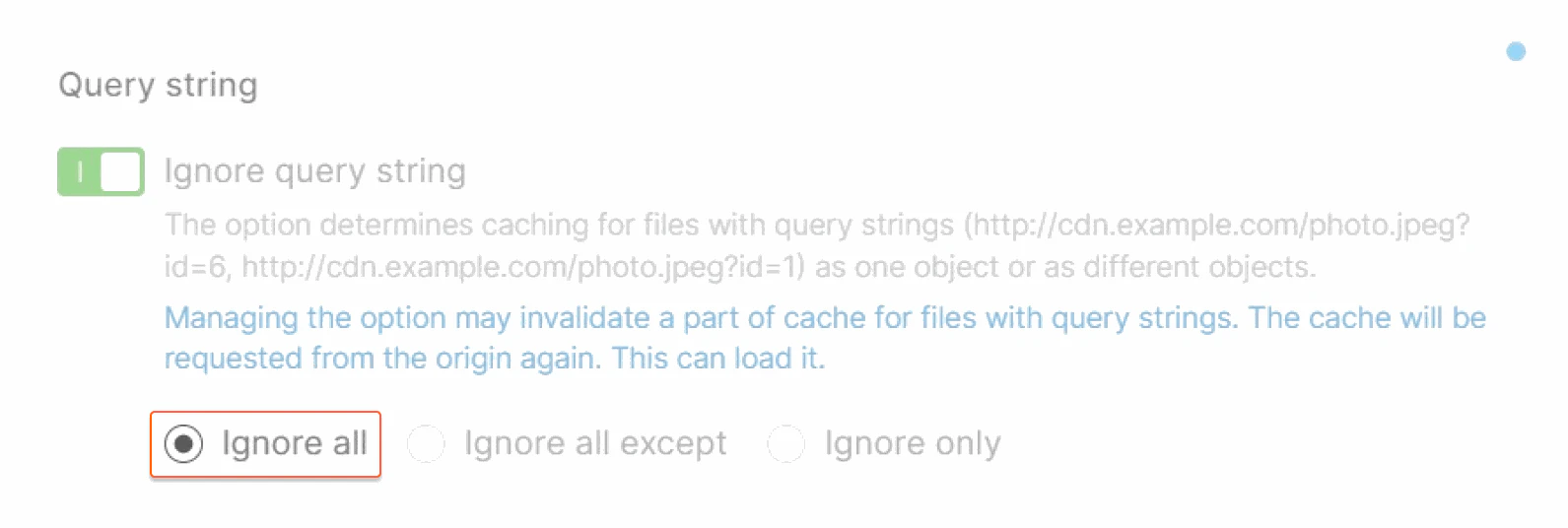 For example, the following files will be cached as objects with a single cache key because all parameters will be ignored:
```
http://cdn.example.com/photo.jpeg?id=6&color=blue
http://cdn.example.com/photo.jpeg?id=1&color=blue
```
* **Ignore All Except**. Files with the specified query parameters are cached as objects with different keys; files with other parameters are cached as objects with the same key.
In the **Parameter** field, enter each parameter on a separate line.
For example, the following files will be cached as objects with a single cache key because all parameters will be ignored:
```
http://cdn.example.com/photo.jpeg?id=6&color=blue
http://cdn.example.com/photo.jpeg?id=1&color=blue
```
* **Ignore All Except**. Files with the specified query parameters are cached as objects with different keys; files with other parameters are cached as objects with the same key.
In the **Parameter** field, enter each parameter on a separate line.
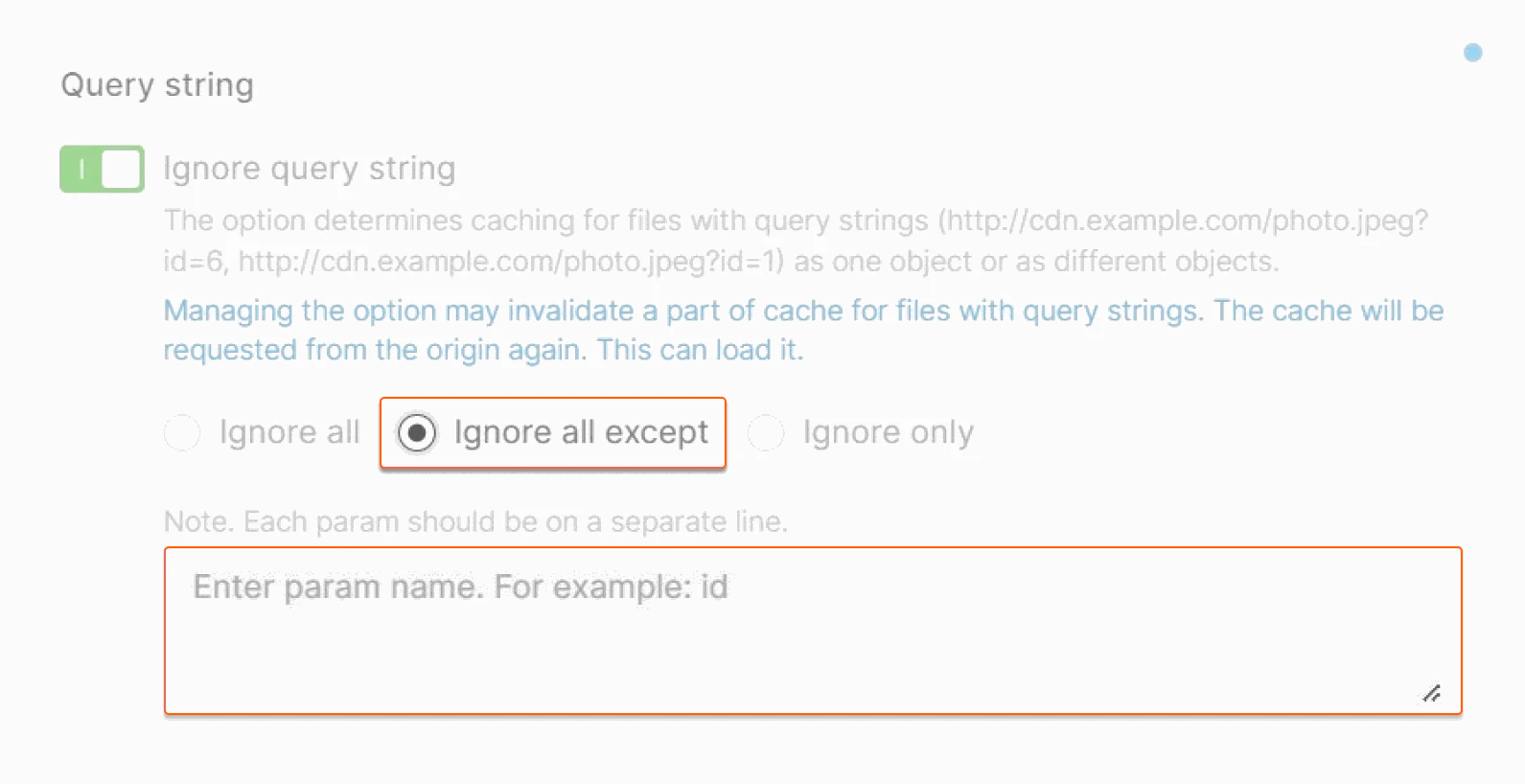 For example, you specified *id* in the Parameter field. The following files will be cached as objects with different keys because the values of the *id* parameter are different, and the value of the *color* parameter will be ignored.
```
http://cdn.example.com/photo.jpeg?id=6&color=blue
http://cdn.example.com/photo.jpeg?id=1&color=blue
```
For example, you specified *color* in the Parameter field. The following files will be cached as objects with the same keys because the values of the *color* parameter are the same, and the *id* parameter will be ignored.
```
http://cdn.example.com/photo.jpeg?id=6&color=blue
http://cdn.example.com/photo.jpeg?id=1&color=blue
```
* **Ignore only**. Files with the specified query parameters are cached as objects with the same key, files with other parameters are cached as objects with different keys.
In the **Parameter** field, enter each parameter on a separate line.
For example, you specified *id* in the Parameter field. The following files will be cached as objects with different keys because the values of the *id* parameter are different, and the value of the *color* parameter will be ignored.
```
http://cdn.example.com/photo.jpeg?id=6&color=blue
http://cdn.example.com/photo.jpeg?id=1&color=blue
```
For example, you specified *color* in the Parameter field. The following files will be cached as objects with the same keys because the values of the *color* parameter are the same, and the *id* parameter will be ignored.
```
http://cdn.example.com/photo.jpeg?id=6&color=blue
http://cdn.example.com/photo.jpeg?id=1&color=blue
```
* **Ignore only**. Files with the specified query parameters are cached as objects with the same key, files with other parameters are cached as objects with different keys.
In the **Parameter** field, enter each parameter on a separate line.
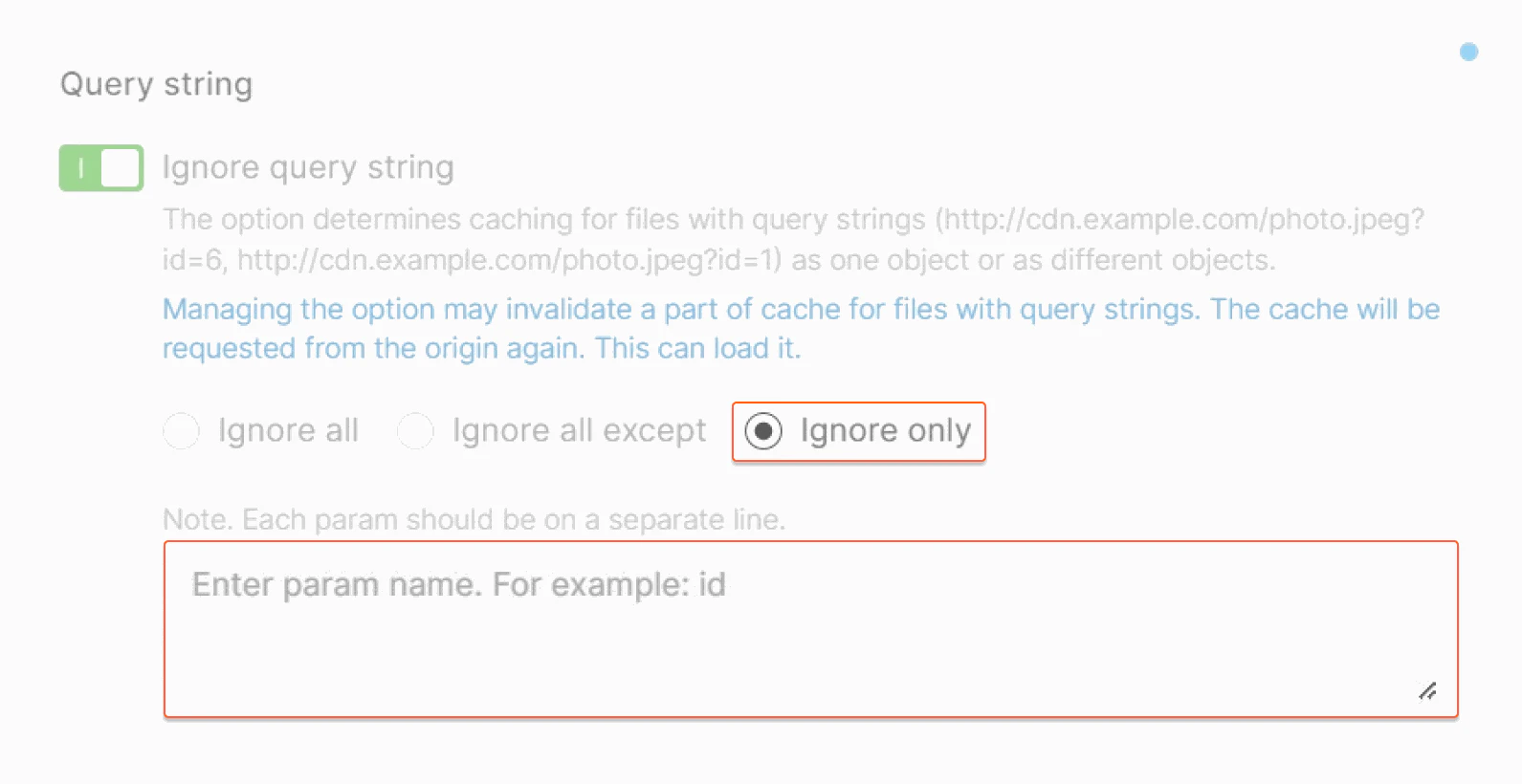 For example, you specified *id* in the Parameter field. The following files will be cached as objects with the same keys because the values of the *id* parameter will be ignored, and the values of the *color* parameters are the same.
```
http://cdn.example.com/photo.jpeg?id=6&color=blue
http://cdn.example.com/photo.jpeg?id=1&color=blue
```
For example, you specified *color* in the Parameter field. The following files will be cached as objects with different keys because the values of the *color* parameter will be ignored, and the values of the *id* parameters are different.
```
http://cdn.example.com/photo.jpeg?id=6&color=blue
http://cdn.example.com/photo.jpeg?id=1&color=blue
```
## Set-cookie setting
A CDN defines a file with the Set-Cookies header as a unique one. As a result, each user's request goes to the origin. This option defines whether we will cache files with the Set-Cookies header as one file or as different ones. In most cases, it is not effective to have copies of the same file with different cookies on the server.
Enable Ignore Set-Cookie option and files with cookies will be cached like one object. Go to CDN Resources, choose a CDN Resource and press Settings, open Advanced Settings and check Ignore Set-Cookies.
For example, you specified *id* in the Parameter field. The following files will be cached as objects with the same keys because the values of the *id* parameter will be ignored, and the values of the *color* parameters are the same.
```
http://cdn.example.com/photo.jpeg?id=6&color=blue
http://cdn.example.com/photo.jpeg?id=1&color=blue
```
For example, you specified *color* in the Parameter field. The following files will be cached as objects with different keys because the values of the *color* parameter will be ignored, and the values of the *id* parameters are different.
```
http://cdn.example.com/photo.jpeg?id=6&color=blue
http://cdn.example.com/photo.jpeg?id=1&color=blue
```
## Set-cookie setting
A CDN defines a file with the Set-Cookies header as a unique one. As a result, each user's request goes to the origin. This option defines whether we will cache files with the Set-Cookies header as one file or as different ones. In most cases, it is not effective to have copies of the same file with different cookies on the server.
Enable Ignore Set-Cookie option and files with cookies will be cached like one object. Go to CDN Resources, choose a CDN Resource and press Settings, open Advanced Settings and check Ignore Set-Cookies.