> ## Documentation Index
> Fetch the complete documentation index at: https://gcore.com/docs/llms.txt
> Use this file to discover all available pages before exploring further.
# Customize connection and read timeouts
Custom connection and read timeouts are analogous features that let you specify how long Gcore edge nodes should wait when connecting to your origin server.
* A custom connection timeout sets the duration allowed for establishing a connection.
* A custom read timeout specifies the time allowed for receiving a response from your origin server. This timeout applies only between two successive read operations, not for the entire response transmission.
When designated timeouts are exceeded, users receive a "504 Gateway Timeout" error.
## Configure custom timeouts
1\. In the Gcore Customer Portal, navigate to [CDN](https://portal.gcore.com/cdn/resources/list).
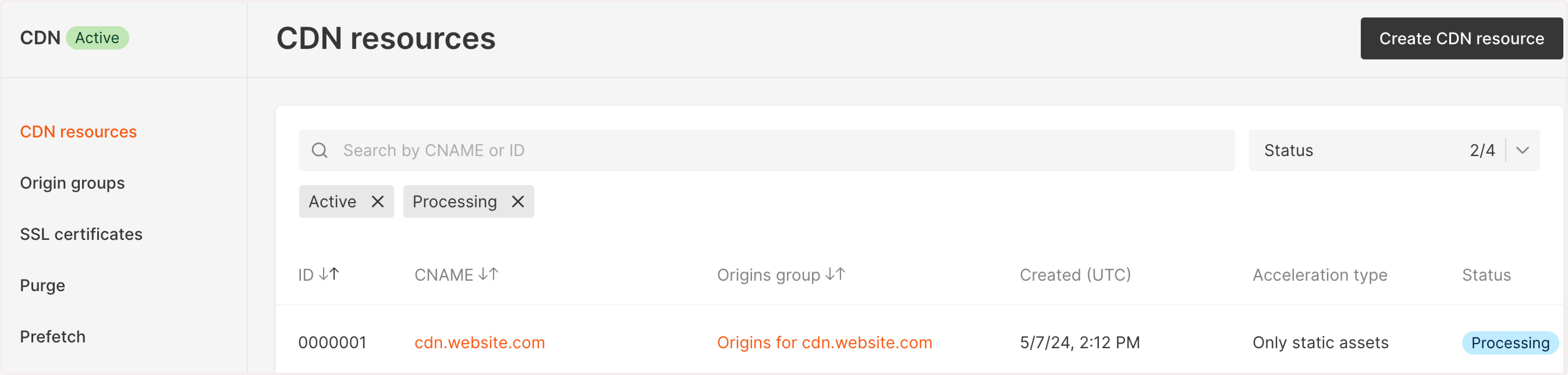 2\. Click the CNAME of the required CDN resource to open **Resource settings**.
A new page will open. Perform the remaining steps there.
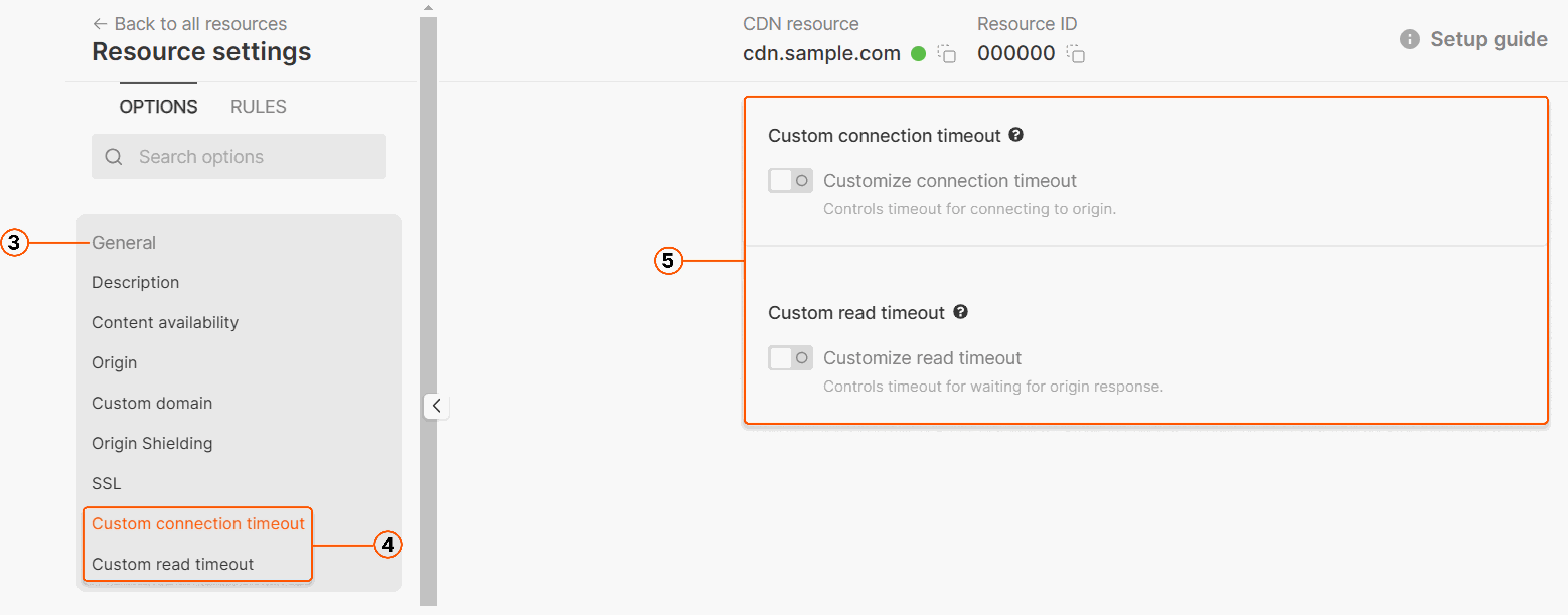
3\. Click **General** to open nested features.
4\. Click **Custom connection timeout** or **Custom read timeout**, depending on your task.
5\. Enable the **Customize connection timeout** or **Customize read timeout** toggle correspondingly.
2\. Click the CNAME of the required CDN resource to open **Resource settings**.
A new page will open. Perform the remaining steps there.
3\. Click **General** to open nested features.
4\. Click **Custom connection timeout** or **Custom read timeout**, depending on your task.
5\. Enable the **Customize connection timeout** or **Customize read timeout** toggle correspondingly.
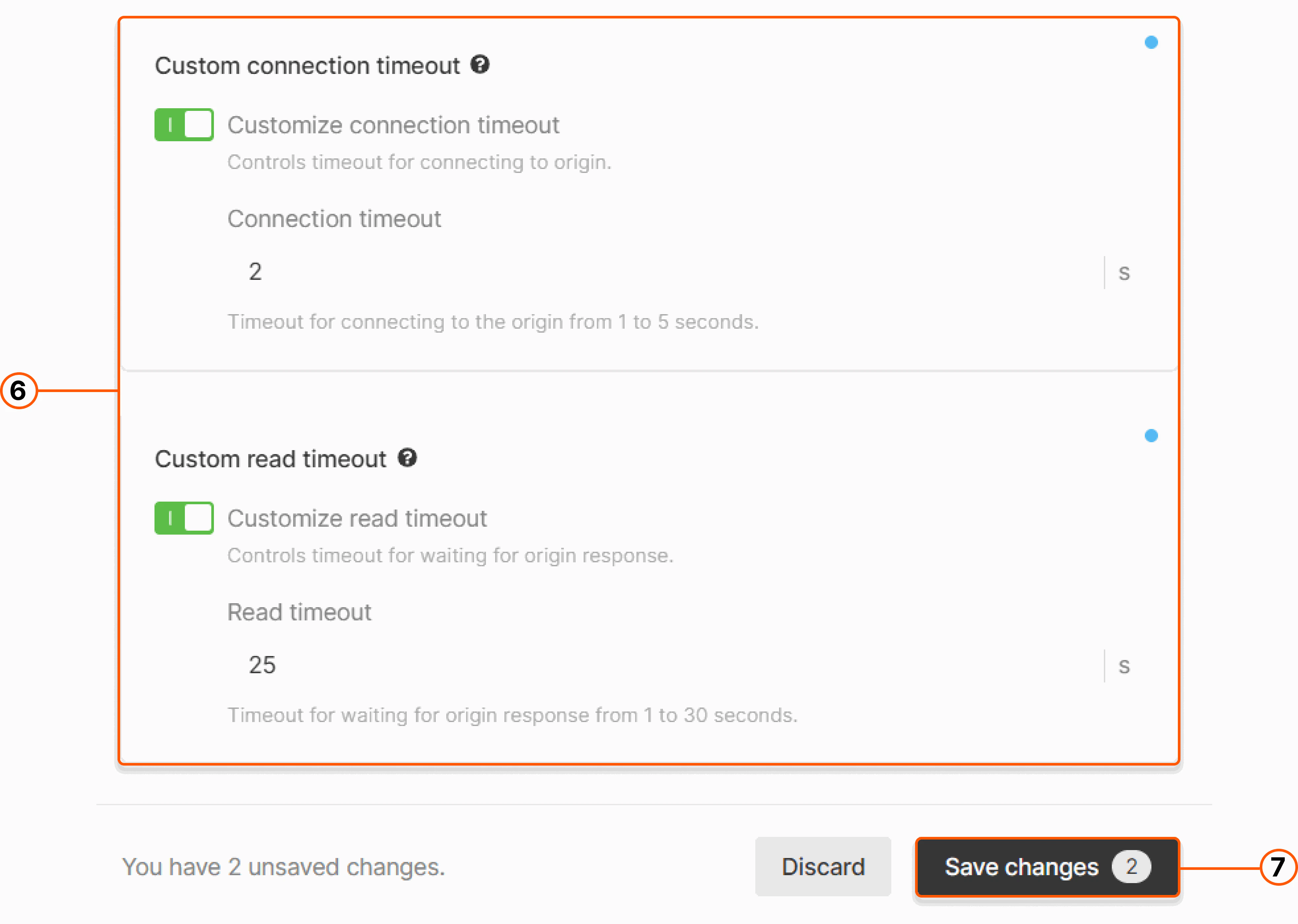
 6\. Specify the desired value in the corresponding field. You can configure either feature individually or both at once. Values should be less than default Gcore values: `<5 seconds` for connection timeout and `<30 seconds` for read timeout. Learn more in our [guide to CDN timeouts](/cdn/getting-started/cdn-timeouts).
**Info**
If you're on the "Enterprise" plan, you have more flexibility in changing the default timeout values. To increase the connection timeout to over 5 seconds and read timeout to over 30 seconds, [contact our Support team](mailto:support@gcore.com).
7\. Save changes.
6\. Specify the desired value in the corresponding field. You can configure either feature individually or both at once. Values should be less than default Gcore values: `<5 seconds` for connection timeout and `<30 seconds` for read timeout. Learn more in our [guide to CDN timeouts](/cdn/getting-started/cdn-timeouts).
**Info**
If you're on the "Enterprise" plan, you have more flexibility in changing the default timeout values. To increase the connection timeout to over 5 seconds and read timeout to over 30 seconds, [contact our Support team](mailto:support@gcore.com).
7\. Save changes.