> ## Documentation Index
> Fetch the complete documentation index at: https://gcore.com/docs/llms.txt
> Use this file to discover all available pages before exploring further.
# Traceparent header for troubleshooting
## Overview
We have initiated support for the traceparent HTTP header, as outlined in the [W3C Trace Context specification](https://www.w3.org/TR/trace-context/). This move is aimed at standardizing the methods of transmitting and modifying tracing information between services.
**Info**
Currently, we only pass on the *tracestate* request header, which is also part of the same specification, without changing it.
## How it works
### Request header
The [traceparent header](https://www.w3.org/TR/trace-context/#traceparent-header) comprises four fields: `version`, `trace-id`, `parent-id`, and `trace-flags`. They are detailed in [Augmented Backus-Naur Form (ABNF) notation](https://www.w3.org/TR/trace-context/#bib-rfc5234) and identify incoming requests in a tracing system.
We are able to receive traceparent request headers that are sent to us by clients. In the Gcore Edge Network, the only field that can be changed is the `parent-id`, while the `trace-id` stays the same. We then forward the traceparent header to your original location. So, you can rest assured that the route won't be lost as it moves through the CDN.
If the traceparent request header isn't utilized on your end or is in the wrong format, we will generate it according to the specification.
### Response header
The traceparent response header is always included in the set of headers for requests processed through our network. You can locate the value using browser debug tools (e.g., Chrome DevTools) or curl.
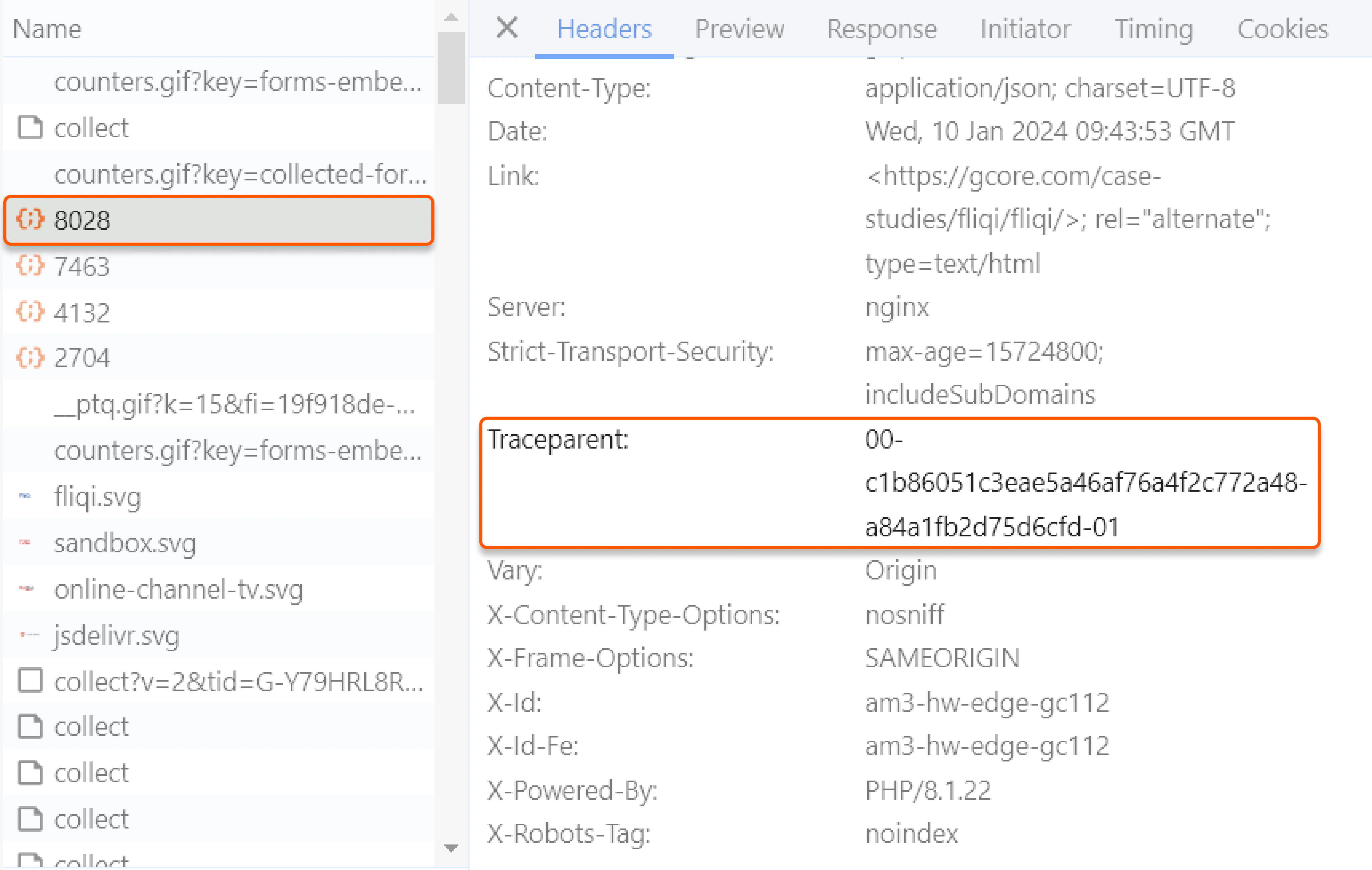
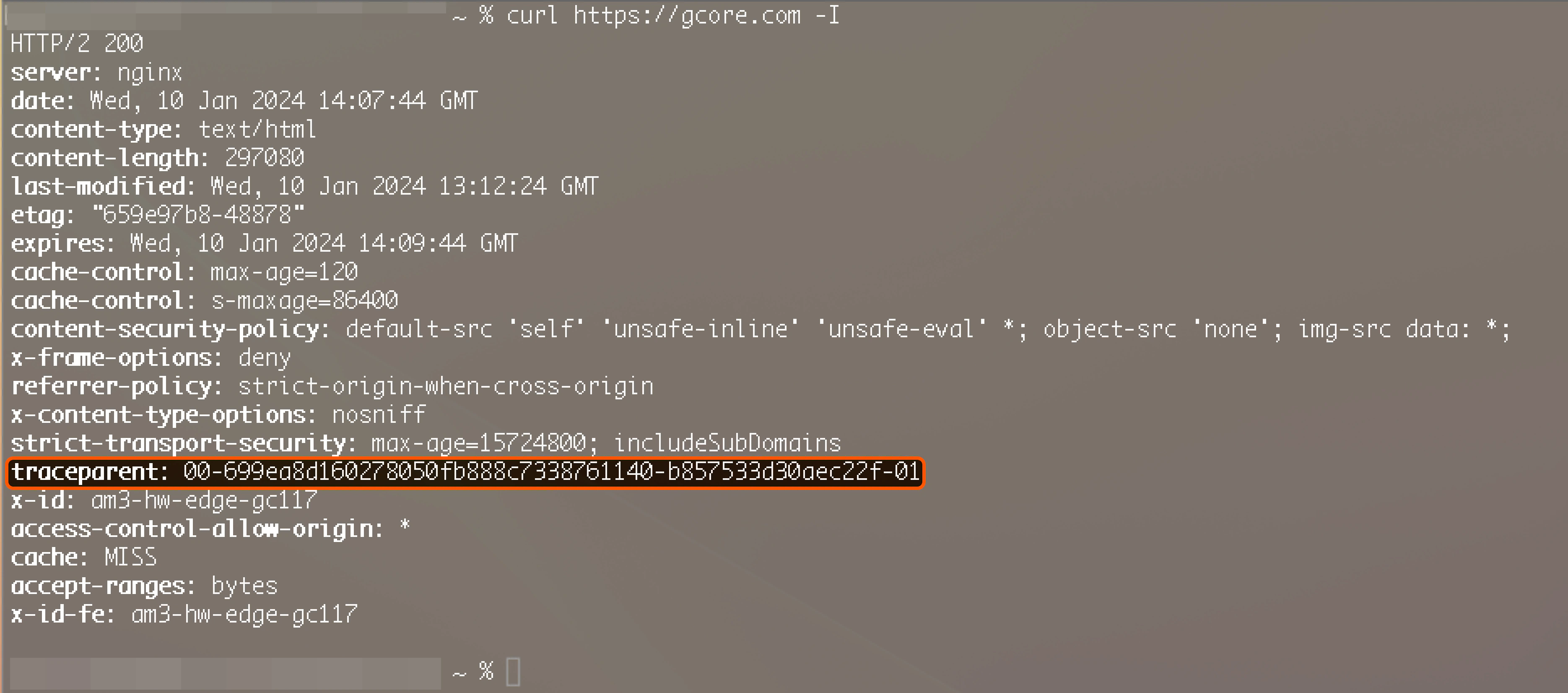 You can use the traceparent response header to track the request or send it to [technical support](mailto:support@gcore.com) for troubleshooting.
## Traceparent in raw logs
We have extended the support for the traceparent header to [Raw Logs](/cdn/logs/raw-logs-export-cdn-resource-logs-to-your-storage). You can find the sample of the traceparent header in the [Raw Logs guide](/cdn/logs/raw-logs-export-cdn-resource-logs-to-your-storage#log-fields) by searching the `$http_traceparent` field. In a nutshell:
```
00-d5fe1dc9035165ce36952daf29686b6c-14330be33197dd1a-01
```
In this case:
* `d5fe1dc9035165ce36952daf29686b6c` represents the 16-byte array (trace-id)
* `14330be33197dd1a` denotes the 8-byte array (parent-id)
You can use the traceparent response header to track the request or send it to [technical support](mailto:support@gcore.com) for troubleshooting.
## Traceparent in raw logs
We have extended the support for the traceparent header to [Raw Logs](/cdn/logs/raw-logs-export-cdn-resource-logs-to-your-storage). You can find the sample of the traceparent header in the [Raw Logs guide](/cdn/logs/raw-logs-export-cdn-resource-logs-to-your-storage#log-fields) by searching the `$http_traceparent` field. In a nutshell:
```
00-d5fe1dc9035165ce36952daf29686b6c-14330be33197dd1a-01
```
In this case:
* `d5fe1dc9035165ce36952daf29686b6c` represents the 16-byte array (trace-id)
* `14330be33197dd1a` denotes the 8-byte array (parent-id)