> ## Documentation Index
> Fetch the complete documentation index at: https://gcore.com/docs/llms.txt
> Use this file to discover all available pages before exploring further.
# Network submission
## **Overview**
Submit your network for DDoS protection by providing the required network details and documentation.
## **Instructions**
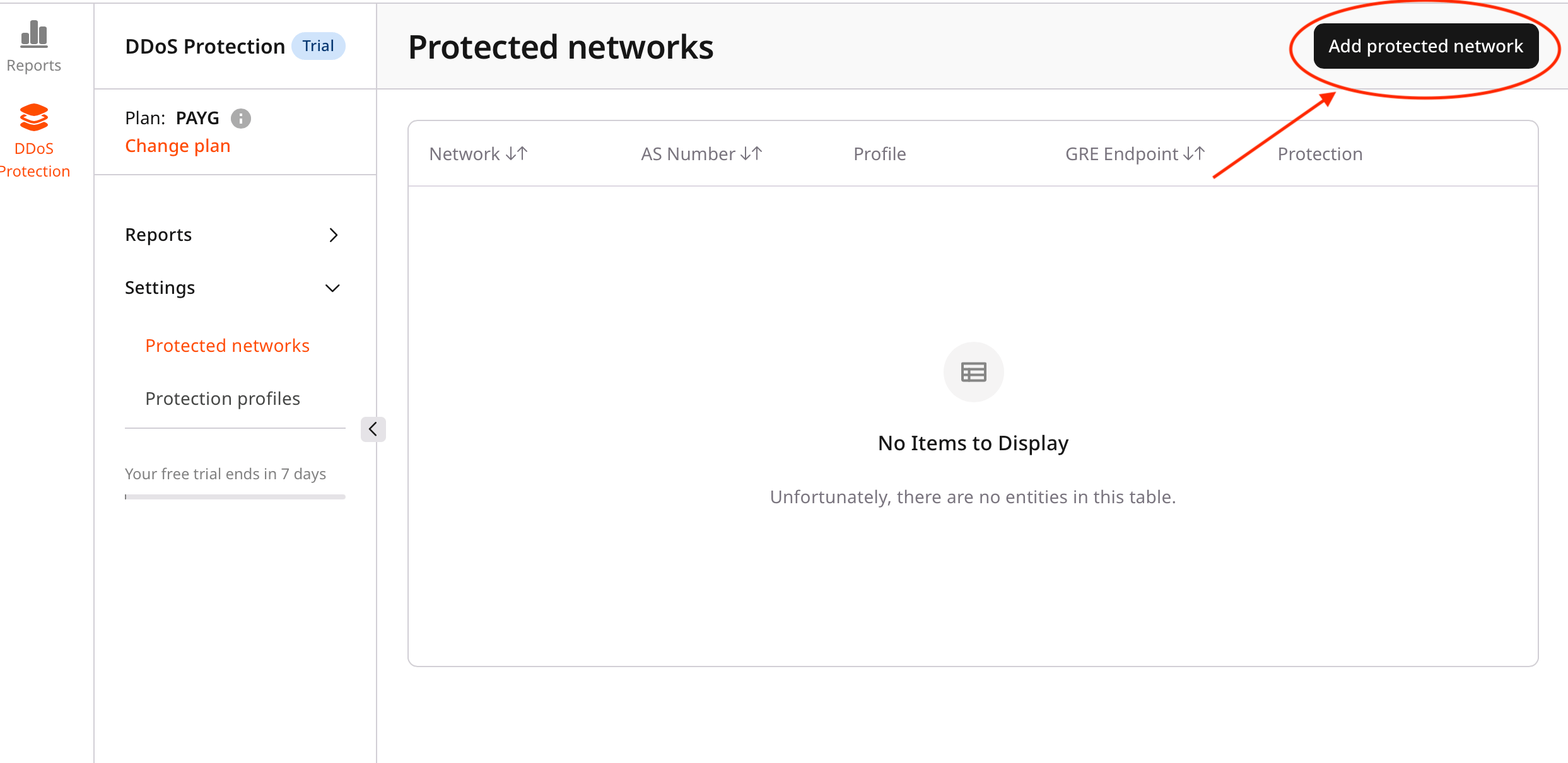
1. Access the Protected networks Page
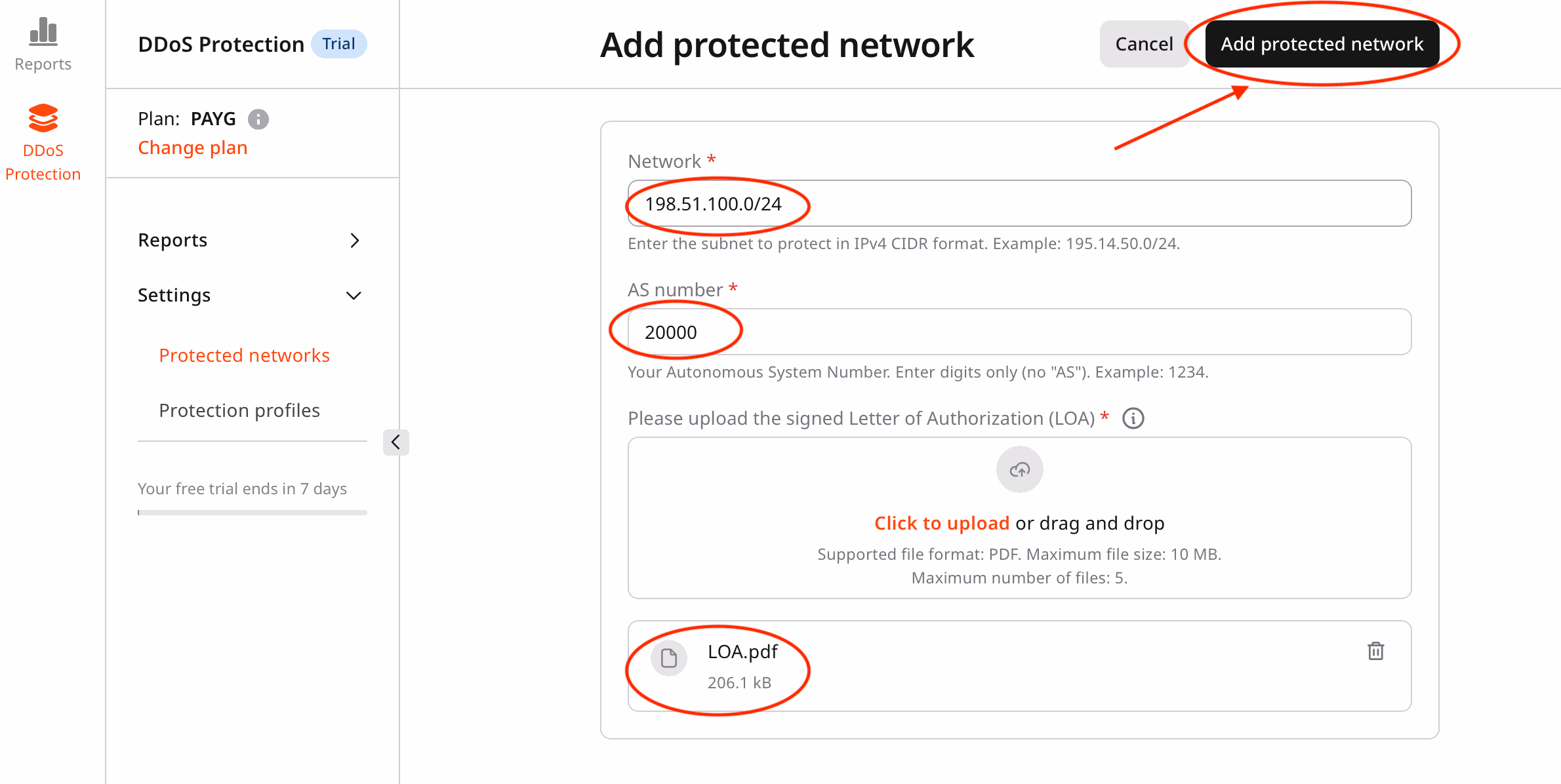
* In the **DDoS Protection** dashboard, click **Add protected network**.
* This opens the network submission form.
 2. Complete the Required Fields
* **Network (CIDR format)**
* Enter your network in CIDR notation (for example, `198.51.100.0/24`).
* Minimum prefix length: `/24`
* Examples: `198.51.100.0/24`, `203.0.113.0/24`
* **AS Number**
* Enter your Autonomous System (AS) number.
* Valid ranges: `1–65534`, `131072–4294967294`
* Examples: `64512`, `200000`
* **Letter of Authorization (LOA)**
* Upload your LOA document in **PDF** format.
* Maximum file size: **10 MB**.
* The LOA must clearly confirm authorization for the submitted network.
3. Submit the network
* Review the entered information.
* Click **Add protected network** to submit your request.
* You are redirected to the **Protected networks** page.
2. Complete the Required Fields
* **Network (CIDR format)**
* Enter your network in CIDR notation (for example, `198.51.100.0/24`).
* Minimum prefix length: `/24`
* Examples: `198.51.100.0/24`, `203.0.113.0/24`
* **AS Number**
* Enter your Autonomous System (AS) number.
* Valid ranges: `1–65534`, `131072–4294967294`
* Examples: `64512`, `200000`
* **Letter of Authorization (LOA)**
* Upload your LOA document in **PDF** format.
* Maximum file size: **10 MB**.
* The LOA must clearly confirm authorization for the submitted network.
3. Submit the network
* Review the entered information.
* Click **Add protected network** to submit your request.
* You are redirected to the **Protected networks** page.
 4. Verify the submission status
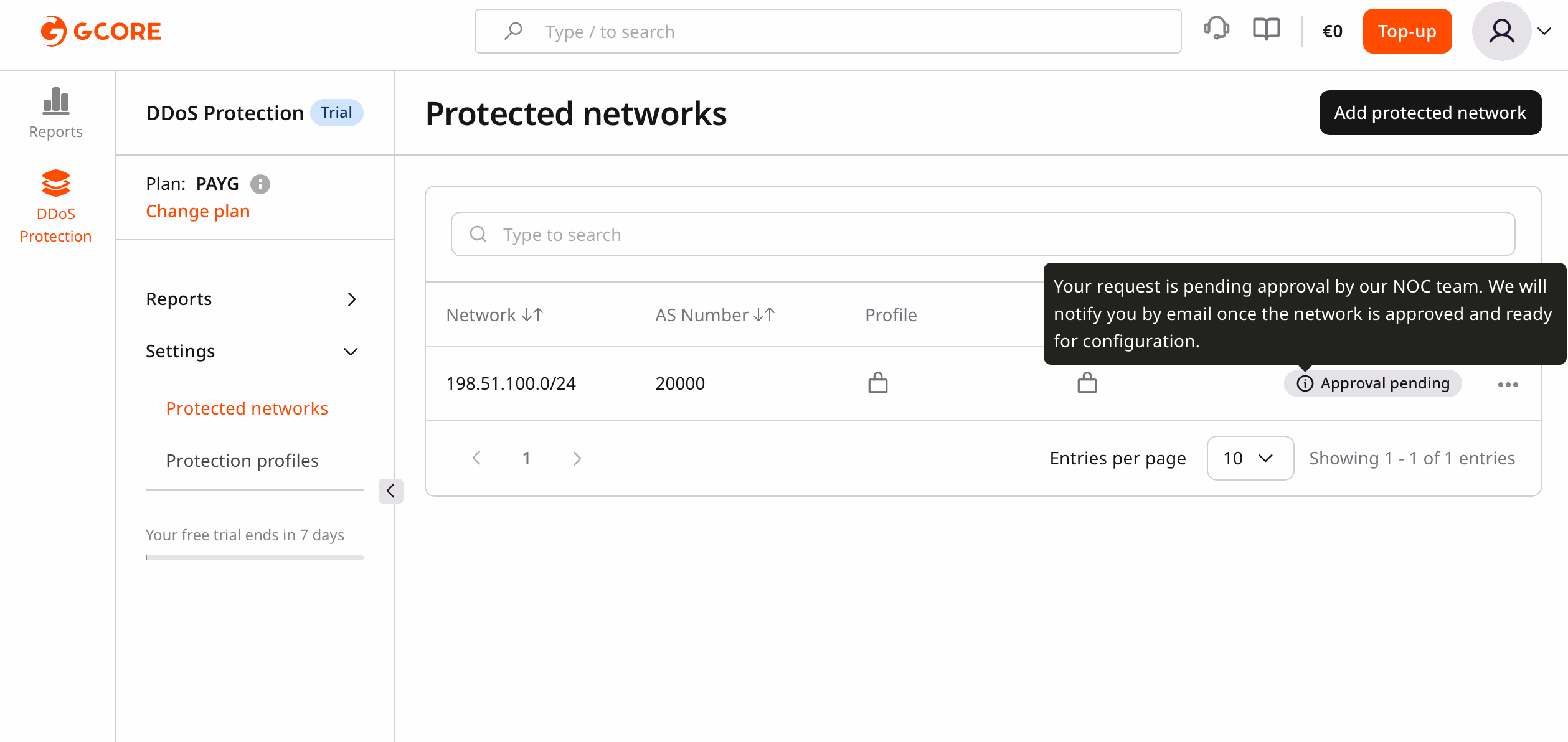
* Your newly submitted network appears in the list with the **Pending** status.
Note
You will see the following message:
Your request is pending approval by our NOC team. We will notify you by email once the network is approved and ready for configuration.
4. Verify the submission status
* Your newly submitted network appears in the list with the **Pending** status.
Note
You will see the following message:
Your request is pending approval by our NOC team. We will notify you by email once the network is approved and ready for configuration.
 Note
* All fields are required.
* Ensure your LOA document is accurate and up to date.
* The network remains in **Pending** status until NOC approval.
Note
* All fields are required.
* Ensure your LOA document is accurate and up to date.
* The network remains in **Pending** status until NOC approval.