> ## Documentation Index
> Fetch the complete documentation index at: https://gcore.com/docs/llms.txt
> Use this file to discover all available pages before exploring further.
# Setting up a PTR record and reverse DNS zone
## What is a PTR record for?
A PoinTeR or PTR record is an A record in reverse: it associates server IP with a domain name. A PTR could be used:
* **As an anti-spam measure in email delivery.** The destination mail server compares the PTR record of the sender mail server IP address with the host/domain part of a sender email address. Today, there exist more convenient modes of authentication, like DKIM, DMARC, and SPF, and usually, these are used together with PTR records.
* **For the convenience of tracing dedicated subnets.** This allows the naming of subnet sections with human-readable domains instead of IP addresses.
**Info**
A PTR record can be added only in the reverse DNS zone (RDNS) and not in a regular [domain zone](https://gcore.com/learning/what-is-dns-zone). Therefore, in the Gcore Customer Portal, there is no PTR record in the list of [DNS records](/dns/dns-records) that can be added for a forward domain zone.
## What is a reverse DNS lookup zone?
A reverse DNS lookup is a special zone that is intended to define the hostname by its IPv4 or IPv6 address using a PTR record.
You can add a PTR record to a reverse lookup zone only if your zone is under the top-level domain (TLD) `in-addr.arpa` (for IPv4) or `ip6.arpa` (for IPv6). After creating a zone under the TLD, you can then create a PTR record in the UI.
An IPv4 host address *AAA.BBB.CCC.DDD* in the reverse DNS zone is represented in the format: *DDD.CCC.BBB.AAA.in-addr.arpa*. For example, a Gcore site address *80.240.113.62* in a reverse DNS query would be *62.113.240.80.in-addr.arpa*.
And the IPv6 in a reverse DNS lookup will work the same way, but with a slight difference. For example, the address *2a03:90c0:501:2801::62* will be rendered as *6.2.1.0.8.2.1.0.5.0.c.0.9.3.0.a.2.ip6.arpa* in the reverse DNS zone.
## Configure reverse DNS zone and PTR record
You need to have a dedicated IP space (IPv4 or IPv6) to configure the reverse DNS zone. Here's how to do it:
1\. Contact an organization with [RIR status](https://nro.net/about/rirs) (that is, a technical registrar authorized to create and delegate reverse DNS zones) and ask them to delegate the zone of your subnet to Gcore NSs.
2\. When you get a reverse DNS zone, add it in the Gcore Customer Portal according to the guide [Getting started with Managed DNS](/dns/manage-a-dns-zone#create-dns-zones).
**Tip**
You can add a subnet up to /24 bits for your IP address.
3\. Open the added reverse zone *xx.xx.xx.in-addr-arpa* in the control panel and add the PTR records you need.
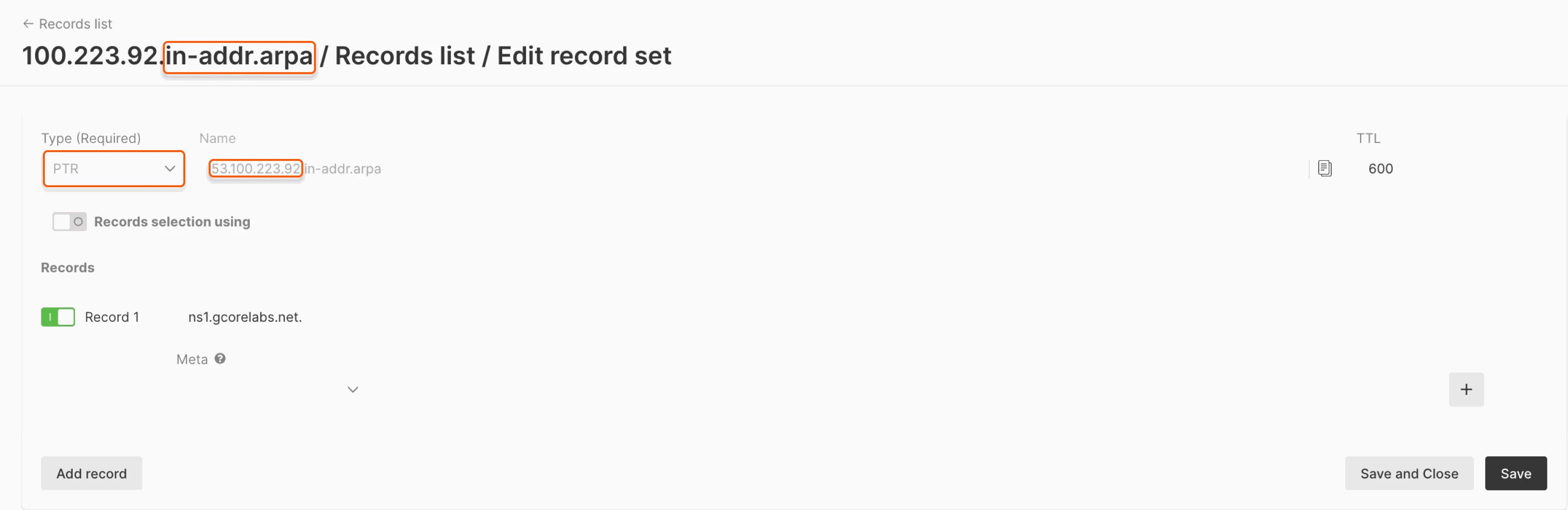 4\. Specify Gcore's name servers `ns1.gcorelabs.net` and `ns2.gcdn.services` for the subnet `xx.xx.xx/24` and wait up to 24 hours for DNS cache updating.
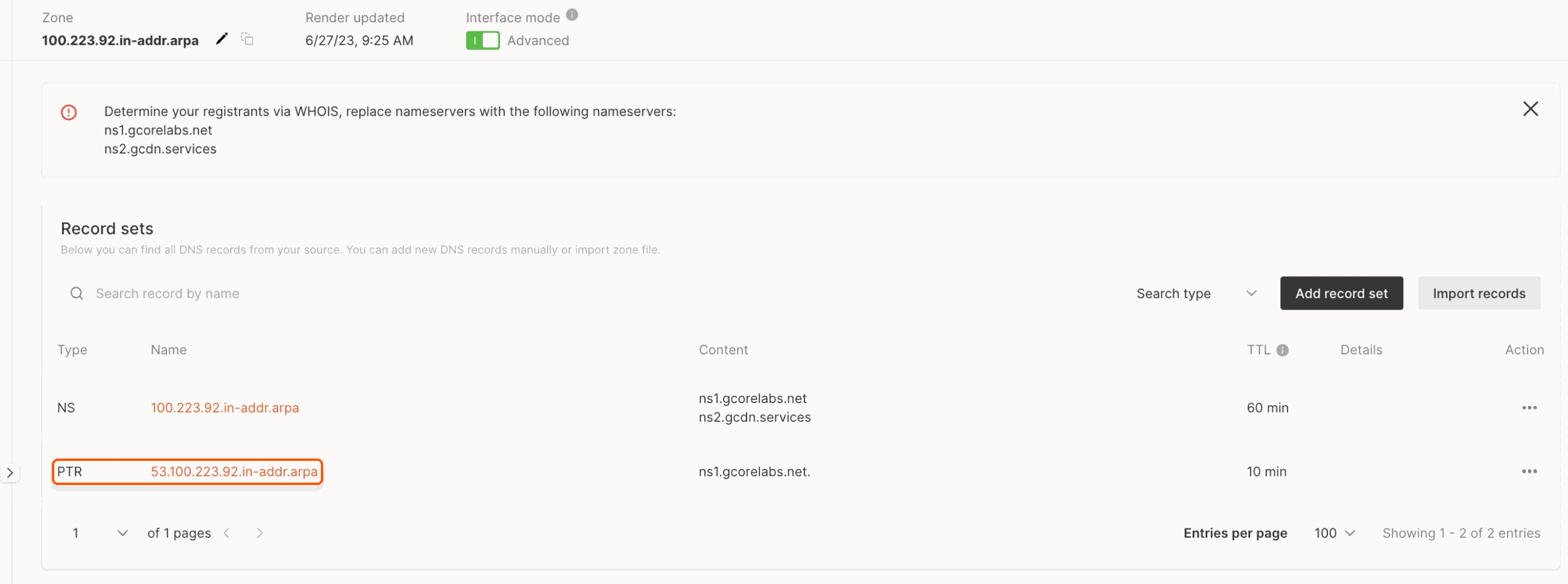 That's it! The PTR record is now added and will prevent your mail from ending up as spam.