> ## Documentation Index
> Fetch the complete documentation index at: https://gcore.com/docs/llms.txt
> Use this file to discover all available pages before exploring further.
# Configure API keys
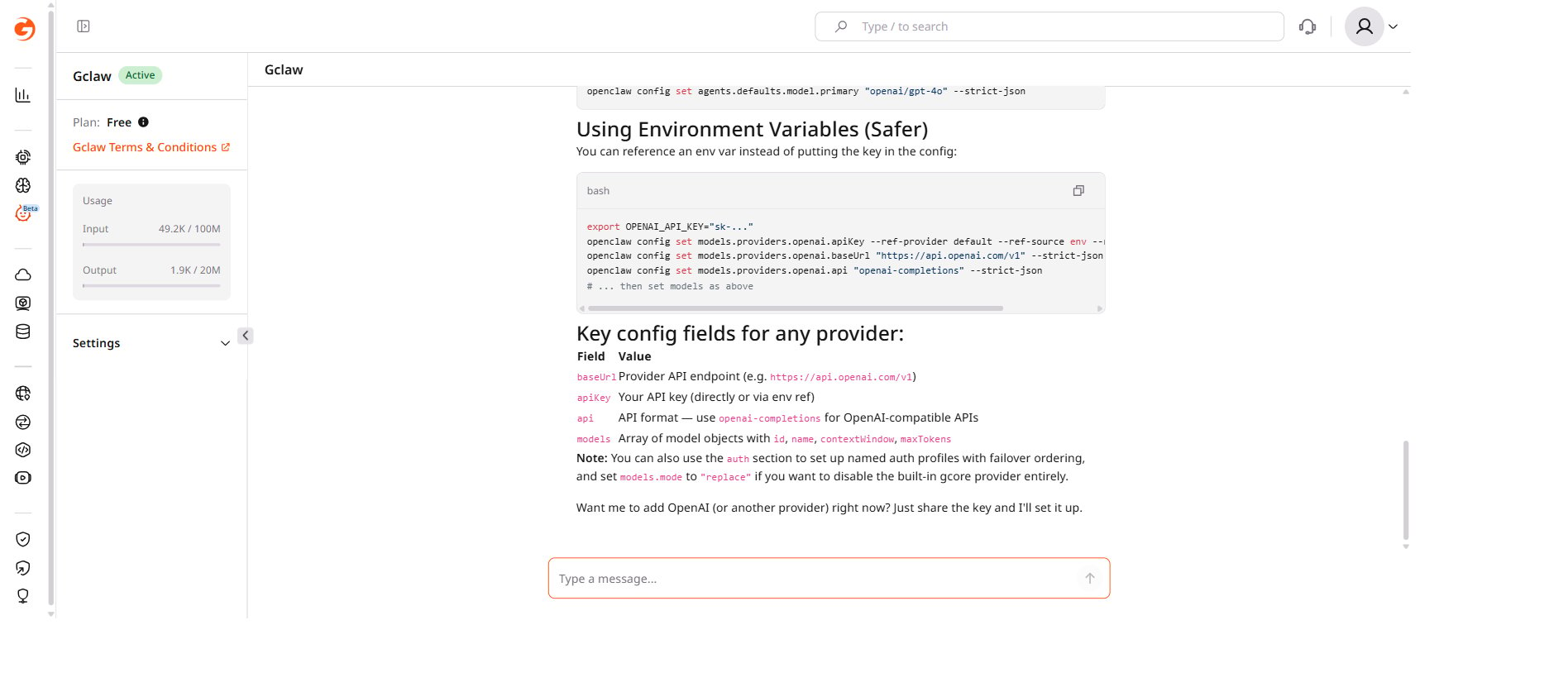
Some Gclaw skills require external API keys to function. The Gclaw assistant adds API keys directly to the OpenClaw configuration when they are provided in the chat.
## Add an API key
To add an API key, paste it into the chat interface:
> "Add my OpenAI key: sk-abc123..."
The assistant stores the key in the instance configuration and confirms when it is set.
 ## Credentials required by skill
| Skill | Credentials needed |
| ---------------------- | ------------------------------------------------------------------ |
| coding-agent | API key for the chosen provider (OpenAI, Anthropic, or Google) |
| gemini | Gemini API key |
| openclaw-channel-setup | Bot token for the messaging platform (Telegram, WhatsApp, Discord) |
Skills that do not appear in this table (`config-backup`, `healthcheck`, `taskflow`, `weather`, and others) require no external credentials.
## Available skills
Ask the assistant "List all available skills" to see the full list with descriptions.
## Credentials required by skill
| Skill | Credentials needed |
| ---------------------- | ------------------------------------------------------------------ |
| coding-agent | API key for the chosen provider (OpenAI, Anthropic, or Google) |
| gemini | Gemini API key |
| openclaw-channel-setup | Bot token for the messaging platform (Telegram, WhatsApp, Discord) |
Skills that do not appear in this table (`config-backup`, `healthcheck`, `taskflow`, `weather`, and others) require no external credentials.
## Available skills
Ask the assistant "List all available skills" to see the full list with descriptions.
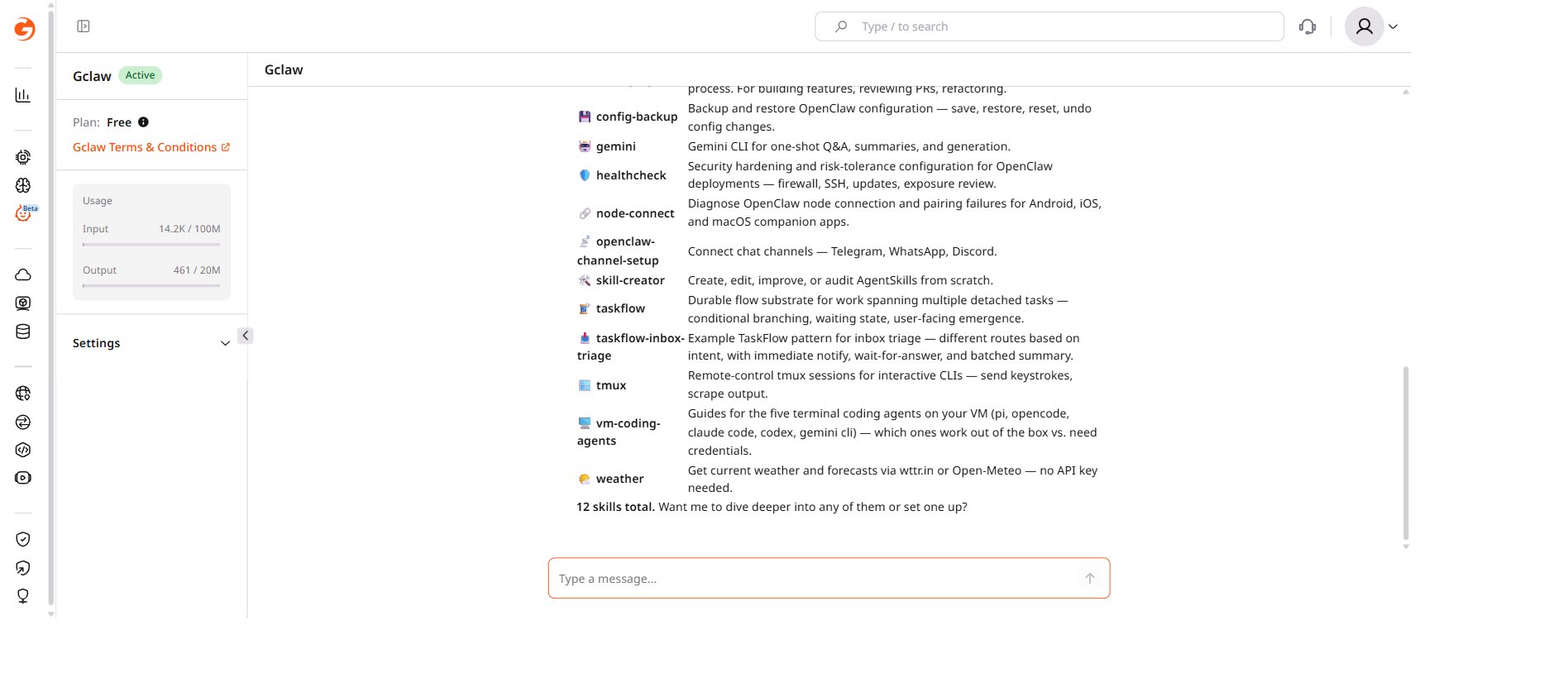 The assistant currently includes the following built-in skills:
| Skill | Description |
| ---------------------- | ---------------------------------------------------------------- |
| coding-agent | Delegate coding tasks to Codex, Claude Code, or Pi agents |
| config-backup | Backup and restore OpenClaw configuration |
| gemini | Gemini CLI for one-shot Q\&A, summaries, and generation |
| healthcheck | Security hardening and risk-tolerance configuration |
| node-connect | Diagnose OpenClaw node connection and pairing failures |
| openclaw-channel-setup | Connect chat channels — Telegram, WhatsApp, Discord |
| skill-creator | Create, edit, improve, or audit AgentSkills from scratch |
| taskflow | Durable flow substrate for work spanning multiple detached tasks |
| taskflow-inbox-triage | Example TaskFlow pattern for inbox triage |
| tmux | Remote-control tmux sessions for interactive CLIs |
| vm-coding-agents | Guides for the five terminal coding agents on the VM |
| weather | Get current weather and forecasts — no API key needed |
To use a skill, ask the assistant directly — the appropriate skill loads automatically.
The assistant currently includes the following built-in skills:
| Skill | Description |
| ---------------------- | ---------------------------------------------------------------- |
| coding-agent | Delegate coding tasks to Codex, Claude Code, or Pi agents |
| config-backup | Backup and restore OpenClaw configuration |
| gemini | Gemini CLI for one-shot Q\&A, summaries, and generation |
| healthcheck | Security hardening and risk-tolerance configuration |
| node-connect | Diagnose OpenClaw node connection and pairing failures |
| openclaw-channel-setup | Connect chat channels — Telegram, WhatsApp, Discord |
| skill-creator | Create, edit, improve, or audit AgentSkills from scratch |
| taskflow | Durable flow substrate for work spanning multiple detached tasks |
| taskflow-inbox-triage | Example TaskFlow pattern for inbox triage |
| tmux | Remote-control tmux sessions for interactive CLIs |
| vm-coding-agents | Guides for the five terminal coding agents on the VM |
| weather | Get current weather and forecasts — no API key needed |
To use a skill, ask the assistant directly — the appropriate skill loads automatically.