> ## Documentation Index
> Fetch the complete documentation index at: https://gcore.com/docs/llms.txt
> Use this file to discover all available pages before exploring further.
# Delete a virtual server
You can delete a server in the [Control Panel](https://hosting.gcore.com/billmgr). After deleting it will disappear from the list of servers, all data will be erased from it, and the payment will no longer be charged.
## How to delete a server
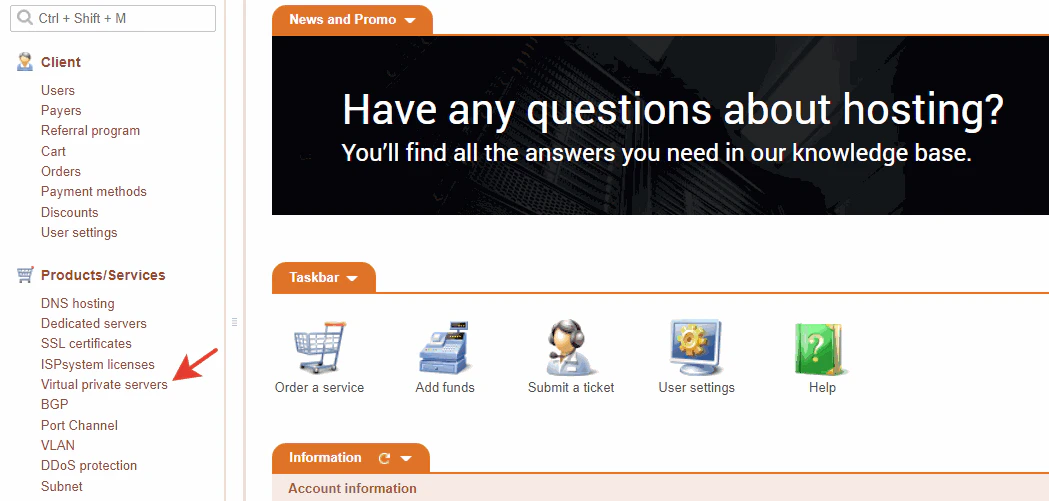
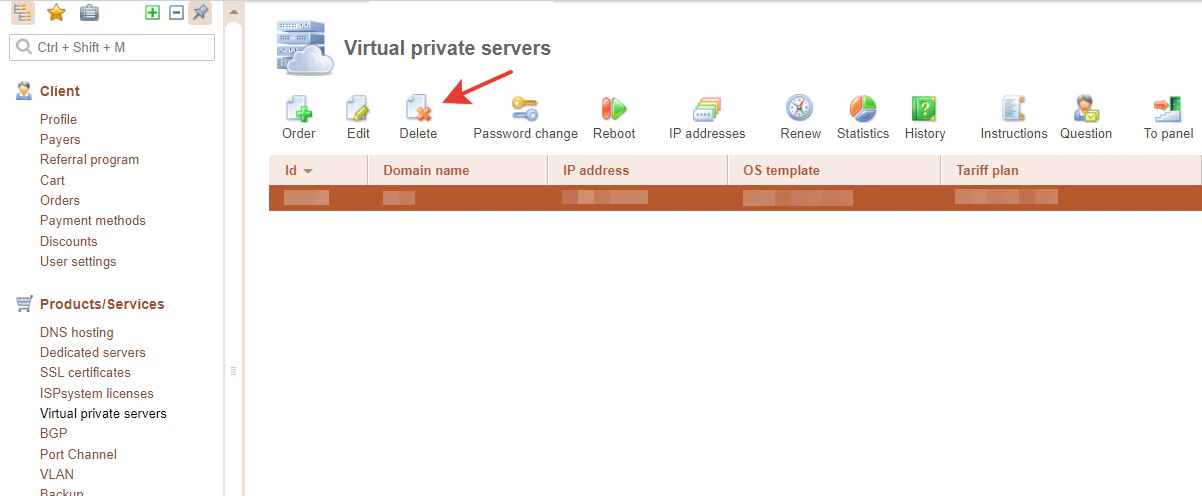 Open the tab with your servers. Click on the one you need and click on the Delete button. After clicking, you will see a confirmation window. Click on Ok if you want to delete your server, click on Cancel if you do not.
**Note** : after deletion, there is no way to restore the server!
Open the tab with your servers. Click on the one you need and click on the Delete button. After clicking, you will see a confirmation window. Click on Ok if you want to delete your server, click on Cancel if you do not.
**Note** : after deletion, there is no way to restore the server!
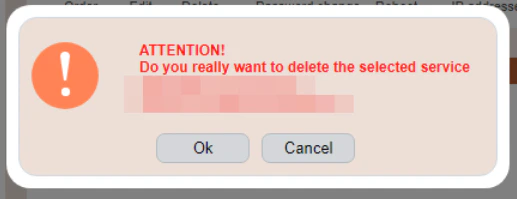 After clicking on "Ok" your server will be automatically deleted.
## You received an error while deleting a server. What should you do?
Most likely, you are trying to delete a Virtual Server that you bought less than a month ago. You can't do that because 1 month is the minimum term for ordering a service.
You can get the details of the error by hovering over exclamation mark icon.
After clicking on "Ok" your server will be automatically deleted.
## You received an error while deleting a server. What should you do?
Most likely, you are trying to delete a Virtual Server that you bought less than a month ago. You can't do that because 1 month is the minimum term for ordering a service.
You can get the details of the error by hovering over exclamation mark icon.
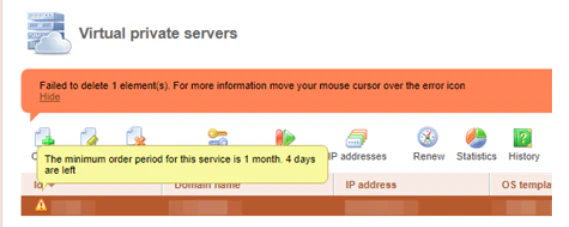 If the error occurred not because you are trying to delete the server before the minimum period for ordering the service passed, please [write to our support department](/hosting/contact-our-technical-support) — we will solve the issue.