> ## Documentation Index
> Fetch the complete documentation index at: https://gcore.com/docs/llms.txt
> Use this file to discover all available pages before exploring further.
# Request content directly from the storage
Object Storage and SFTP Storage use different URL formats. Find the hostname in the [service URLs](/storage/manage-object-storage/s3-service-urls-and-default-region-names) list or in the **Details** section on the **Storages** tab of the [Gcore Customer Portal](https://portal.gcore.com).
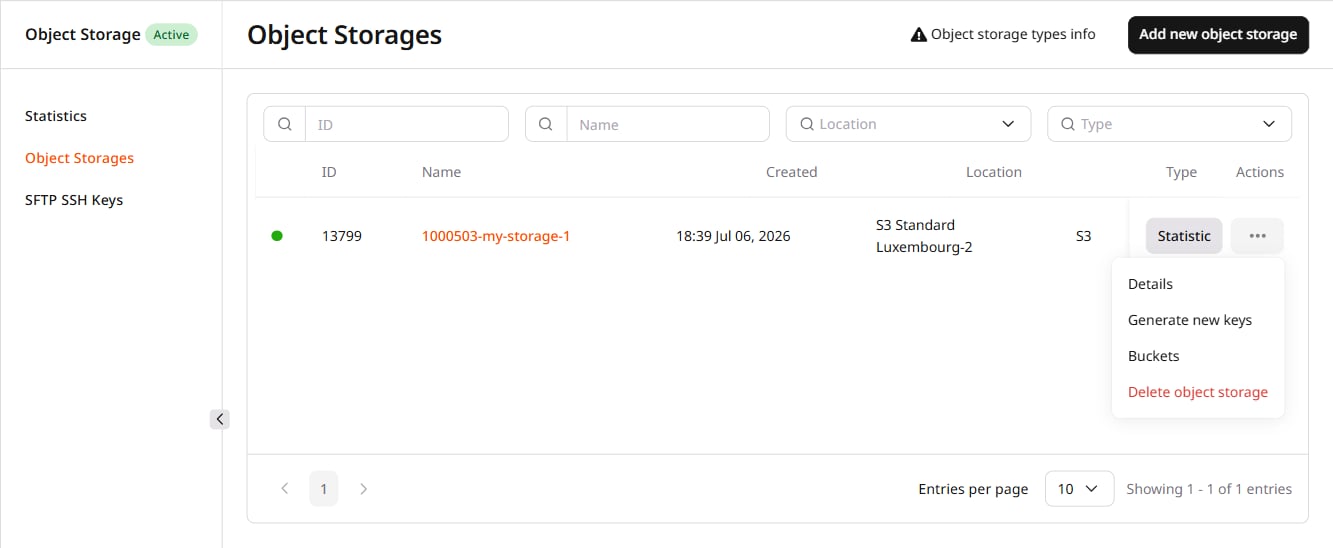 The URL format differs between Object Storage and SFTP Storage:
| Storage type | URL format | Notes |
| -------------- | ------------------------------------------- | --------------------------------------------------------- |
| Object Storage | `http(s)://./` | HTTP and HTTPS supported |
| SFTP Storage | `https://./` | Upload files to `htdocs`; omit the directory from the URL |
Examples:
* Object Storage — bucket `mybucket`, file `picture.png`, Luxembourg location:
```sh theme={null}
http://mybucket.s-ed1.cloud.gcore.lu/picture.png
```
* SFTP Storage — storage `12345-test`, file uploaded to `htdocs/picture.png` at `ams.origin.gcdn.co`:
```sh theme={null}
https://12345-test.ams.origin.gcdn.co/picture.png
```
The URL format differs between Object Storage and SFTP Storage:
| Storage type | URL format | Notes |
| -------------- | ------------------------------------------- | --------------------------------------------------------- |
| Object Storage | `http(s)://./` | HTTP and HTTPS supported |
| SFTP Storage | `https://./` | Upload files to `htdocs`; omit the directory from the URL |
Examples:
* Object Storage — bucket `mybucket`, file `picture.png`, Luxembourg location:
```sh theme={null}
http://mybucket.s-ed1.cloud.gcore.lu/picture.png
```
* SFTP Storage — storage `12345-test`, file uploaded to `htdocs/picture.png` at `ams.origin.gcdn.co`:
```sh theme={null}
https://12345-test.ams.origin.gcdn.co/picture.png
```