

Get Live unique viewers via CDN
Calculates time series of unique viewers of Live streams via CDN.
The statistics are taken from the data of CDN and work regardless of which player the views were made with.
Works similar to the method /statistics/cdn/uniqs. But this allows you to break down data with the specified granularity: minutes, hours, days.
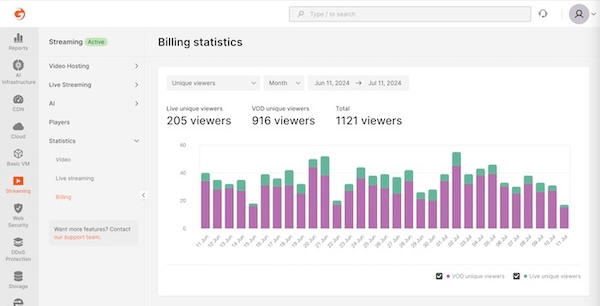
Based on this method, a graph of unique views in the Customer Portal is built.
Documentation Index
Fetch the complete documentation index at: https://gcore.com/docs/llms.txt
Use this file to discover all available pages before exploring further.
Authorizations
API key for authentication. Make sure to include the word apikey, followed by a single space and then your token.
Example: apikey 1234$abcdef
Query Parameters
Start of time frame. Format is date time in ISO 8601
End of time frame. Format is date time in ISO 8601
Filter by "stream_id"
Filter by "client_user_id"
Specifies the time interval for grouping data
1m, 5m, 15m, 1h, 1d