

Activate Streaming
Streaming is available in the reseller admin portal only if the reseller has the Streaming product enabled. To activate Streaming for a customer:- Open the Admin Portal.
- Go to the Streaming section.
- Create a new customer account or open an existing one.
- Configure the required Streaming limits.
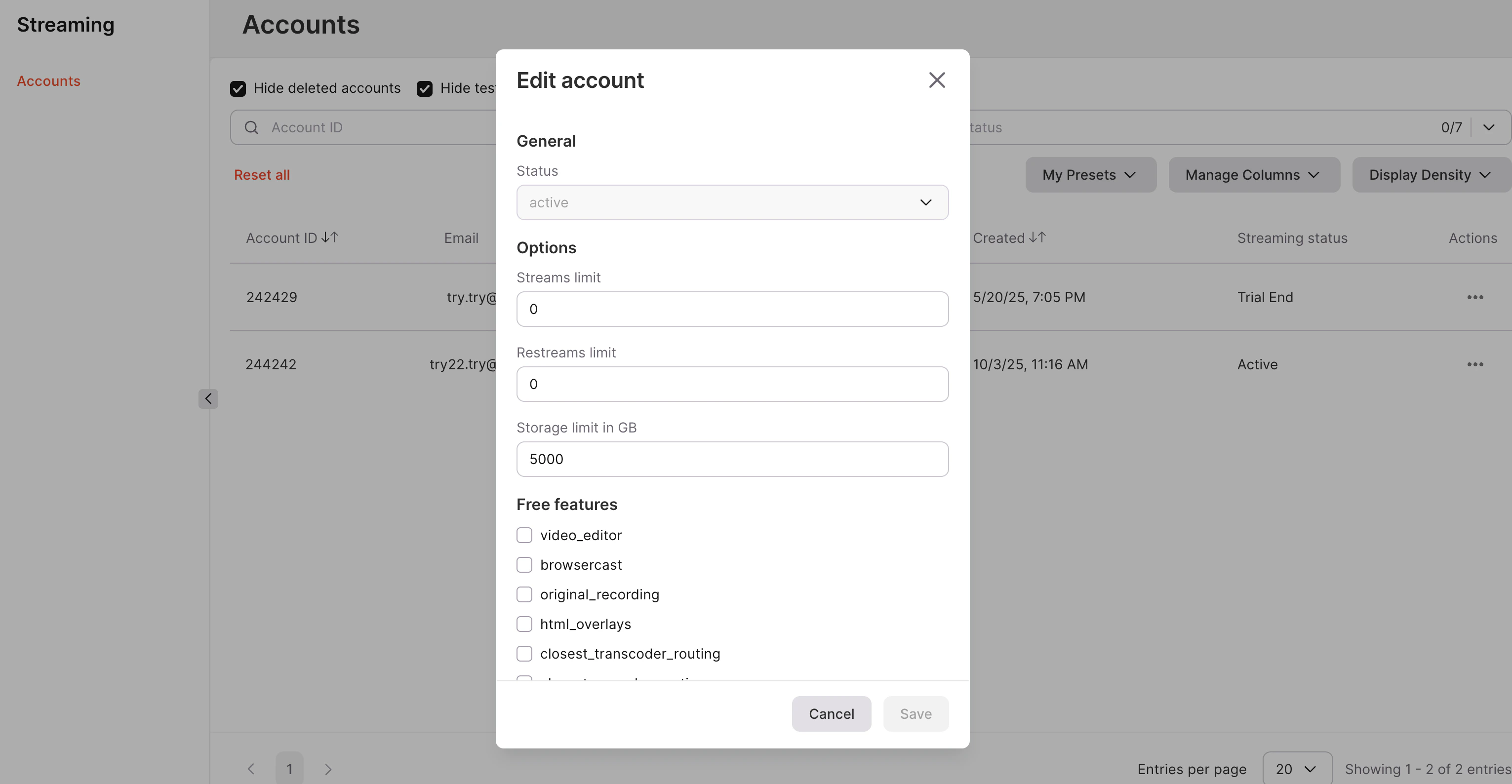
Streaming Admin Portal (IAM)
The Streaming Admin Portal (IAM) provides an interface for managing customers who use the Gcore Streaming platform.Interface overview
The portal displays a list of all customers using Streaming, including customers on trial and free tariff plans.Manage trial limits
When a new Streaming account is created, all streaming limits are set to0 by default, regardless of the account status.
For customers requesting access to live streaming for the first time, the following limits must be configured before the service can be used:
- Streams count — maximum number of simultaneous live streams.
- Restreams count — number of simultaneous restream destinations.
- Video storage minutes — amount of minutes available for storing video recordings.
- Encoding video minutes — available minutes for video transcoding.
- VOD storage (GB) — available storage capacity for video-on-demand content.
Trial configuration
For trial accounts, the limits are typically configured with restricted values. Example trial limits may include:- Streams count: 1
- Restreams count: 1
- Video storage minutes: 30
- Encoding video minutes: 30
- VOD storage: 1000 GB
Free features
Some Streaming features can be enabled for customers as free features in the account settings.NoteTo enable free features, resellers need to contact the Gcore support team or their manager. Some features may require additional configuration by Gcore engineers.
- video_editor — allows editing uploaded videos directly in the platform.
- browsercast — enables browser-based live streaming.
- original_recording — allows storing the original stream recording.
- html_overlays — enables HTML overlays for live streams.
- closest_transcoder_routing — routes streams to the nearest transcoder for improved performance.
- audit_log — provides access to activity logs for Streaming operations.