

What is a GPU cluster
A GPU cluster is a group of interconnected servers, each equipped with multiple high-performance GPUs. Clusters are designed for workloads that require massive parallel processing power, such as training large language models (LLMs), fine-tuning foundation models, running inference at scale, and high-performance computing (HPC) tasks.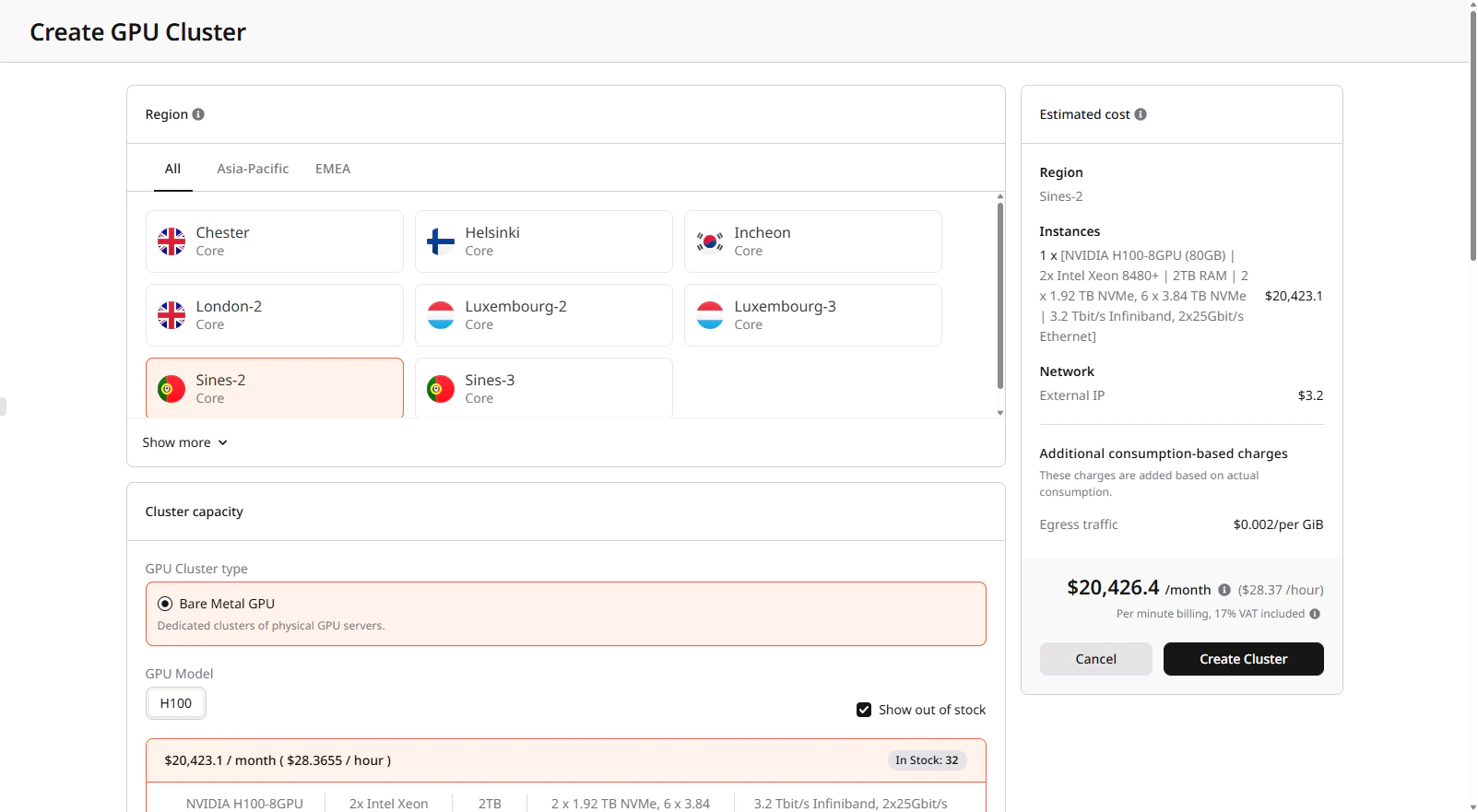
Cluster types
Gcore offers three types of GPU clusters:| Type | Description | Best for |
|---|---|---|
| Bare Metal GPU | Dedicated physical servers with guaranteed resources. No virtualization overhead | Production workloads, long-running training jobs, and latency-sensitive inference |
| Spot Bare Metal GPU | Same hardware as Bare Metal, but at a reduced price (up to 50% discount). Instances can be preempted with a 24-hour notice when capacity is needed | Fault-tolerant training with checkpointing, batch processing, development, and testing |
| Virtual GPU | Virtualized GPU instances with flexible resource management. Supports flavor changes and cost optimization through shelving (powering off releases resources and stops billing) | Development environments, variable workloads, cost-sensitive projects |
Available configurations
Select a configuration based on your workload requirements:| Configuration | GPUs | Interconnect | RAM | Storage | Use case |
|---|---|---|---|---|---|
| H200 with InfiniBand | 8x NVIDIA H200 141GB | 3.2 Tbit/s InfiniBand, 2x 200 Gbit/s Ethernet | 2TB | 6x 3.84TB NVMe | Distributed LLM training with the latest GPU generation |
| H100 with InfiniBand | 8x NVIDIA H100 80GB | 3.2 Tbit/s InfiniBand | 2TB | up to 8x 3.84TB NVMe | Distributed LLM training requiring high-speed inter-node communication |
| A100 with InfiniBand | 8x NVIDIA A100 80GB | 800 Gbit/s InfiniBand | 2TB | 8x 3.84TB NVMe | Multi-node ML training and HPC workloads |
| A100 without InfiniBand | 8x NVIDIA A100 80GB | 2x 100 Gbit/s Ethernet | 2TB | 8x 3.84TB NVMe | Single-node training, inference for large models requiring more than 48GB VRAM |
| L40S | 8x NVIDIA L40S | 2x 25 Gbit/s Ethernet | 2TB | 4x 7.68TB NVMe | Inference, fine-tuning small to medium models requiring less than 48GB VRAM |
InfiniBand networking
InfiniBand is a high-bandwidth, low-latency interconnect technology used for communication between nodes in a cluster. InfiniBand is configured automatically when you create a cluster. If the selected configuration includes InfiniBand network cards, all nodes are placed in the same InfiniBand domain with no manual setup required. H100 configurations typically have 8 InfiniBand ports per node, each creating a dedicated network interface. Gcore includes SHARP (Scalable Hierarchical Aggregation and Reduction Protocol) automatically for InfiniBand configurations. It offloads collective communication operations to network switches, reducing latency for HPC and AI workloads. InfiniBand matters most for distributed training, where models that don’t fit on a single node require frequent gradient synchronization between GPUs. The same applies to multi-node inference when large models are split across servers. In these cases, InfiniBand reduces communication overhead significantly compared to Ethernet. For single-node workloads or independent batch jobs that don’t require node-to-node communication, InfiniBand provides no benefit. Standard Ethernet configurations work equally well and may be more cost-effective.Storage options
GPU clusters support two storage types:| Storage type | Persistence | Performance | Use case |
|---|---|---|---|
| Local NVMe | Temporary (deleted with cluster) | Highest IOPS, lowest latency | Training data cache, checkpoints during training |
| File shares | Persistent (independent of cluster) | Network-attached, lower latency than object storage | Datasets, model weights, shared checkpoints |
Cluster lifecycle
- Create: Select region, GPU type, number of nodes, image, and network settings. See creating a Bare Metal GPU cluster or creating a Virtual GPU cluster.
- Configure: Connect via SSH to each node, install required dependencies, and mount file shares to prepare the environment for workloads.
- Run workloads: Execute training jobs, run inference services, process data.
- Resize: Add or remove nodes based on demand. New nodes inherit the cluster configuration. See managing a Bare Metal GPU cluster for details.
- Delete: Remove the cluster when no longer needed. Local storage is erased; file shares and network disks can be preserved.
GPU cluster characteristics
- Provisioning takes 15–40 minutes
- You define the configuration (image, network, and storage) at creation, and you cannot change it afterward
- Local NVMe storage is temporary—store critical data in persistent file shares
- Spot clusters can be interrupted with a 24-hour notice
- Available regional capacity determines cluster size
- Servers equipped with BlueField network cards support hardware firewalls
FAQ
When should I use a GPU cluster?
Use a cluster when your workload requires more resources than a single node can provide or when scaling across multiple machines for distributed training or inference is required.What is the difference between a single GPU server and a cluster?
A single GPU server runs workloads on one node. A cluster combines multiple nodes into a single environment:- Single GPU server: 1–8 GPUs on one node
- Cluster: Multiple nodes with 16+ GPUs in total
How do I verify that my cluster is working correctly?
Connect to a node using SSH and run:nvidia-smi— confirm GPU availabilityibstat— verify InfiniBand connectivity
How does a floating IP work with a GPU cluster?
A floating IP points to a single node in the cluster. Use that node as an entry point:- Connect via SSH using the floating IP
- Access other nodes through their internal IP addresses
Does GPU Cloud work as a serverless platform?
GPU Cloud provides dedicated infrastructure. When you create a cluster:- You provision fixed GPU and compute resources
- The cluster runs continuously until you resize or delete it