

Billing reports
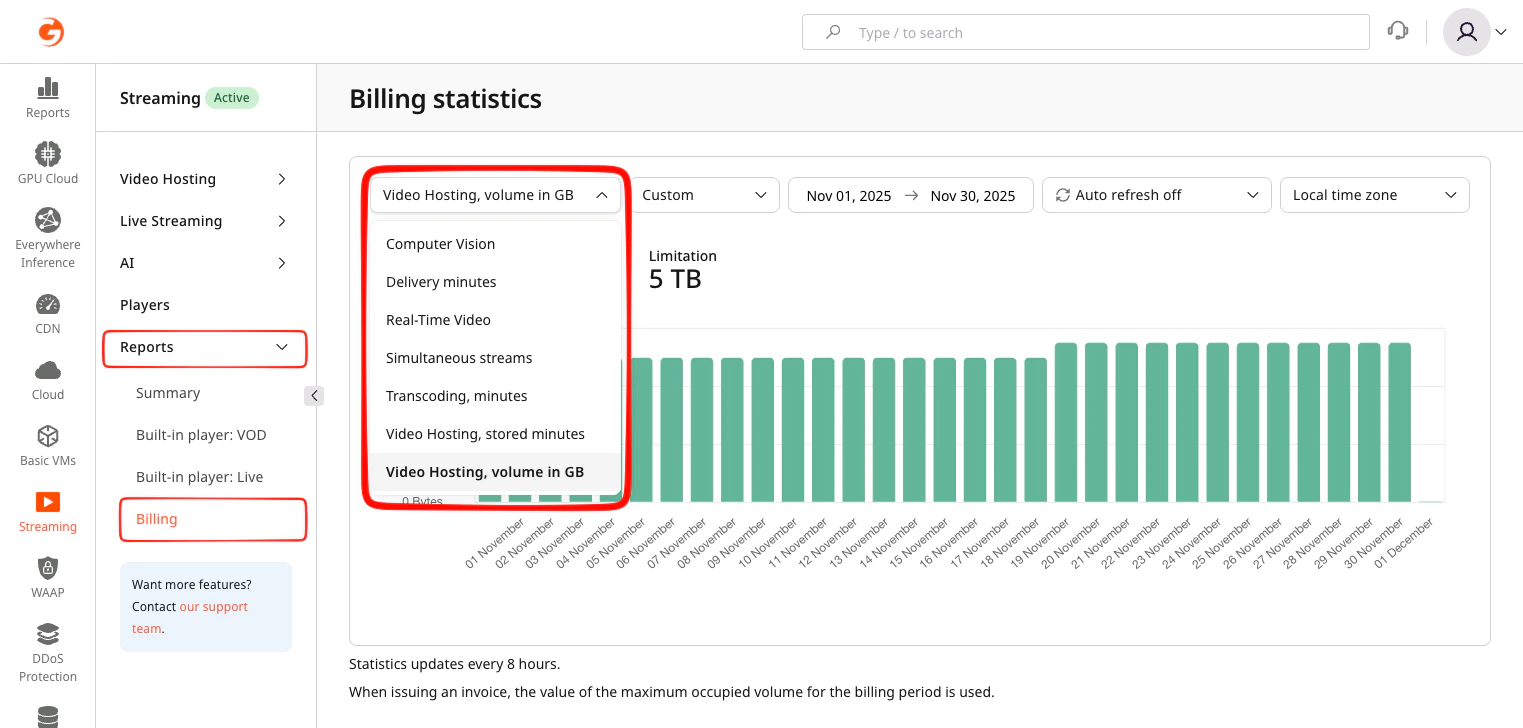
The following reports are available:- Computer vision — number of minutes processed by AI services
- Delivery minutes — number of minutes spent delivering video via the CDN
- Real-time video — obsolete minutes delivered via WebRTC-to-WebRTC
- Simultaneous streams — number of live streams being transcoded concurrently
- Transcoding, minutes — total minutes spent transcoding live streams and VOD assets
- Video hosting, minutes — occupied storage volume for VOD assets, measured in minutes
- Video hosting, volume in GB — occupied storage volume for VOD assets, measured in gigabytes
Computer vision
AI-powered video processing, including speech recognition and content moderation, is displayed here. The number of minutes spent processing video is displayed. The total number of minutes accumulated during the month is included in billing. This report is available only when AI services are enabled.Delivery minutes
All video content is delivered to end users via the CDN. This report shows the total number of video delivery minutes processed through the CDN. For visibility and analysis, delivery statistics for live streams and VOD assets are displayed separately in the report, while delivery usage is aggregated as one line item in the final invoice. The total number of minutes accumulated during the month is included in billing.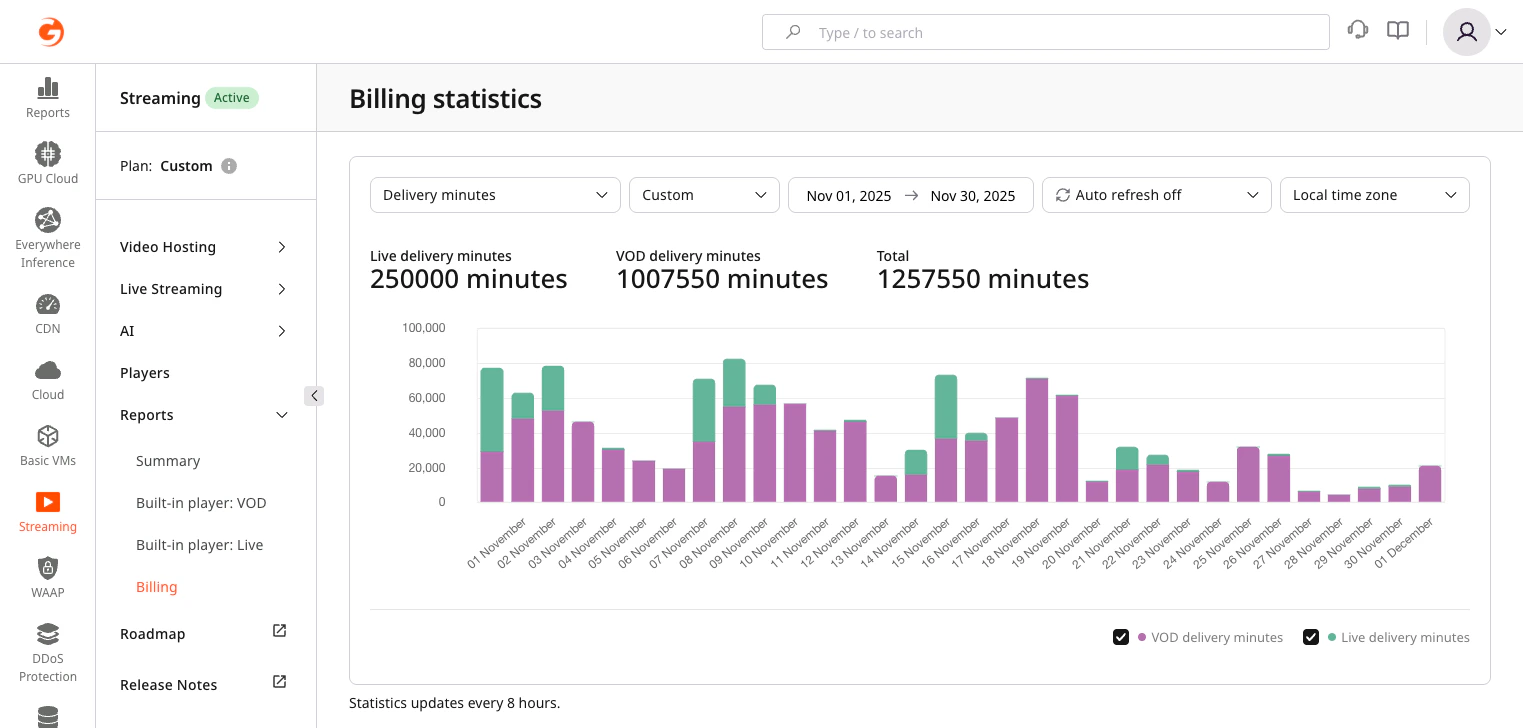
- Enterprise plans may apply different rules. Contact the account manager for details. This report includes statistics only for video-specific CDN resources that measure delivery in minutes, including traffic served from the base video domain
{your_id}.gvideo.io. - If custom CDN resources billed per GB are used for video delivery, usage and billing are handled separately under the CDN plan and reflected on the CDN Billing page. In this case, the Delivery minutes report shows statistics only for traffic served from the base video domain.
Simultaneous streams
This report displays the maximum number of live streams being transcoded concurrently for each day. For standard live streaming tariff plans and workflows, it shows how many streams were running at the same time and helps identify peak concurrency during the selected period.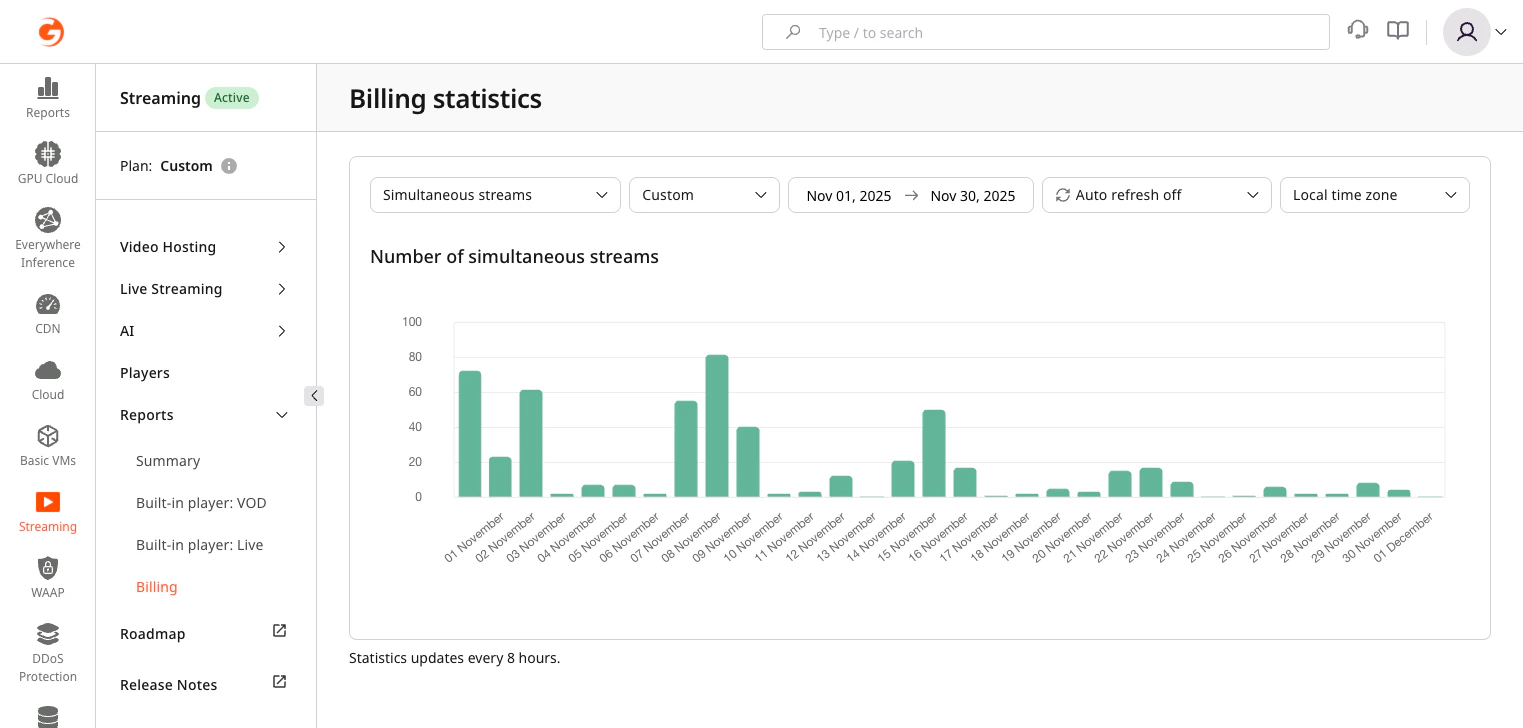
- If 24/7 stream transcoding is enabled, this report displays the maximum number of streams being transcoded simultaneously.
- The maximum number of simultaneously transcoded streams within the billing period is used for billing calculations and included in the monthly invoice.
Transcoding, minutes
All video content, including live streams and VOD assets, is processed through the transcoding service to generate adaptive multi-bitrate renditions for delivery across different devices and network conditions. This report shows the total number of minutes spent on transcoding during the selected period. For monitoring, transcoding usage for live streams and VOD assets may be displayed separately, while total transcoding minutes are included as one aggregated line item on the invoice. This report includes statistics only for transcoding operations performed by Gcore Streaming. Basic transcoding profiles up to Full HD (1080p) are included by default, while additional profiles or advanced settings may be billed according to the tariff plan. The total number of minutes accumulated during the month is included in billing.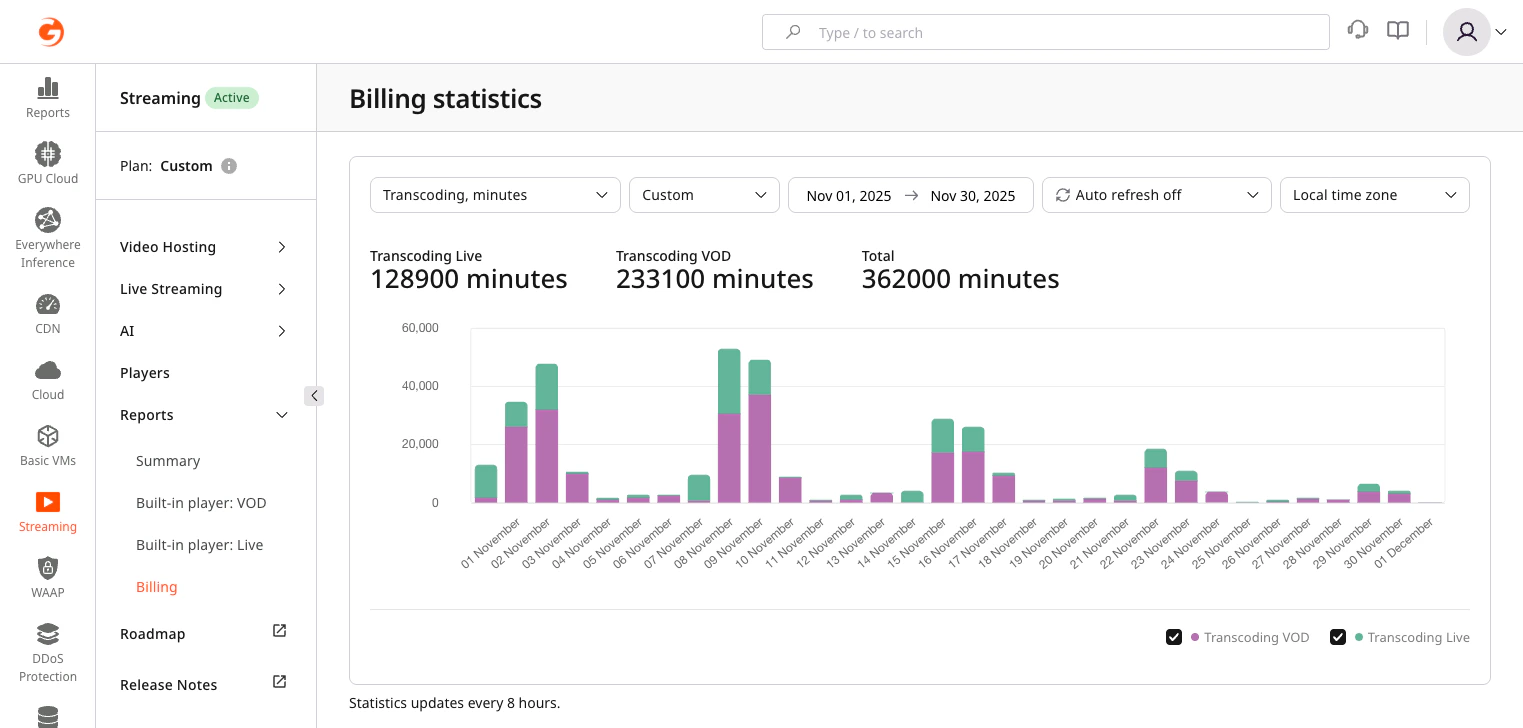
- Enterprise plans may apply custom transcoding terms or accrual models. Contact the account manager for details.
Video hosting, minutes
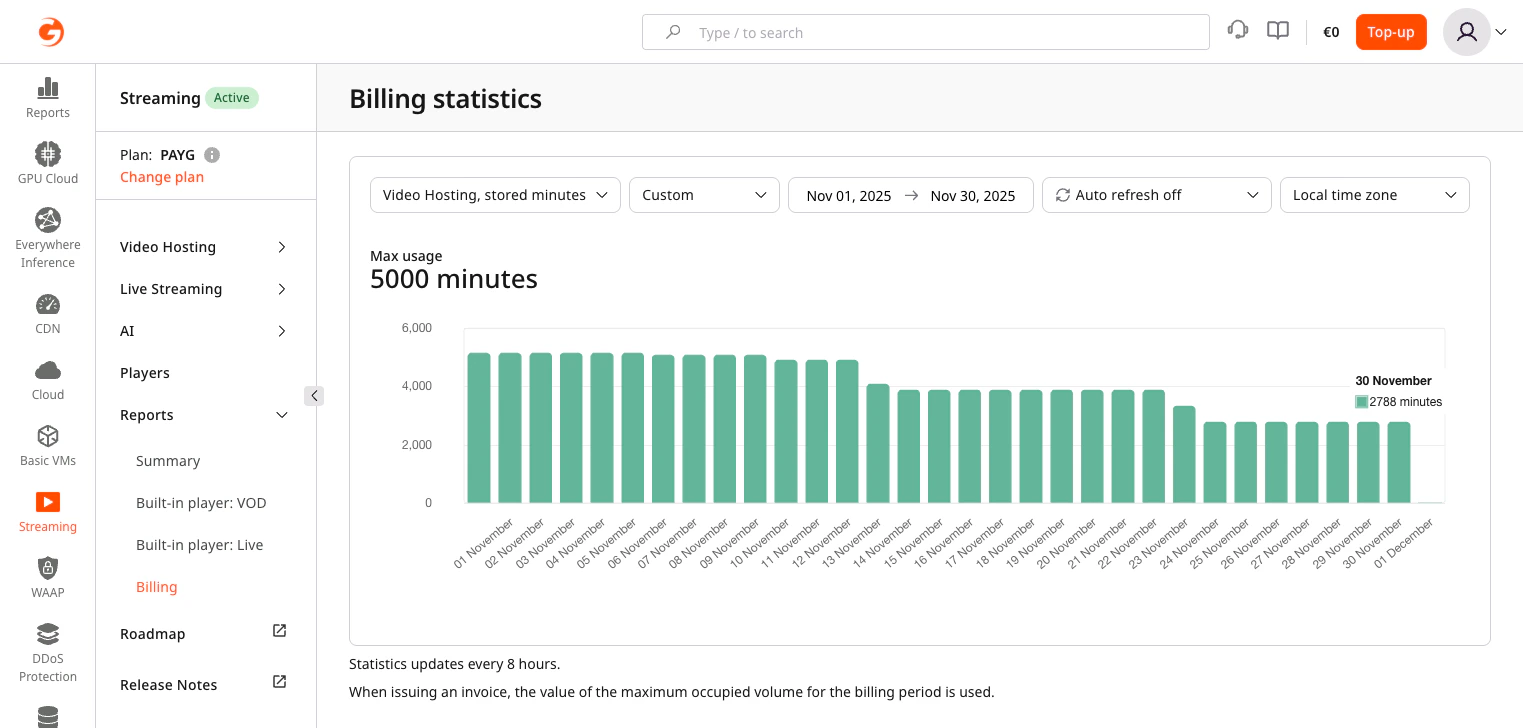
This report reflects the total duration of VOD assets stored in Gcore Streaming, calculated per minute of the original uploaded file. Billing for video hosting is based on video duration, not file size. Minutes are used because file size in GB can vary depending on encoding settings and bitrate ladders, while video duration remains constant. Only the duration of the original video is billed. Additional encoded ABR versions are not charged, so a 1-minute video transcoded into five different bitrates is still billed as 1 minute.The report displays the maximum amount of video stored per day. For billing purposes, the highest number of stored minutes reached during the month is used.
- Enterprise plans may apply custom storage terms or accrual models. Contact the account manager for details.
Video hosting, volume in GB
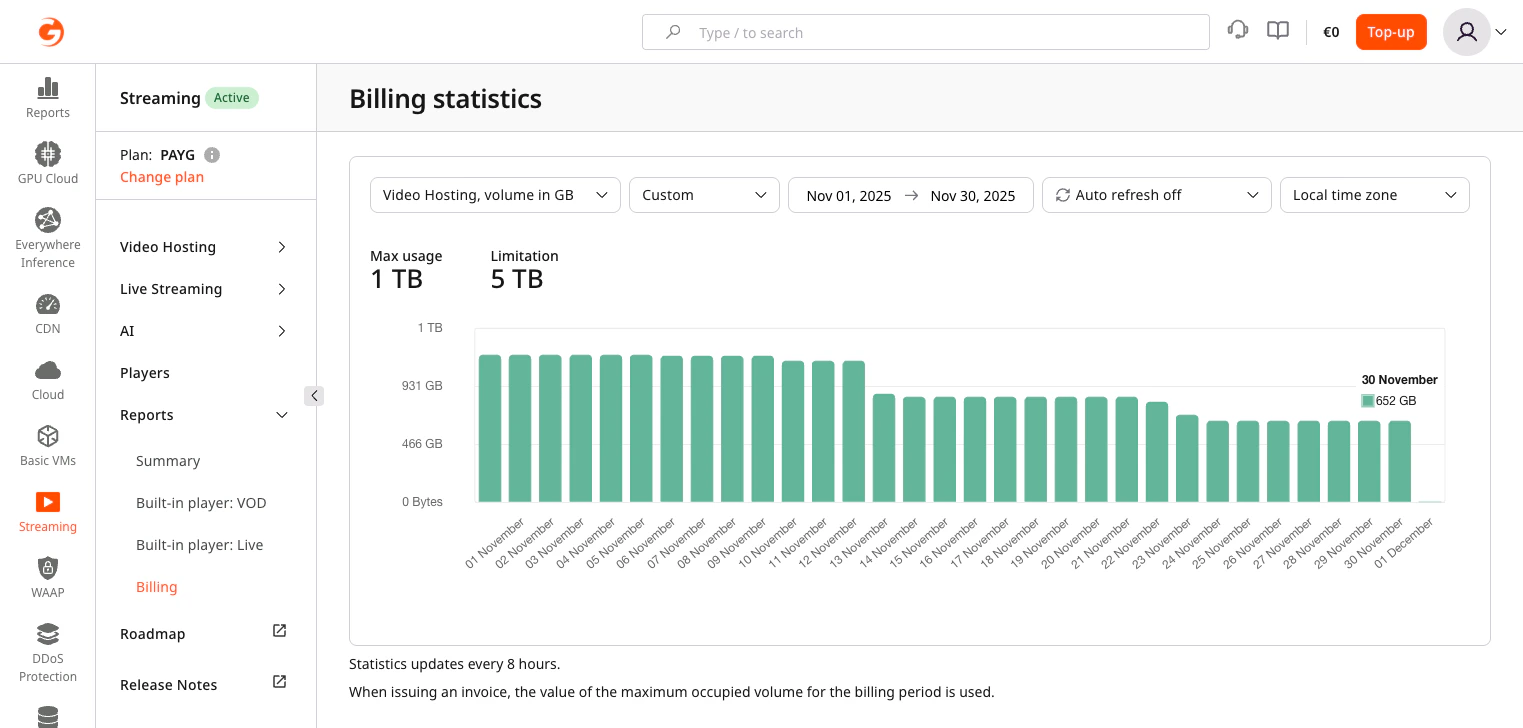
This report shows the total storage consumption measured in gigabytes (GB). Unlike minute-based accounting, all stored data is counted by size, including:- all transcoded renditions
- audio tracks
- metadata
- thumbnails, previews, and other auxiliary files
The report displays the maximum storage volume reached per day. For billing purposes, the highest storage volume recorded during the month is used as the final value.
- Enterprise plans may apply custom storage terms or accrual models. Contact the account manager for details.