

When to use secure tokens (and when NOT to)
- ✅ Use secure tokens if...
- ❌ Don't use secure tokens if...
You need to control WHO can access your content:
- Paid content/Paywalls: Only authenticated, paying users should access videos
- Private videos: Content for logged-in users only (educational platforms, corporate training)
- Time-limited access: Preview links that expire after X hours/days
- Anti-hotlinking: Prevent other websites from embedding your videos without permission
- Per-user access control: Generate unique tokens for each user with your backend
- Online course platform: Students must log in to watch lessons
- VOD platform: Users pay subscription to access movies
- Event streaming: Generate one-time links for ticket holders
- Content preview: Share 24-hour preview links with partners
What are protected temporary links?
When using this option, you add a special character set to every URL. Check out the examples below with the special characters highlighted in bold. At Gcore, we call these special characters Secure Tokens. VOD:- Public: https://demo-public.gvideo.io/videos/2675_pG8TfmKx2LU2qs/master.m3u8
- Protected: https://demo-protected.gvideo.io/videos/2675_pG8TfmKx2LU2qs/rI1224fiE3USCa8qYnMuGQ/1861919999/master.m3u8
- Public: https://demo-public.gvideo.io/cmaf/2675_19146/master.m3u8
- Protected: https://demo-protected.gvideo.io/cmaf/2675_19146/9y9nJqRofJQw-DbX2LDgYw/1861919999/master.m3u8
In the protected URLs above,
1861919999 is the expiration timestamp in Unix time format, which corresponds to Sunday, December 31, 2028 at 23:59:59 UTC.- HTTP 2xx response code, if the hash key is valid and unexpired
- HTTP 403 Forbidden response, if the hash key is invalid
- HTTP 410 Gone response, if the hash key is valid but expired
In this example, the expiration timestamp
1755007200 (Unix time) corresponds to Sunday, June 12, 2025 at 12:00:00 UTC, which has already passed when the request was made on August 12, 2025, resulting in a 410 Gone response.Video secure token vs. generic CDN secure token
Gcore offers two types of secure tokens for content protection:- Video Secure Token (Streaming-specific)
- Generic CDN Secure Token
What it is:
- Simplified secure token implementation specifically for Video Streaming
- Optimized for HLS/DASH manifests and video chunks
- Supports both VOD and live streaming
- Includes MP4 direct download protection
- Video Streaming platform content (this article)
- Live streams and VOD hosted on Gcore Streaming
- When you need relative path token validation for manifests and chunks
- Simple implementation for streaming use cases
- Follow this guide for token generation
- Tokens work with the streaming-specific URL format
- Support for both HLS/DASH and MP4 formats
How to choose between them
| Use Case | Recommended Approach |
|---|---|
| Protecting Video Streaming content (VOD/Live) | Video secure token (this guide) |
| Protecting custom CDN resource with video content | Generic CDN secure token |
| Protecting mixed content types (video + images + files) | Generic CDN secure token |
| Simplest implementation for streaming | Video secure token (this guide) |
| Need advanced token customization | Generic CDN secure token |
Key difference: Video secure token is a specialized implementation optimized for streaming workflows. If you’re using Gcore Video Streaming platform, use this guide. If you’re configuring a custom CDN resource, refer to the generic CDN secure token documentation.
Prerequisites: Custom CDN resource required
Multiple CDN resources for different policies
Your account can have several CDN resources leading to the same content (origin). These CDN resources can have different access policies. This allows you to combine:- Open access on one CDN resource (e.g.,
public.yourdomain.com) - Protected access on another CDN resource (e.g.,
protected.yourdomain.com) - Geo-restricted access on a third resource (e.g.,
us-only.yourdomain.com)
| CDN resource | Security policy | Use case |
|---|---|---|
demo-protected.yourdomain.com | Secure tokens (no IP binding) | Paid content accessible from any location |
demo-protected-ip.yourdomain.com | Secure tokens (with IP binding) | Enhanced security with IP validation |
demo-geo.yourdomain.com | Country access policy | Content available only in specific countries |
demo-public.yourdomain.com | No restrictions | Free, public content |
How to enable the secure token feature?
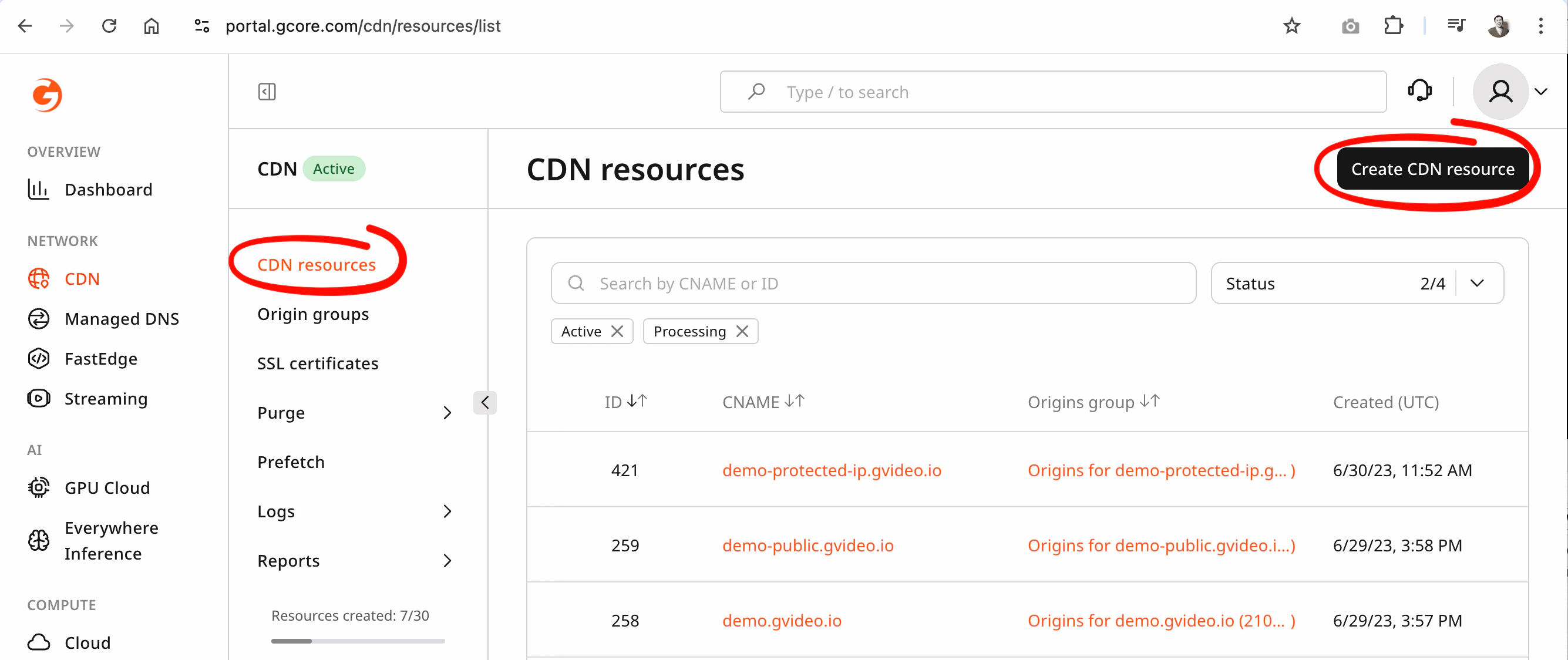
Secure token can be enabled only on a custom CDN resource. You cannot enable it on the default Video Streaming domain. To enable secure token:- Activate the CDN product on a paid tariff
- Create a new custom CDN resource for your streaming origin
- Enable secure token in that custom CDN resource
- Follow the Custom CDN resource guide and contact Gcore Support
Streaming Rules to route your streaming content correctly.
Secure token for HLS/DASH
Secure token – protected temporary links have the following format:videos– for VOD,cmaf|mpegts– for LIVE{account_id}is your account ID{video_id}is the identifier of the video or live stream{token}is the MD5 hash of the video and other attributes{expiration}is a Unix timestamp (in seconds) that defines until when the link remains valid
https://domain.com/videos/{account_id}_{video_slug}/{token}/{expiration}/manifest.m3u8https://domain.com/videos/{account_id}_{video_slug}/{token}/{expiration}/segment-1-svod720n-v1-a1.tshttps://domain.com/videos/{account_id}_{video_slug}/{token}/{expiration}/720.mp4
https://domain.com/cmaf/{account_id}_{stream_id}/{token}/{expiration}/master.m3u8https://domain.com/cmaf/{account_id}_{stream_id}/{token}/{expiration}/index.mpdhttps://domain.com/cmaf/{account_id}_{stream_id}/{token}/{expiration}/004chunk-stream4-10000000-05213.m4s?part=4
Advanced secure token for MP4
A regular secure token for HLS/DASH from above protects the entire video entity. When distributing MP4 files separately from ABR, use an MP4 advanced secure token as an additional query parameter. This restricts access to the specific MP4 rendition and prevents unauthorized MP4 distribution.Advanced secure token for MP4 cannot be combined with generic secure token for HLS/DASH. In case of combination the secure token for HLS/DASH will have priority to resolve an accees.
{token}is the MD5 hash of the MP4 file path and other options{expiration}is a Unix timestamp (in seconds) that defines until when the link remains valid
A note on the expiration time
The expiration time must be at least equal to the duration of the original video or the expected duration of the live playback. When the signed URL expires, URLs will no longer be played, even if playback has already begun. Because video expiration time is integrated into the URL described above, new chunks will no longer be given by the relative path. Your app also needs to handle cases where a user starts to play a video, then leaves your app for a long time, and then comes back later and tries to play the video again. You will probably need to detect this behavior and reacquire the new signed URL to make sure playback can start. To handle both cases, ensure you set the expiration far enough into the future that users won’t experience playback interruptions.Preventing link sharing with auto-refreshed tokens
Setting a long expiration solves the “session resumed after pause” problem, but it creates a different risk: a viewer can share the signed URL during a live event, and anyone with that link can watch for as long as the token remains valid. The solution is to use short-lived tokens (60 seconds or less) and refresh them automatically in the player. Viewers on your platform get uninterrupted playback; anyone who copies the URL gets a 403/410 error within a minute. See Auto-refresh secure tokens for step-by-step integration examples using the Gcore Video Player, hls.js, and dash.js — including a ready-to-deploy Gcore FastEdge token API written in Rust.How to create protected links with the secure token
Create secure token for HLS/DASH
Pattern to generate token:- Tokens without user ip:
- Tokens with user ip:
| Parameter | Required | Description |
|---|---|---|
| account_id | yes | Your account ID |
| video_id | yes | Video_Slug or Stream_ID identifier |
| secret | yes | Secret phrase |
| expires | yes | Expiration time (Unix timestamp, UTC) |
| user_ip | optional | Client IP address. Required only if token was generated with IP binding |
- Python
- Go
Create advanced secure token for MP4
The MP4 advanced secure token is generated from the full MP4 URL. You can optionally bind MP4 speed limit to the token by including thespeed and buffer parameters. This ensures that download rate limits cannot be bypassed – if a user tampers with these values, the request will return 403 Forbidden.
If no speed limit is required, set both speed and buffer to an empty string when generating the token.
Pattern to generate token:
- Tokens without user ip:
- Tokens with user ip:
| Parameter | Required | Description |
|---|---|---|
| uri | yes | Path from MP4 file URL |
| secret | yes | Secret phrase |
| expires | yes | Expiration time (Unix timestamp, UTC) |
| speed | optional | Download speed limit in bytes/sec. Use an empty string if not required |
| buffer | optional | Buffer size in bytes for rate limiting. Use an empty string if not required |
| user_ip | optional | Client IP address. Required only if token was generated with IP binding |
MySecr3tStr1ng
Without user ip:
- Python
- Go
Additional protection layers
For additional protection beyond secure tokens, see the Custom CDN resource guide, which covers:- Geo-blocking (country-level access control)
- Referrer validation (domain-level embedding control)
- IP allowlists/blocklists (network-level access control)
- Custom domain names for branded delivery