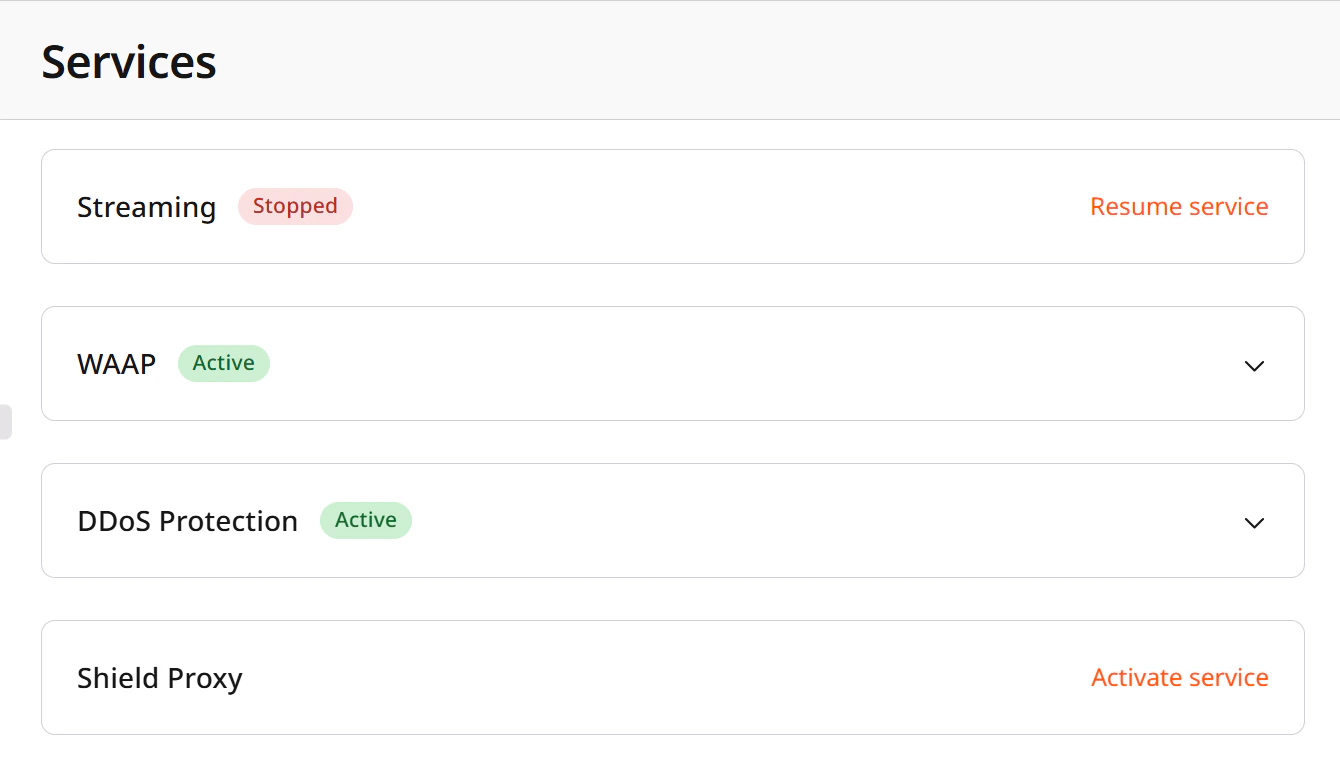
Service statuses
Each service can have one of the following statuses:- Active: The service is enabled and functioning.
- Stopped: The service has been disabled and is no longer available.
Disable a service
To disable an active service: 1. Open the Services page. 2. Click on the service card to expand it. 3. Click Disable service.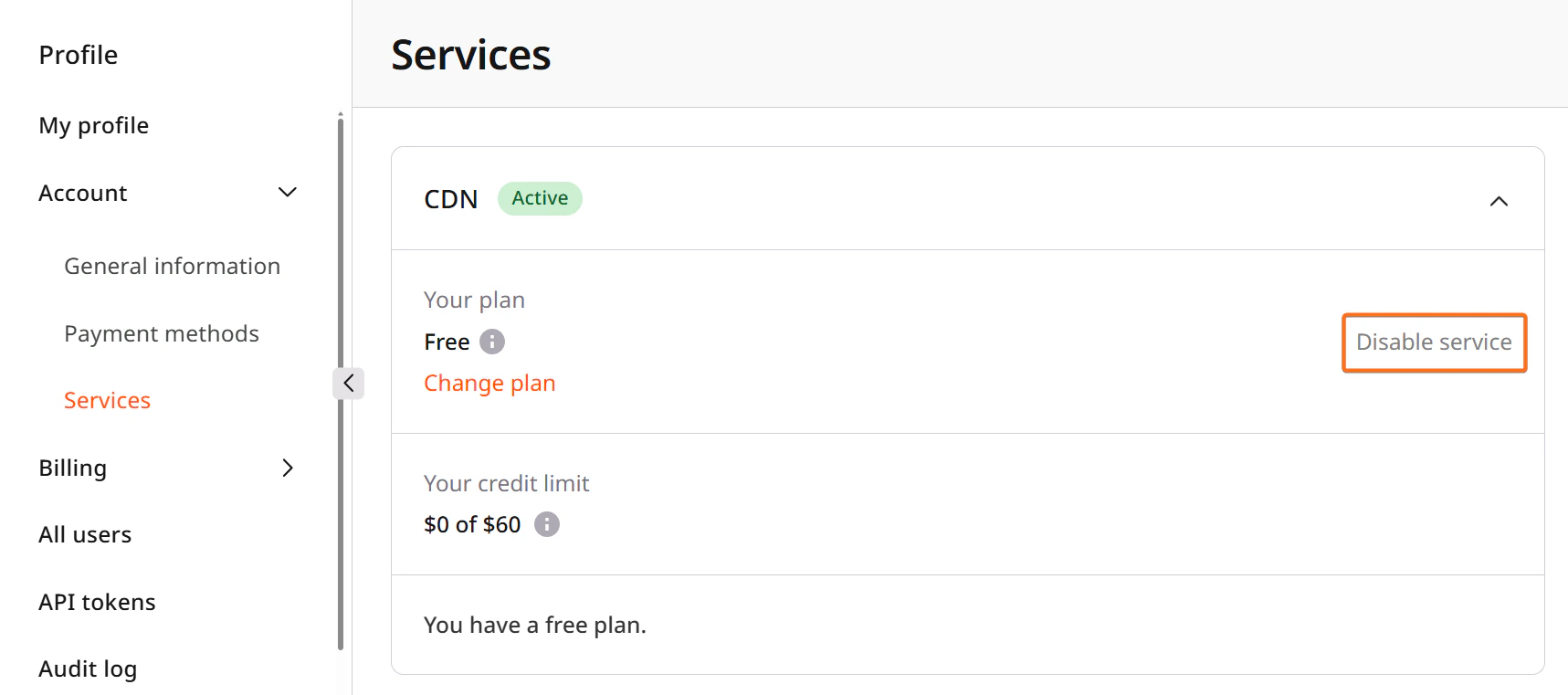
Resume or activate a service
To resume a stopped service or activate a new one: 1. Open the Services page. 2. Find the service you need and click Resume service (for stopped services) or Activate service (for services that haven’t been activated yet).