

Create the application
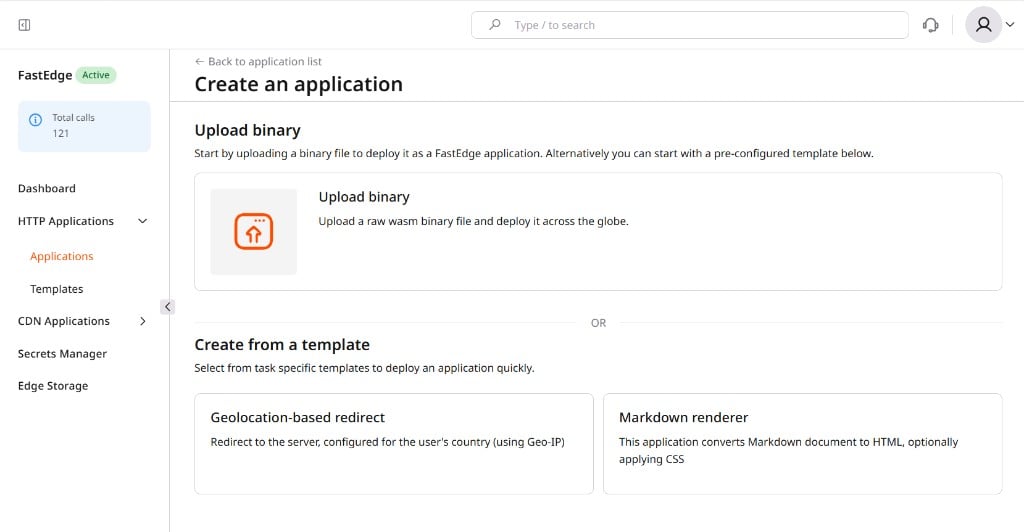
- In the Gcore Customer Portal, navigate to FastEdge > HTTP Applications > Applications and click Create new application.
-
Scroll to Create from a template and click Geolocation-based redirect.
- Enter a Name for the application.
-
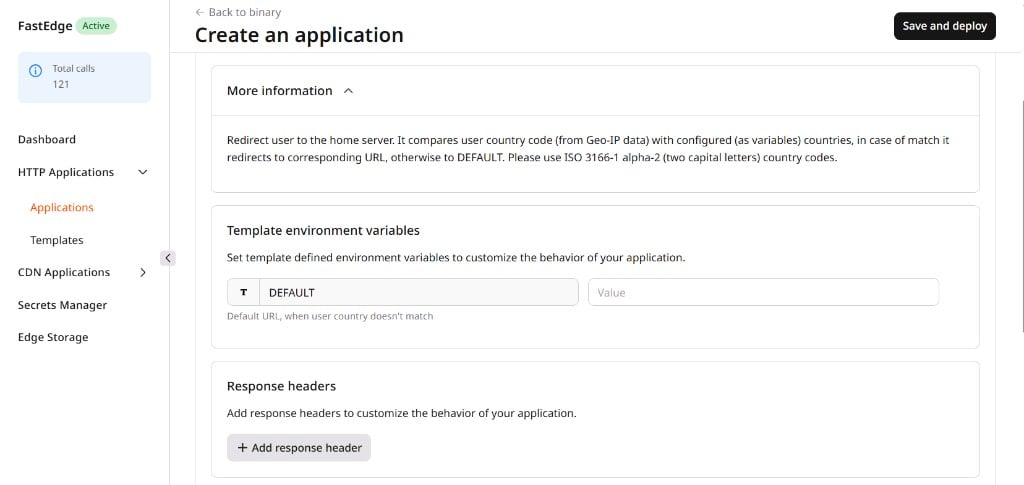
Set the DEFAULT variable in the Template environment variables section. This is the fallback redirect URL for visitors whose country does not match any rule — every deployment requires it.
-
Add country rules in the Environment variables section. Each rule is one variable: country code as the key, redirect URL as the value. Visitors from countries not listed fall through to
DEFAULT. For example:Variable Value DEFAULThttps://example.com/enDEhttps://example.com/deFRhttps://example.com/frJPhttps://example.com/jp - (Optional) Configure response headers, secrets, or Edge Storage as needed.
- Click Save and deploy.
Test the application
Send a request to the app URL and inspect the redirect response:DEFAULT:
/pricing, /contact, and / all redirect using the same country logic. To restrict redirects to a specific path, use a custom binary with a path check instead of this template.
Country codes, redirect targets, and
DEFAULT can all be updated from the application management page without rebuilding or redeploying the application.