

Purpose
The Domains section represents the protected asset inventory in WAAP. It allows teams to quickly locate the applications, APIs, and services protected by WAAP and begin domain-specific analysis. Each domain acts as the entry point for analytics and security investigation.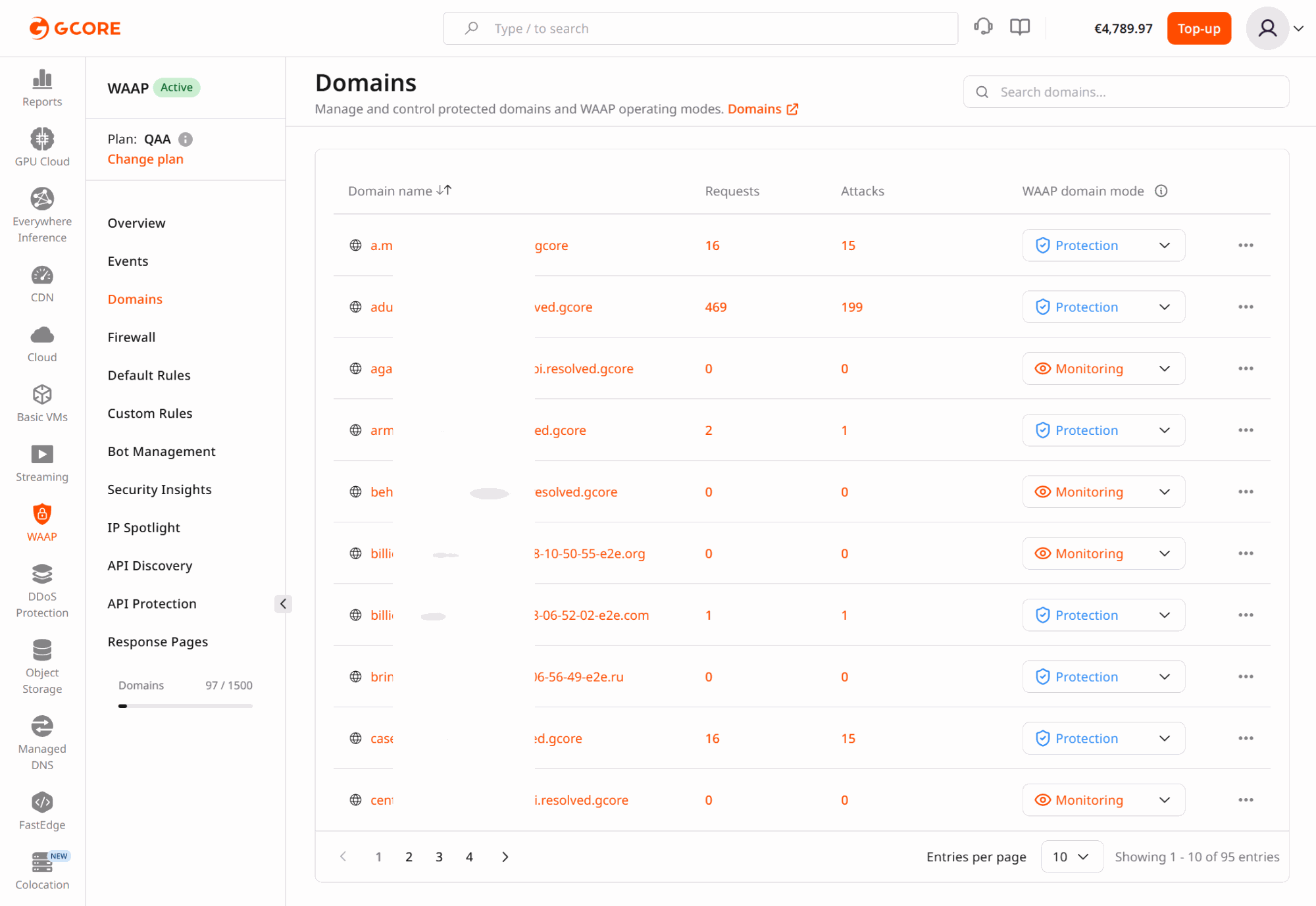
Why asset context matters
Security monitoring becomes meaningful only when traffic and events can be mapped to the correct application or API. Organizations often protect multiple environments, services, and customer-facing assets within one WAAP account. The Domains section provides the link between asset ownership and security operations. Teams typically use Domains to:- identify which services are protected
- start analysis for a specific application
- isolate one asset during incident investigation
- understand which domains experience the highest attack pressure
Real-world use cases
Investigating a customer-reported incident
If a customer reports suspicious activity on a specific hostname, analysts can navigate directly to that domain and begin investigation without mixing unrelated traffic from other services. This approach is particularly useful when:- a single endpoint experiences abnormal traffic
- a production service requires immediate triage
- support teams need domain-specific analysis
Separating environments
Many organizations maintain separate domains for production, staging, administrative interfaces, and partner APIs. By selecting a single domain, analysts can investigate activity within that environment without the noise created by unrelated services. This isolation is especially valuable when diagnosing security alerts or verifying new deployments.Prioritizing high-risk assets
Certain assets carry significantly higher security risk, including:- authentication services
- payment endpoints
- API gateways
- customer dashboards
Managing multi-tenant platforms
SaaS providers often serve multiple customers using different domains or subdomains. Domain-scoped analytics allows security teams to investigate incidents affecting one tenant without exposing or mixing traffic from other tenants.Recommended workflow
Treat Domains as the entry point for WAAP analytics:- Select the domain associated with the application or API.
- Review Dashboard metrics to assess security posture.
- Pivot into Events for detailed investigation.
- Return to the account-level view to determine whether the pattern affects multiple domains.