

Secure token for video delivery
Video CDN can protect ABR video streaming protocols such as HLS and MPEG-DASH. For this workflow, enable two CDN resource options:- Secure Token: validates temporary access to the video URL.
- Query String Forwarding: forwards token parameters from the master manifest to nested manifests, segments, and subtitles.
Secure Token
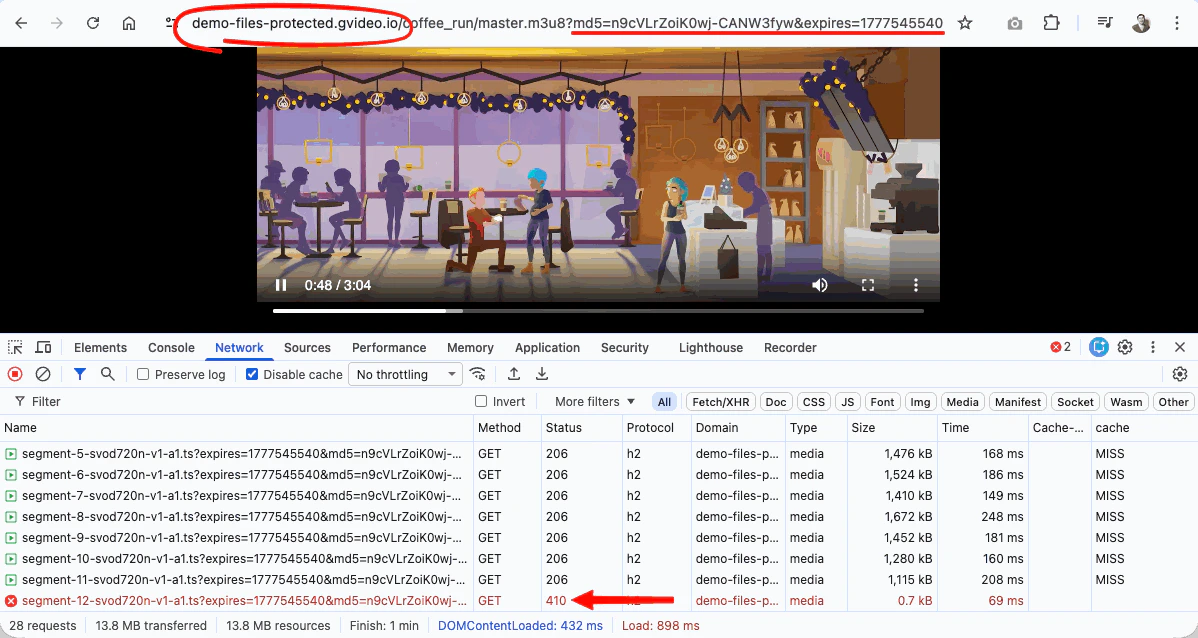
Enable Secure Token option in a CDN-resource settings when you need to protect HLS or MPEG-DASH video from copied links, unpaid access, or long-term sharing. A secure token adds temporary access parameters to the video URL, for example:200 OK. When the token expires, CDN returns 403 Forbidden or 410 Gone, so the file cannot be downloaded with the expired URL anymore.
Query String Forwarding
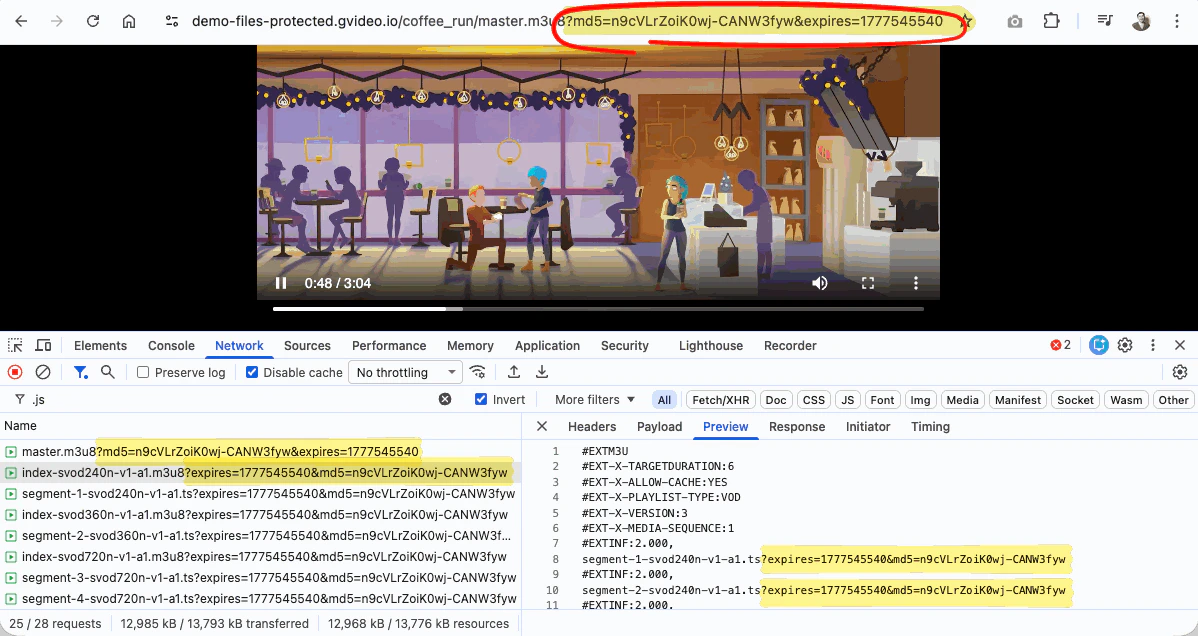
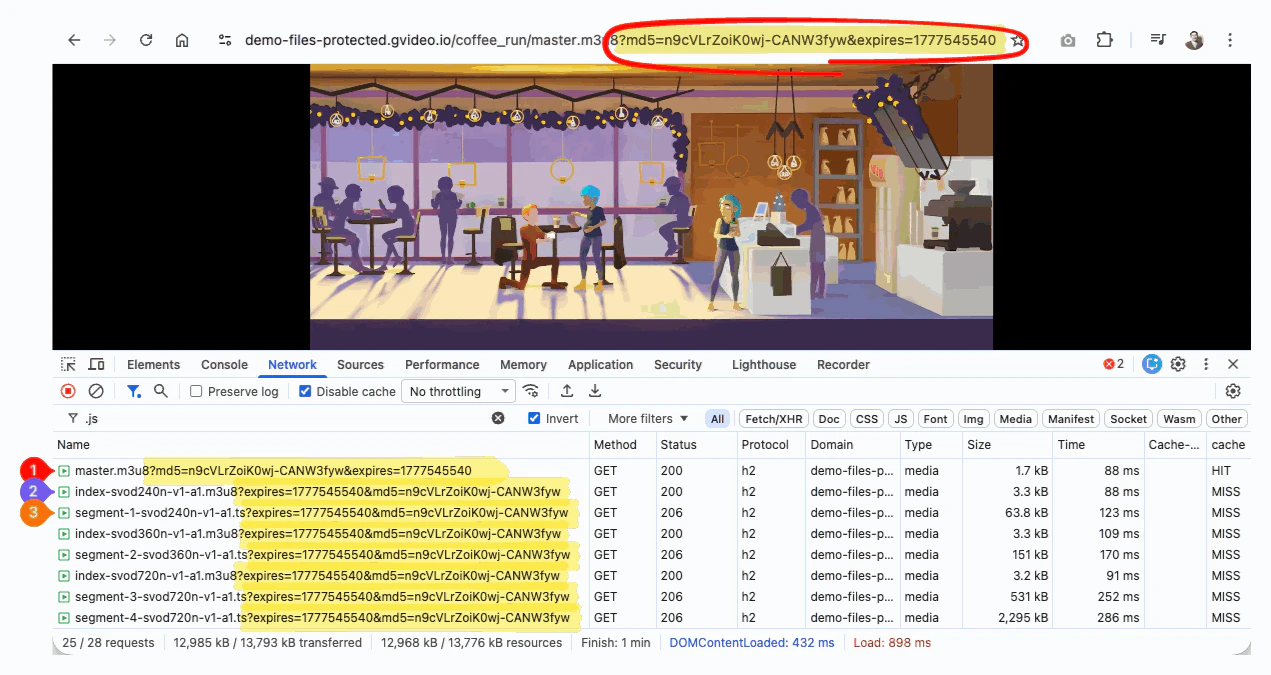
HLS and MPEG-DASH are not single-file downloads. The player first requests a master manifest, then follows links inside it to rendition manifests, segments, subtitles, and other related files. For protected video in ABR streaming using protocols HLS or MPEG-DASH enable Query String Forwarding so CDN forwards the token parameters from the master manifest request to related files.Recommended settings for HLS and MPEG-DASH
For HLS and MPEG-DASH video protected by Secure Token, configure Query String Forwarding with these values:| Field | Values |
|---|---|
| Forward from file types | m3u8, mpd |
| Forward to file types | m3u8, ts, mp4, m4s, vtt |
| Forward only keys | md5, expires |
m3u8 for HLS manifests and mpd for MPEG-DASH manifests. Use ts, mp4, m4s, and vtt for common nested media and subtitle files. Add other file extensions (e.g. m4a, m4v, etc.) if your manifests reference them and they also need the same query parameters.
With Query String Forwarding enabled, a request to:
Token path rule
For requests with enabled Secure Token and Query String Forwarding, generate the token for the directory path, not for the exact manifest filename. So the single token will cover all files inside the specified directory. Example:/coffee_run/. But it does not cover subdirectories.
For full setup instructions, see Configure and use Secure Token and Query String Forwarding.
Demo links
Use these links to check how Secure Token and Query String Forwarding work with a real HLS stream:- Manifest URL: master.m3u8
- hls.js player demo: open protected HLS stream
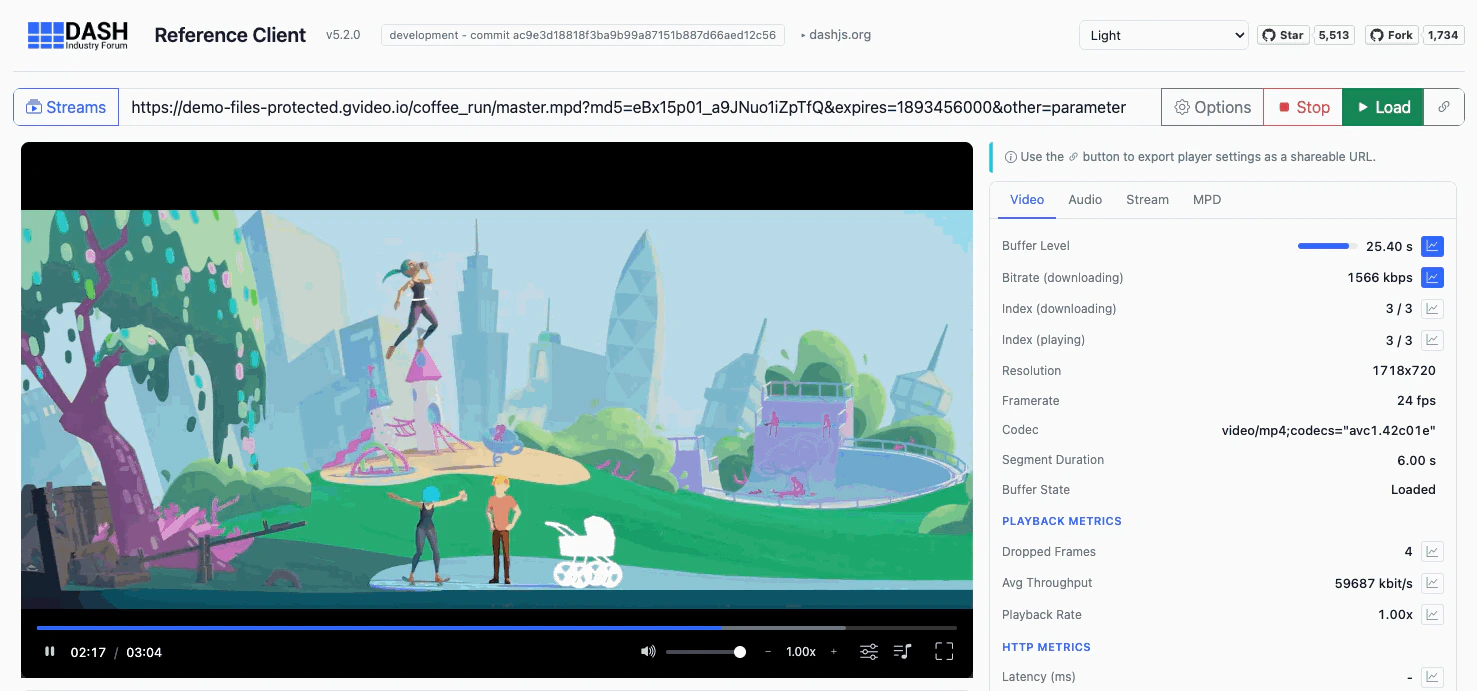
- MPEG-DASH manifest URL: master.mpd
- dash.js player demo: open protected MPEG-DASH stream
Configure tokens and troubleshooting
For full token setup, the IP binding rules, and how to handle403 errors caused by mobile IP rotation (CGNAT), see Configure and use Secure Token. It explains how to generate tokens, how URL matching works, and how to bind tokens to an IP subnet instead of a single address for mobile audiences.
Next steps
CDN logs
View CDN requests and status codes to debug token validation and segment access
Improve video delivery speed
Optimize cache hit ratio and delivery performance for video streaming
Auto-refresh secure tokens
Refresh short-lived tokens in the player for uninterrupted protected playback
Create a video CDN resource
Complete setup instructions to create a CDN resource for video streaming