

Overview
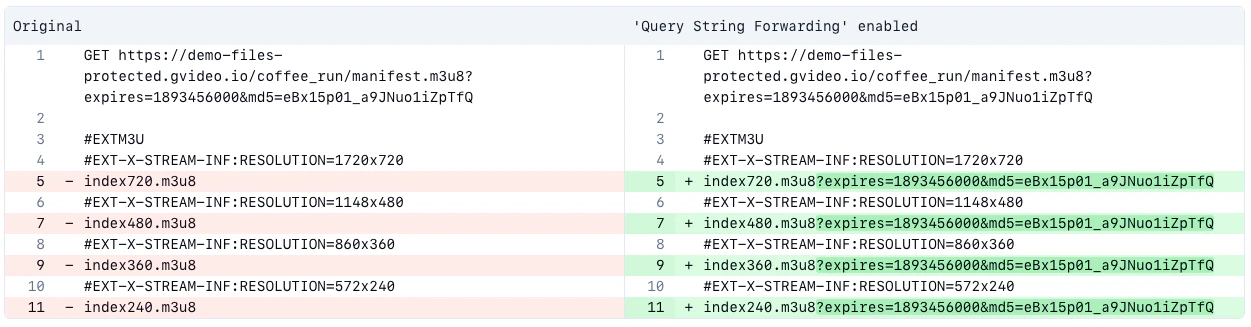
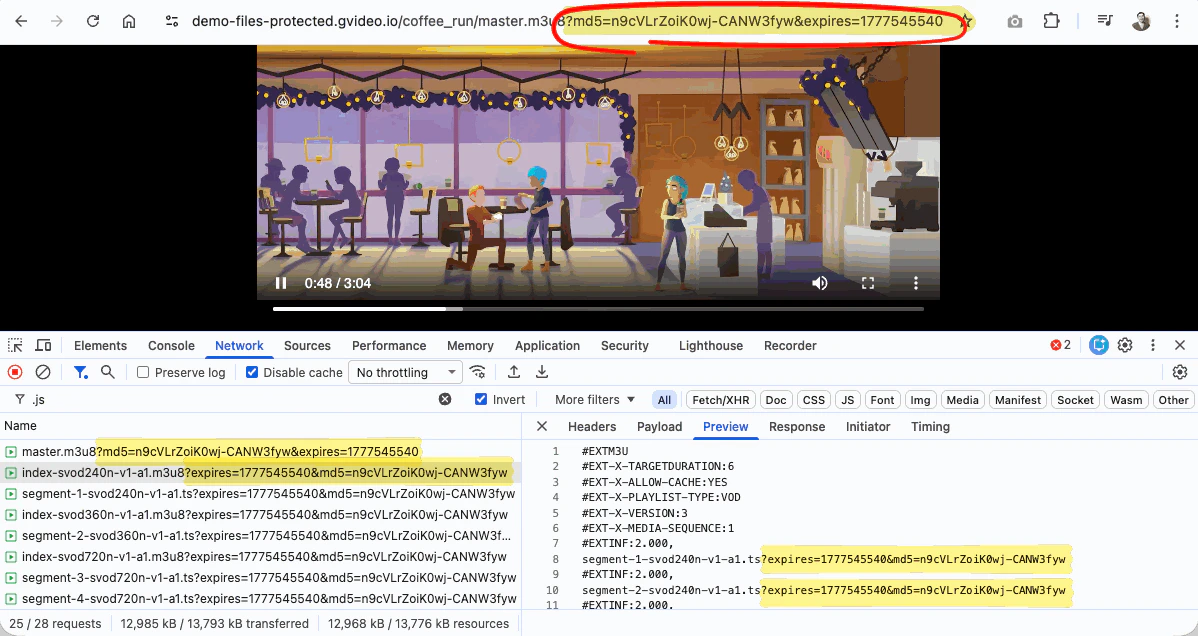
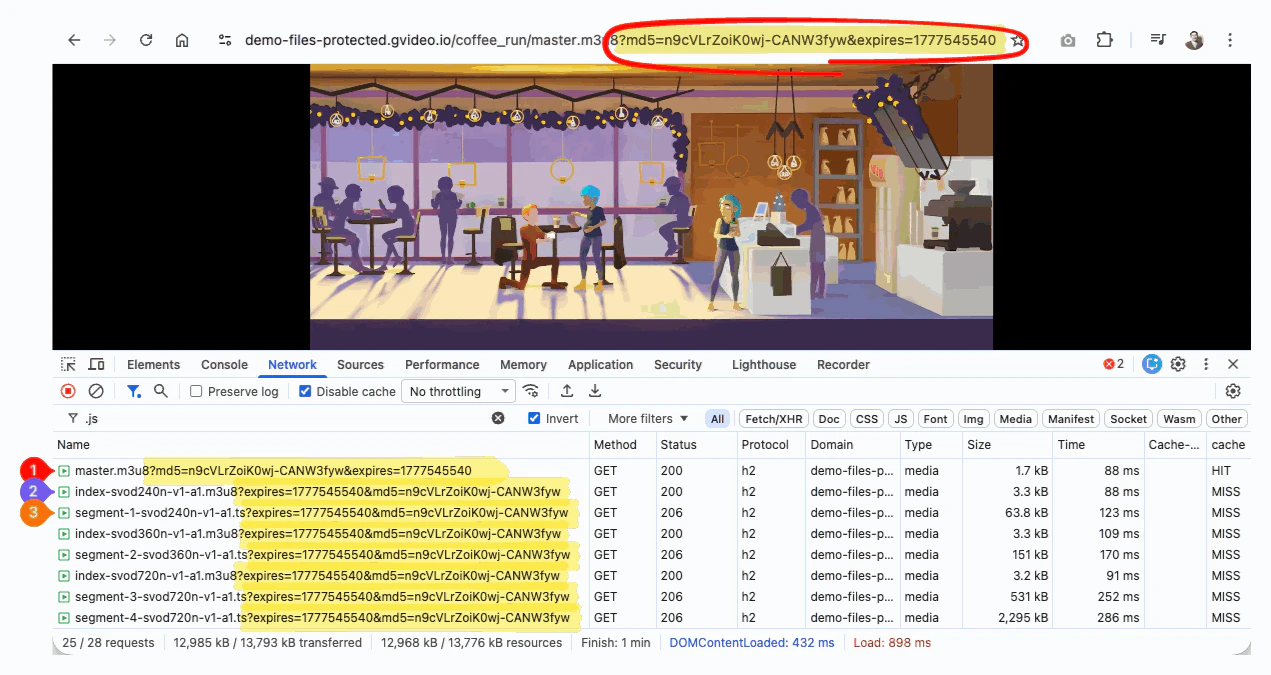
Query String Forwarding copies selected query string parameters from a parent file request to nested file requests. It is mainly used for HLS and MPEG-DASH video, where a viewer requests a master manifest first, and that manifest references rendition manifests, media segments, subtitles, or other related files. For example, a viewer can request a protected HLS master manifest with a secure token:Query String Forwarding is enabled, the CDN automatically inserts the parameters from the initial request into nested manifests and segments. For example, for Secure Token, the md5 and expires parameters are forwarded:
Configure in the Customer Portal
To configure Query String Forwarding in the Gcore Customer Portal:- Go to CDN and select the CDN resource you want to configure.
- In the sidebar, under the Content section, click Query String Forwarding.
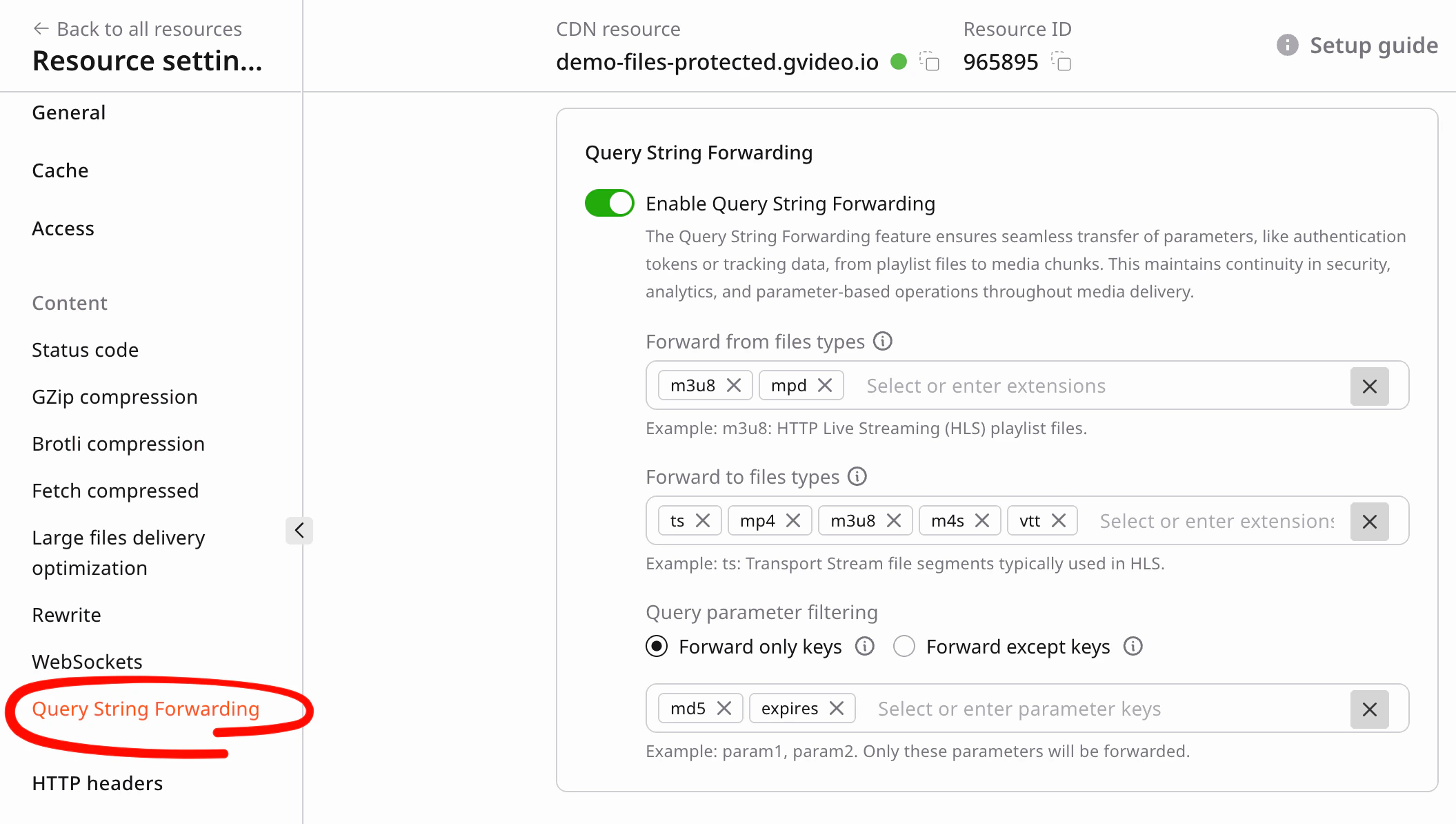
- Enable the option.
-
Apply settings (example for HLS/DASH video):
- Forward from file types: add
m3u8,mpd, or any others. - Forward to file types: add
ts,mp4,m3u8,m4s,vtt, or any others. - Forward only keys: add
md5,expires, or any others.
- Forward from file types: add
- Save the CDN resource.
Configure by API
Use the same values when updating a CDN resource by API.AI agent instruction: CDN resource update JSON
AI agent instruction: CDN resource update JSON
When automating CDN resource setup, enable Query String Forwarding and pass this JSON object in the CDN resource update payload:
Demo links
Use these links to check how Query String Forwarding work with a real ABR stream:- Manifest URL: master.m3u8
- hls.js player demo: open protected HLS stream
- MPEG-DASH manifest URL: master.mpd
- dash.js player demo: open protected MPEG-DASH stream