Overview
The Streaming Platform supports VOD assets with multiple audio tracks embedded in a single video file.This enables multilingual playback (for example, original audio plus dubbed tracks) with seamless language switching in supported players. A typical use case is international content distribution, where one video contains multiple language tracks (EN, ES, DE, FR, etc.), and the player allows the viewer to choose the preferred audio language.
Audio requirements
Source file requirements
To enable multi-audio support:- All audio tracks must be embedded inside the original uploaded
.mp4file - Each audio track should:
- Represent a distinct language
- Use a supported audio codec
- Contain correct language metadata
- Each audio track is extracted
- Audio tracks are transcoded and replicated across all ABR video qualities
- Separate audio playlists / representations are generated for HLS and DASH
Audio codec requirements
All audio tracks must be encoded using recommended codecs and parameters to ensure consistent playback across browsers, mobile devices, and Smart TVs. Detailed requirements are available here: Recommended input parameters and codecs. Using unsupported or non-standard audio formats may lead to:- Missing audio tracks in HLS or DASH manifests
- Playback issues on specific devices or operating systems
- Inconsistent behavior in player audio selection menus
Supported playback environments
Multi-audio VOD playback is supported across the following environments:- Desktop browsers using HLS or DASH
- Mobile browsers and native mobile players
- Smart TV platforms that support multi-audio HLS or DASH
- Embedded iframe playback using the Streaming Platform built-in player
Demo: Multi-audio VOD playback
The demo below uses Tears of Steel HD with four audio tracks:- English (original)
- Spanish (AI-dubbed)
- German (AI-dubbed)
- Russian (AI-dubbed)
Audio track output
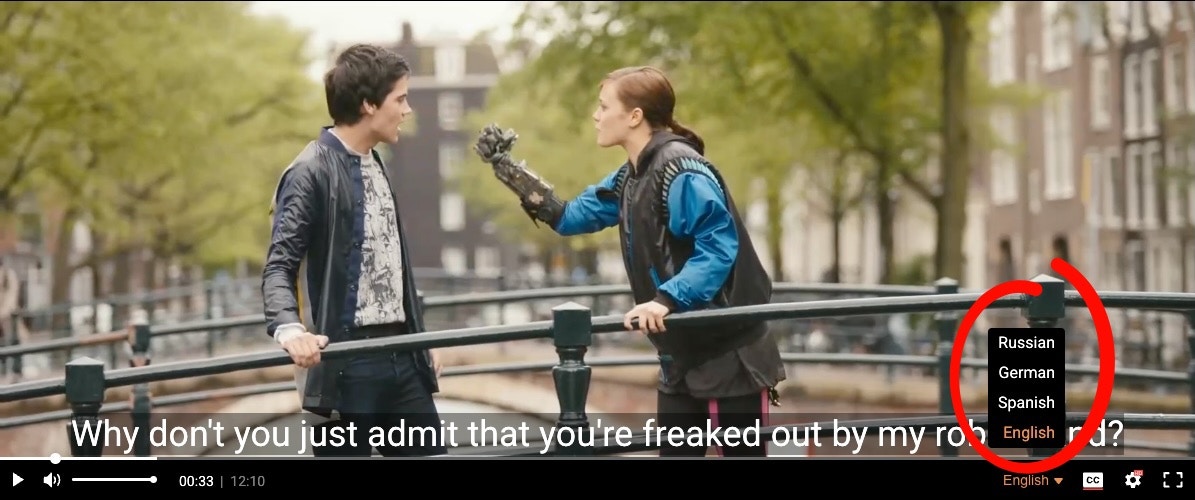
Player UI
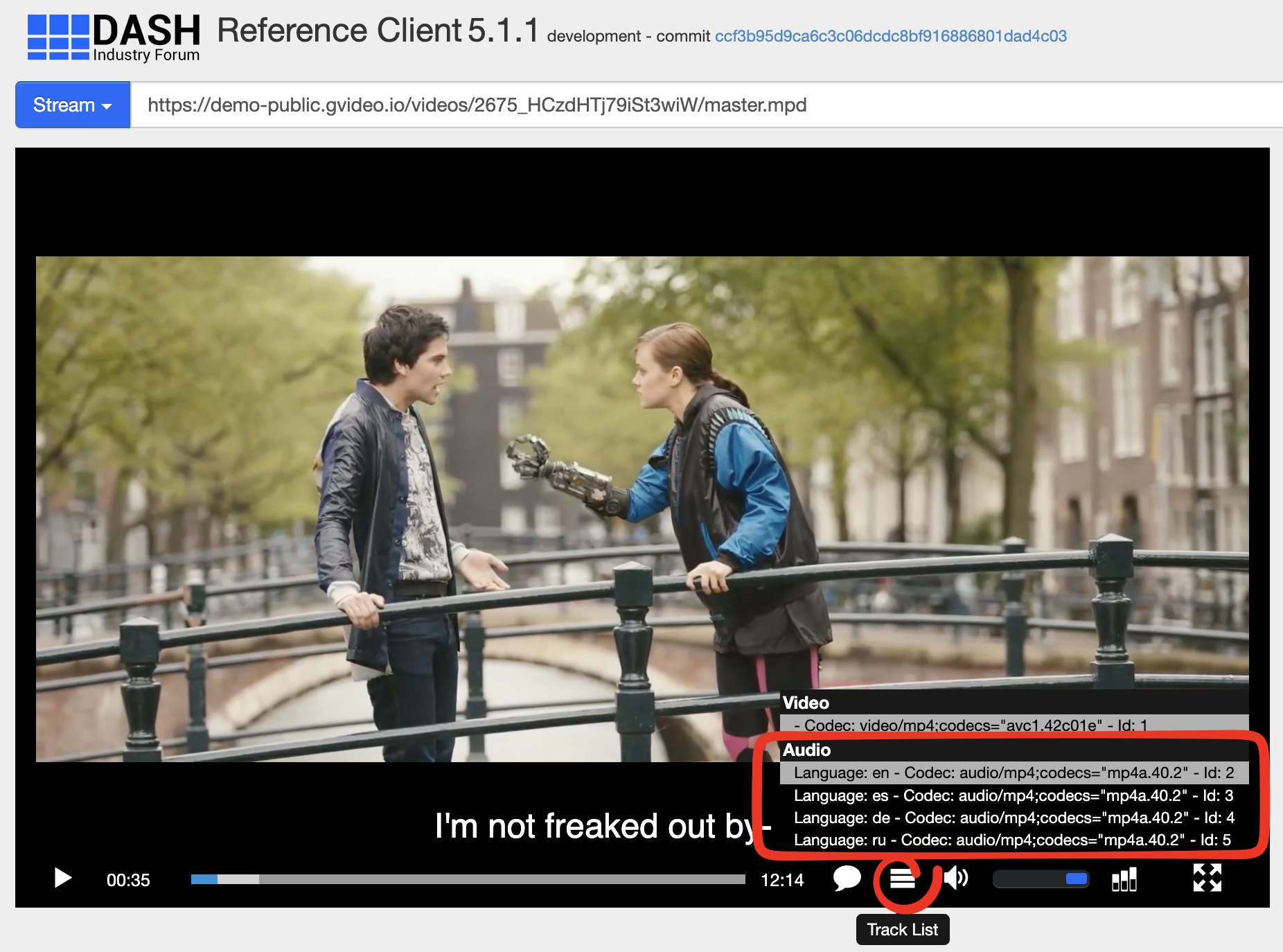
All available audio tracks are automatically exposed in the built-in video player UI. As shown in the player example above.HLS representation (.m3u8)
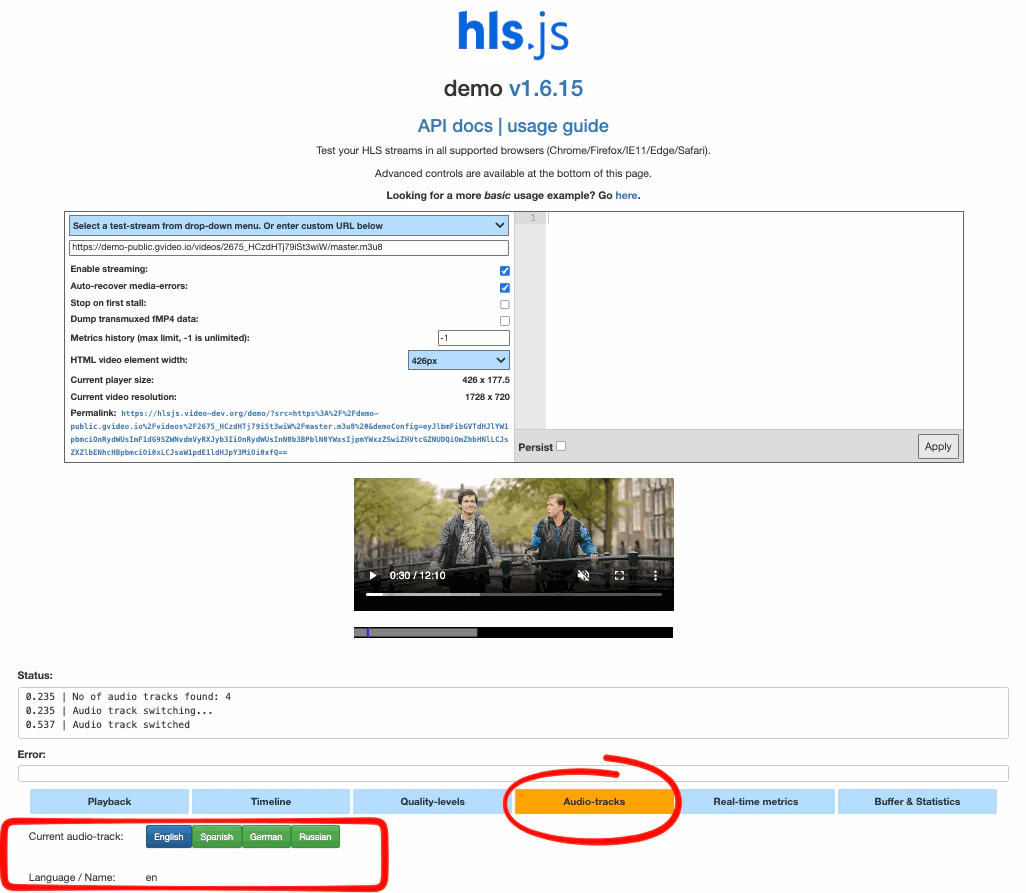
In HLS, each audio track is represented via #EXT-X-MEDIA entries:
AUTOSELECT and DEFAULT attributes define how players choose an audio track during startup and language matching:
- The original language track is typically marked as both
DEFAULT=YESandAUTOSELECT=YES. - Dubbed or alternative language tracks are usually marked with
AUTOSELECT=NOto avoid unexpected language switching.
AUTOSELECT and DEFAULT:
DEFAULT=YES– Indicates the audio track that will be selected automatically when playback starts, if the user has not explicitly chosen another language. Only one audio track in a group should be marked as default.AUTOSELECT=YES– Allows the player to automatically select this audio track based on the viewer’s language preferences, such as browser or operating system locale.AUTOSELECT=NO– The audio track is available to the viewer but will only be selected manually via the player UI.
DASH representation (.mpd)
In MPEG-DASH, each audio language is exposed as a separate AdaptationSet.This allows players to list and switch audio languages independently from video quality.
lang– ISO language code used by the player for language matchinglabel– Human-readable language name displayed in the player UIRepresentation– Defines the encoded audio stream parameters (codec, bitrate, sampling rate)