



Why and how to purge cache
- May 21, 2019
- 1 min read

If the content of your service doesn’t change much all you need is to keep it in the CDN cache as long as possible.
But what if you renewed a file on the origin server, but a CDN server returns an old one? Right, you need to purge the CDN cache.
How to purge cache
Option 1. Using API
Option 2. Using the control panel
CDN Resources. On the CDN tab go to the CDN Resources section. Find a CDN Resource which cache you want to purge. In the drop-down list near the Settings button select Purge.

Purge section. On the CDN tab go to the Purge section. If you have two or more CDN Resources select the one which cache you want to purge in the drop-down list.

Purge methods
Purge all. Clears everything from the CDN cache.
Note! Once the CDN cache is empty all requests for the purged content will go to the origin server which might overload it. So if you have a lot of assets we strongly recommend using Selective Purge.
Selective Purge. Specify paths to the files without the domain name. Each path should start from a new line with / or * (* replaces any number of symbols).
How it works
Example 1. Purge by URL:
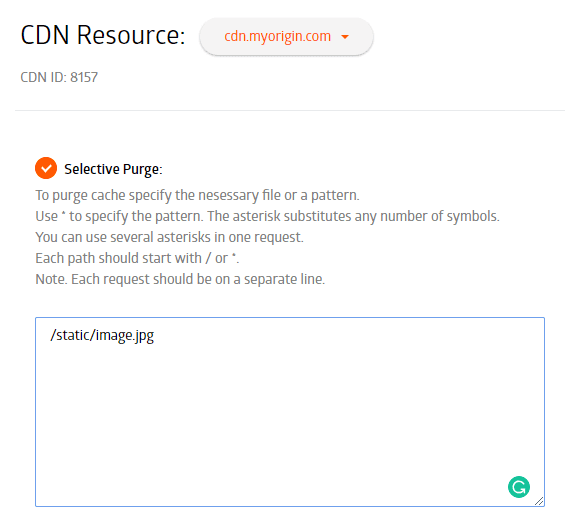
Example 2.Purge all files from the static directory:

Example 3. Purge all files from the static directory with JPG format:

Example 4. Purge all files with /hd/ in the path:

Keep in mind
Limits
- 1 request per minute
- Up to 50 paths in one request
Rewrite
If this option is enabled for the CDN Resource, specify a full path in your purge request.
Check out our new plans
We have updated our tariff plans and added a new FREE plan. Sign up for it and use 100 GB per month completely free.
Deliver fast and efficiently!

Related articles




For many startups, infrastructure decisions are mostly about performance, pricing, and developer experience. For Melious AI, they are also about trust.Melious AI is a German startup building a European AI platform around privacy, transparen


At Gcore, delivering exceptional streaming experiences to users across our global network is at the heart of what we do. We're excited to share how we're taking our CDN performance monitoring to new heights through our partnership with AVEQ
Subscribe to our newsletter
Get the latest industry trends, exclusive insights, and Gcore updates delivered straight to your inbox.