

Overview
After creating a custom protection profile, apply it to a protected network.Instructions
Step 1. Open protected networks
- In the Gcore Customer Portal, navigate to DDoS Protection > Protected networks.
- Locate the protected network to update.
Step 2. Edit the protected network
- Next to the target network, click ….
- Select Edit.
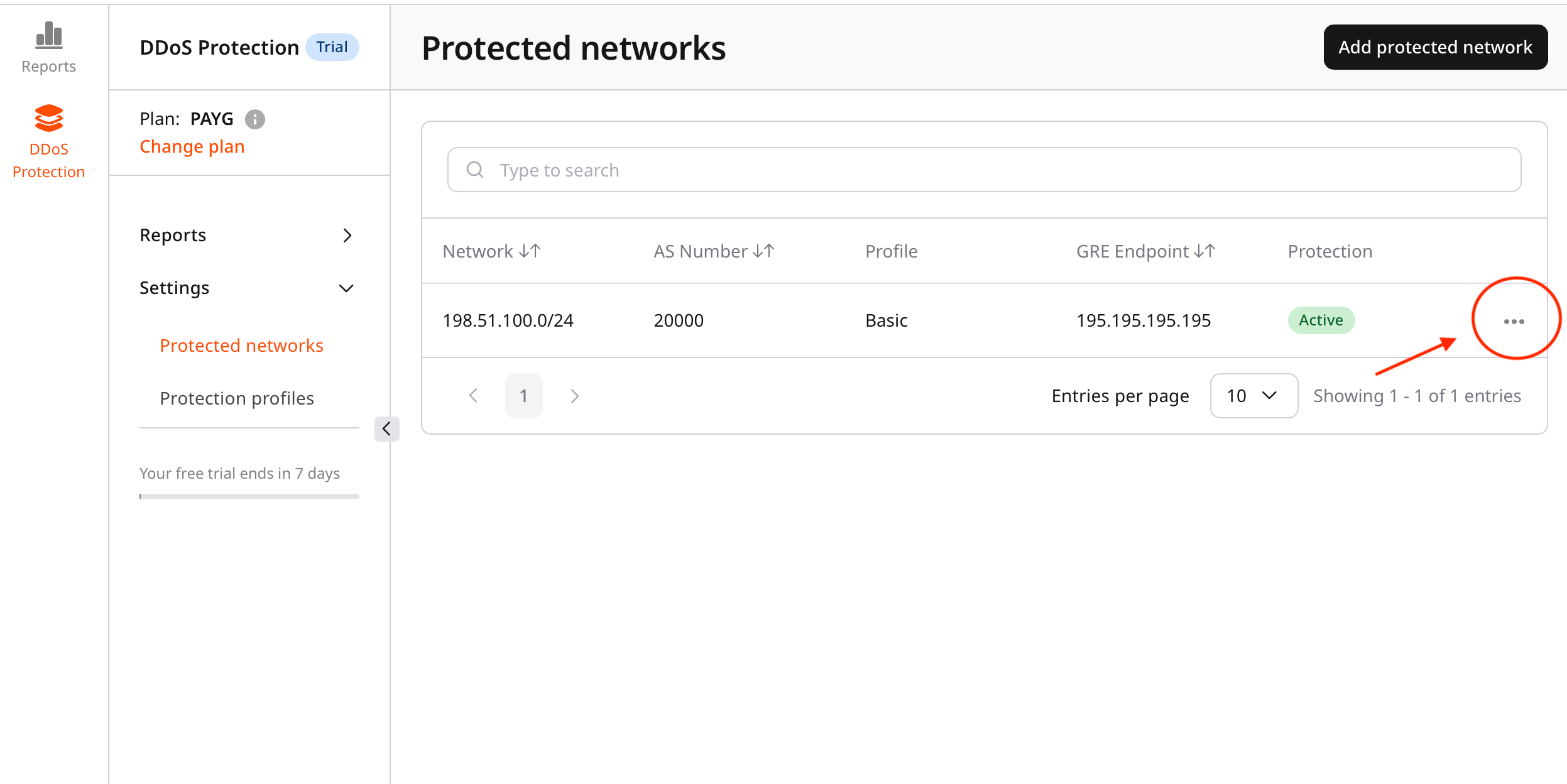
Step 3. Assign a protection profile
- In the Edit protected network view, open the Profile list.
- Select the required protection profile.
- Basic profile (default)
- Custom profiles
Step 4. Save changes
- Review the selected profile.
- Click Save changes.
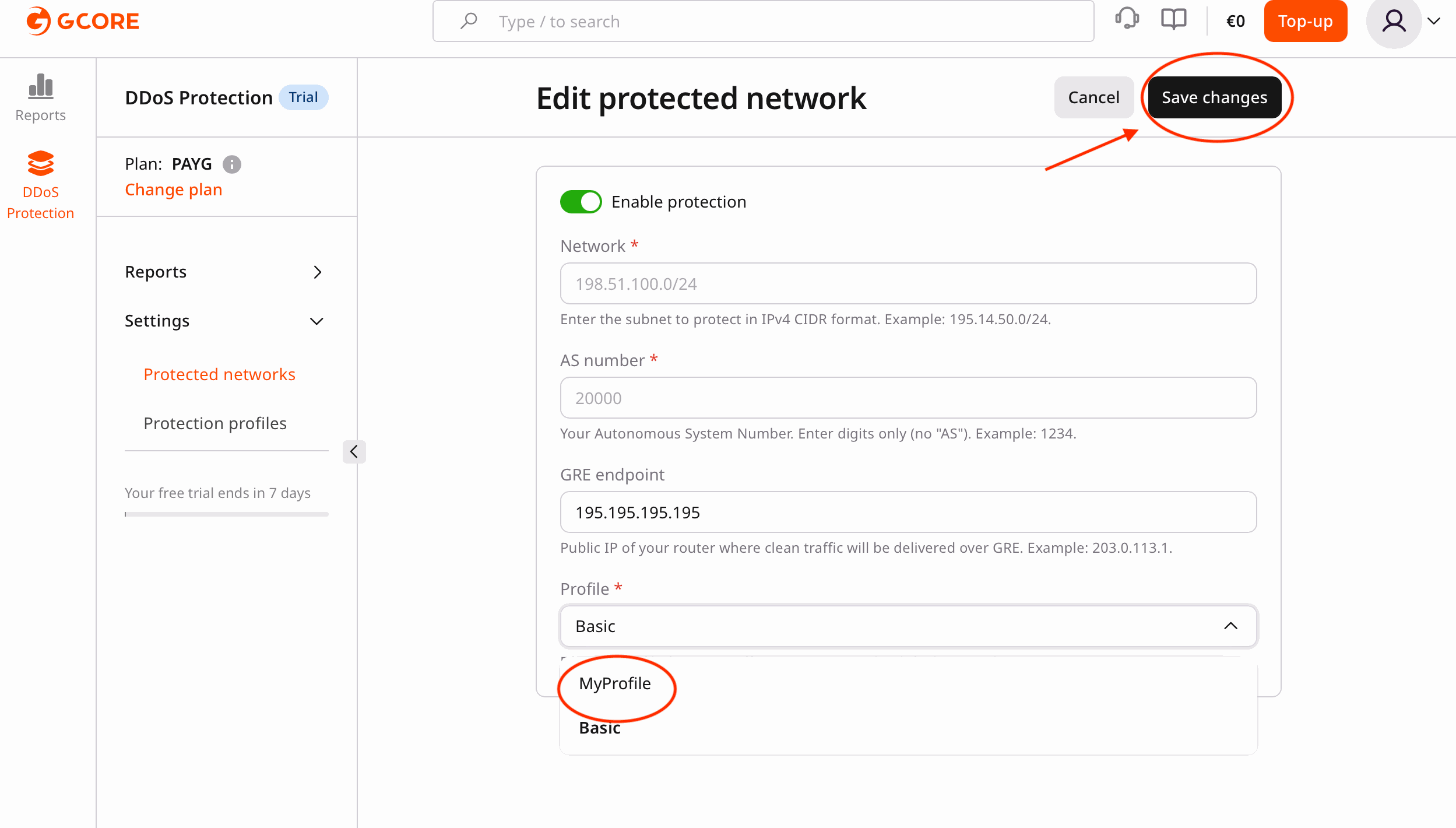
Verification
- Confirm that the network status reflects the updated profile.
- Monitor traffic to verify that the profile works as expected.
- Adjust the profile settings if required.