

Overview
Submit your network for DDoS protection by providing the required network details and documentation.Instructions
-
Access the Protected networks Page
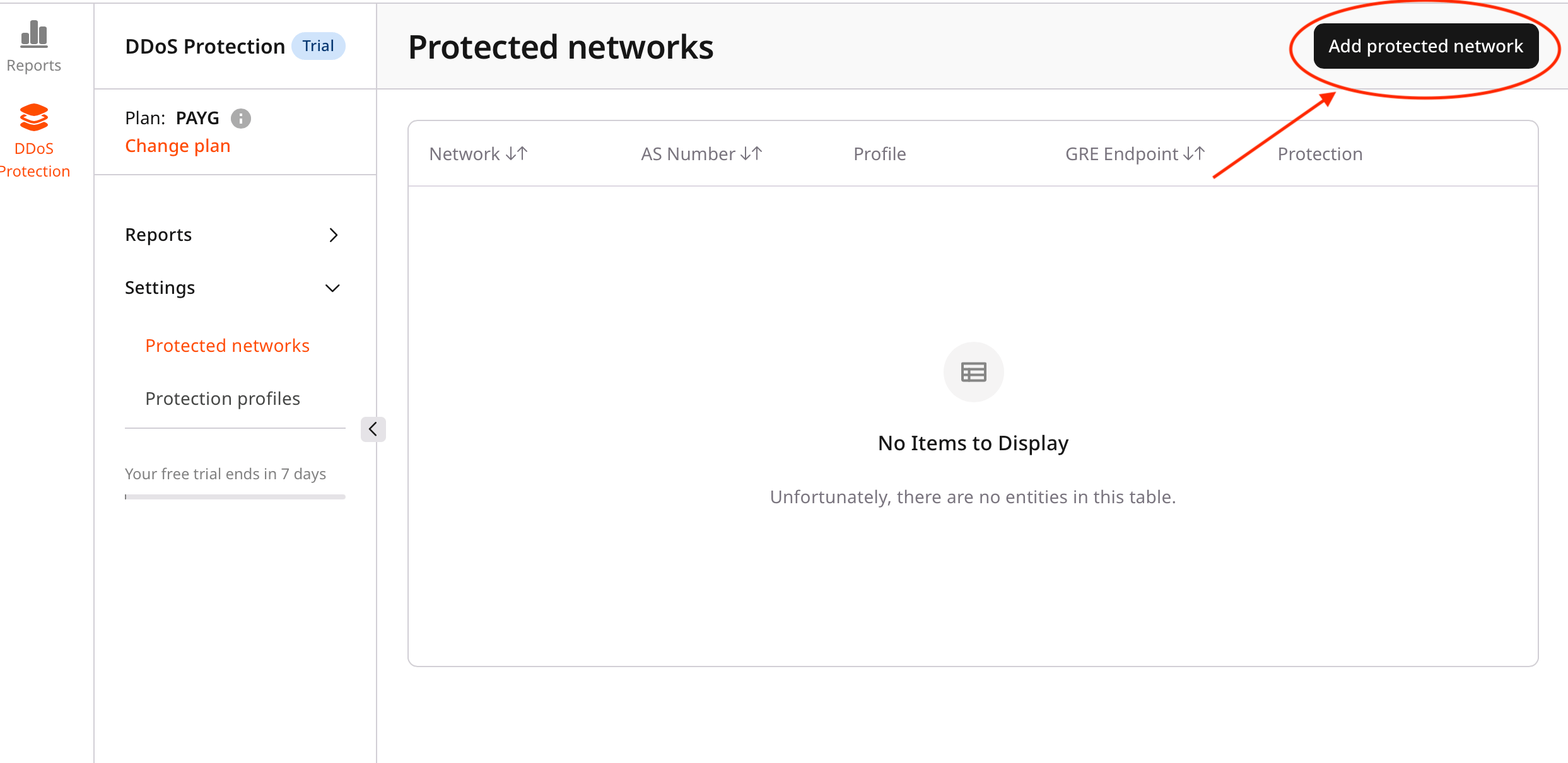
- In the DDoS Protection dashboard, click Add protected network.
- This opens the network submission form.
-
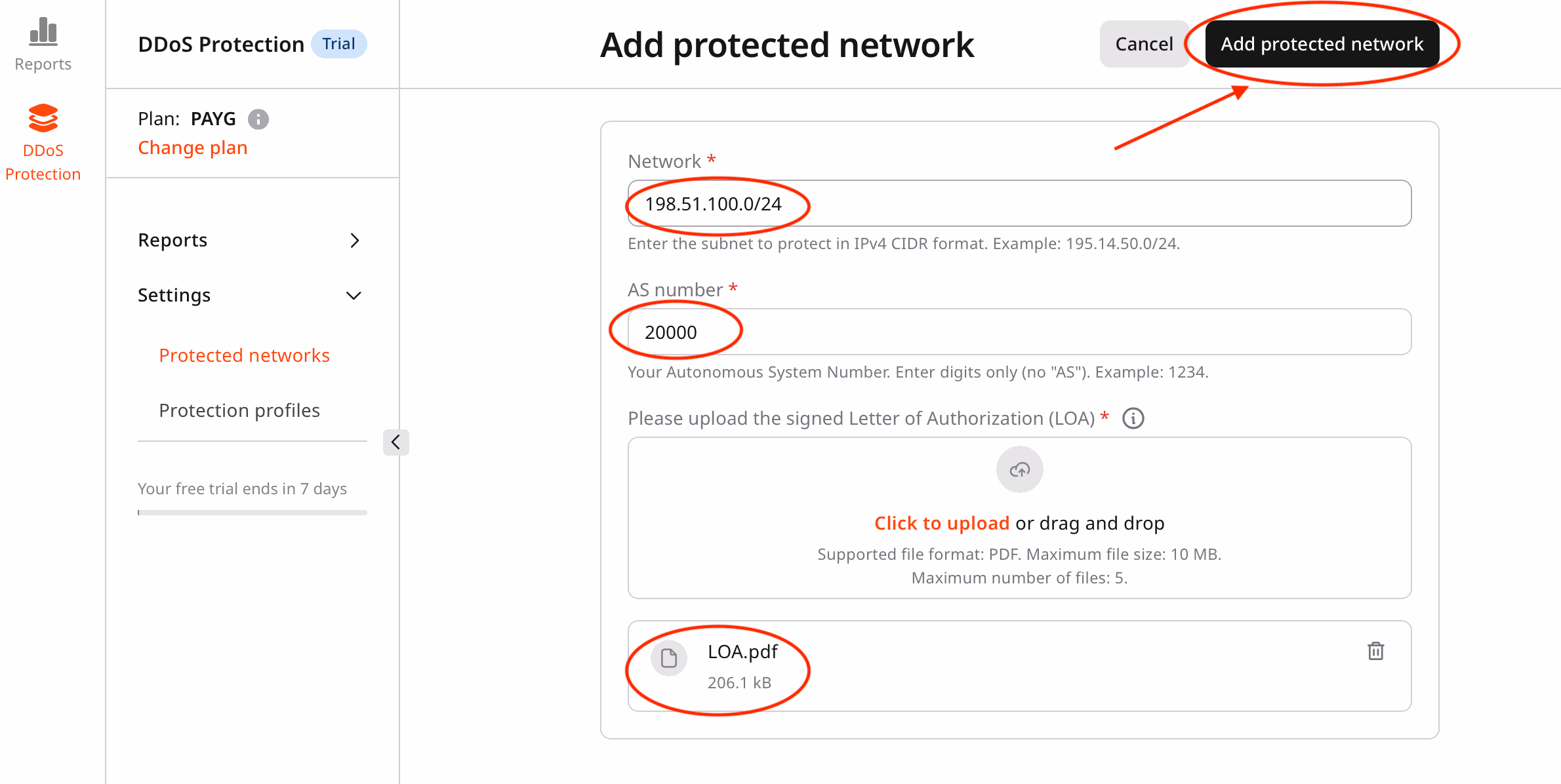
Complete the Required Fields
- Network (CIDR format)
- Enter your network in CIDR notation (for example,
198.51.100.0/24). - Minimum prefix length:
/24 - Examples:
198.51.100.0/24,203.0.113.0/24
- Enter your network in CIDR notation (for example,
- AS Number
- Enter your Autonomous System (AS) number.
- Valid ranges:
1–65534,131072–4294967294 - Examples:
64512,200000
- Letter of Authorization (LOA)
- Upload your LOA document in PDF format.
- Maximum file size: 10 MB.
- The LOA must clearly confirm authorization for the submitted network.
- Network (CIDR format)
-
Submit the network
- Review the entered information.
- Click Add protected network to submit your request.
- You are redirected to the Protected networks page.
-
Verify the submission status
- Your newly submitted network appears in the list with the Pending status.
NoteYou will see the following message:Your request is pending approval by our NOC team. We will notify you by email once the network is approved and ready for configuration.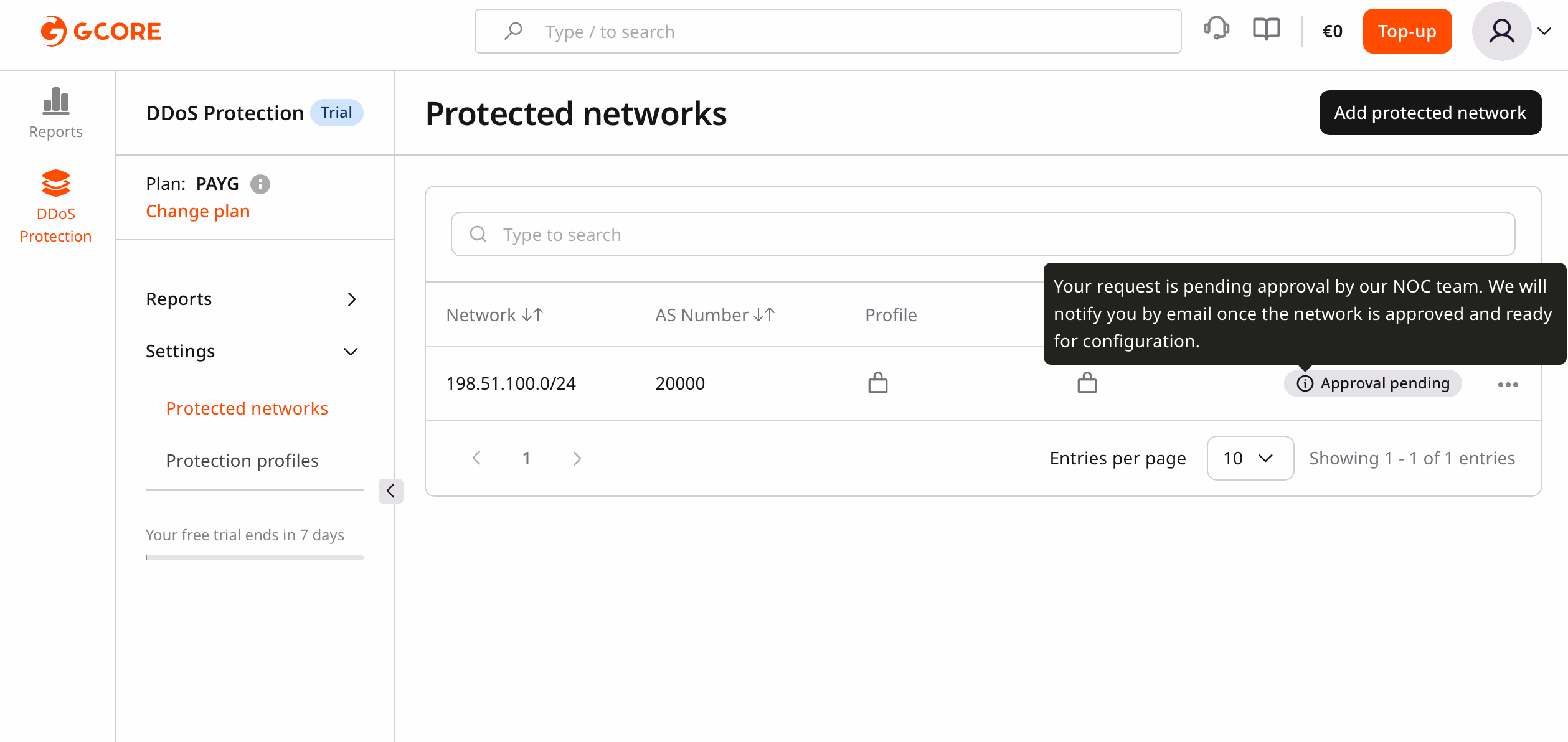
Note
- All fields are required.
- Ensure your LOA document is accurate and up to date.
- The network remains in Pending status until NOC approval.