

Overview
Custom protection profiles define rules and policies based on network traffic and security requirements.Step 1. Open protection profiles
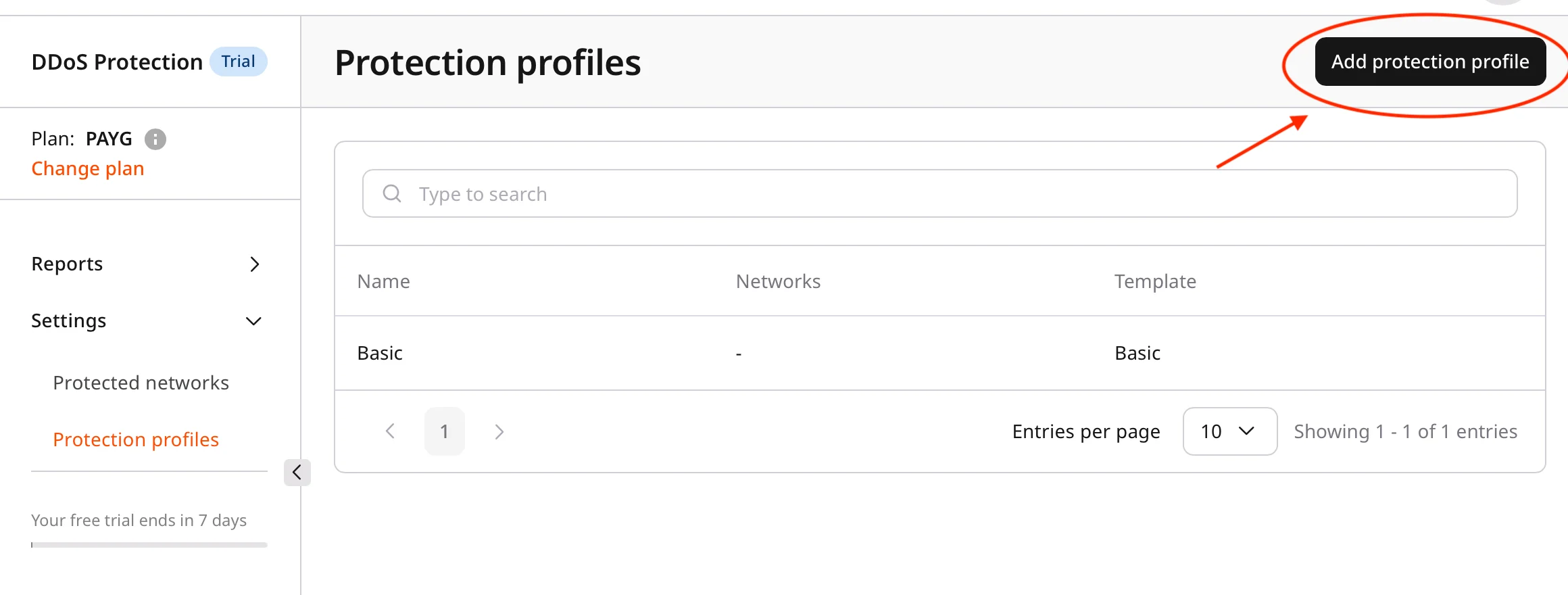
- In the Gcore Customer Portal, navigate to DDoS Protection > Protection profiles.
- Review the list of available profiles:
- Default profiles
- Custom profiles
Step 2. Create a protection profile
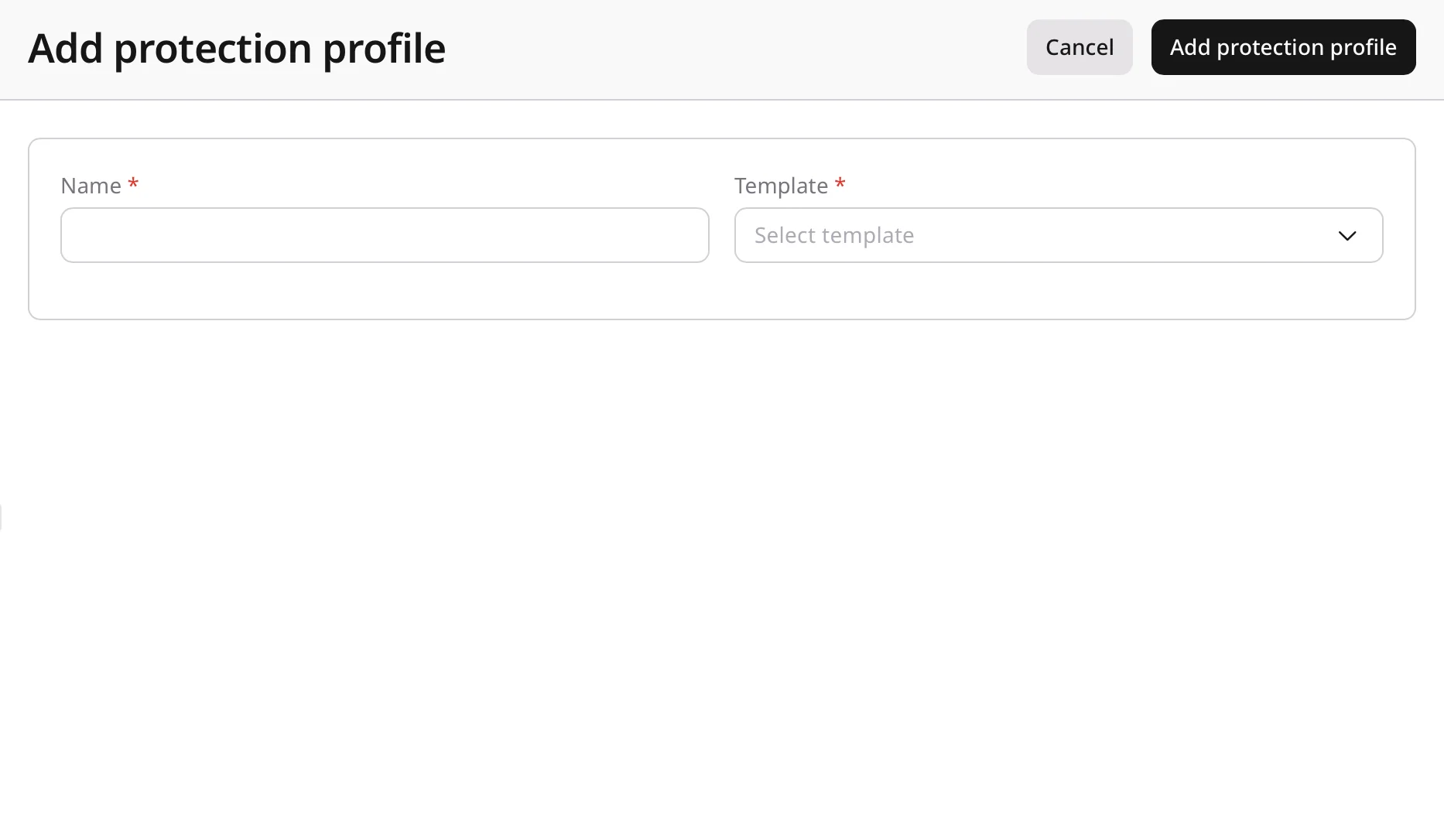
- Click Add protection profile.
- Select a template.
Templates include preconfigured settings for common use cases. - Enter a profile name.
Use a clear and descriptive name for easier identification.
High-security web server profile
Step 3. Configure rules and policies
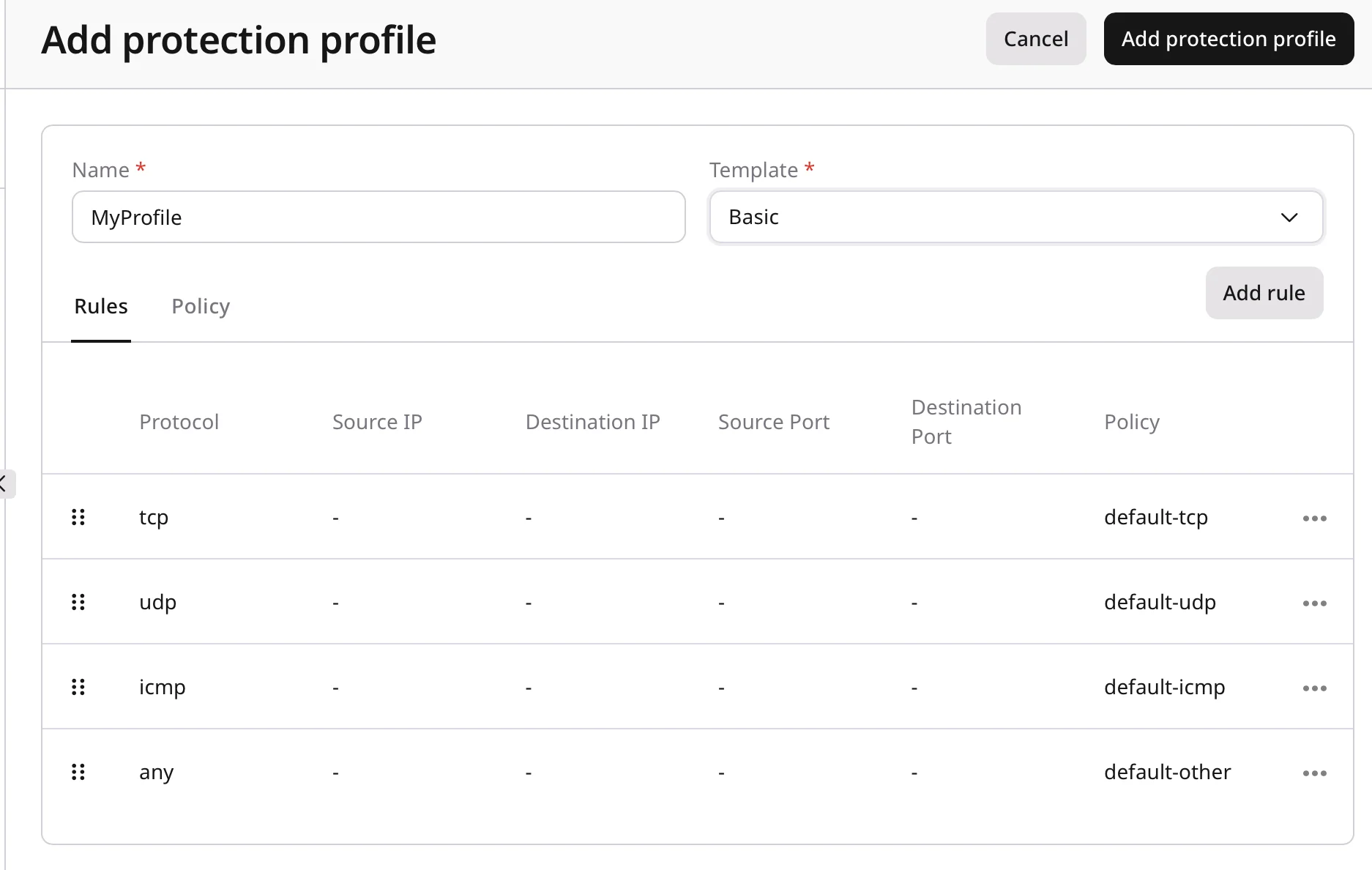
A protection profile includes two configuration areas:- Rules
- Policies
Configure rules
Rules define traffic-matching criteria and apply a selected policy to matching traffic.Policy reference
This table provides a consolidated reference of the available policies, including what each policy does.| Policy ID | Policy Name | Description |
|---|---|---|
| minecraft | Minecraft Protection | Protocol-aware protection for Minecraft (Java and Bedrock) traffic with TCP and UDP support. Mitigates handshake/login floods, ping/status abuse, and volumetric attacks while allowing legitimate client connections. |
| counter-strike-16 | Counter-Strike 1.6 | Protocol-aware protection for Counter-Strike 1.6 (GoldSrc) traffic. Mitigates UDP floods, query abuse, and malformed packet patterns while allowing normal gameplay traffic. |
| counter-strike-go | Counter-Strike GO | Protocol-aware protection for Counter-Strike: GO (Source) traffic. Mitigates A2S query floods, connection floods, and high-PPS UDP attacks while allowing legitimate players and server queries. |
| counter-strike-2 | Counter-Strike 2 | Protocol-aware protection for Counter-Strike 2 traffic. Mitigates UDP floods, query abuse, and abnormal packet patterns while allowing normal gameplay sessions. |
| left-4-dead-2 | Left 4 Dead 2 | Protocol-aware protection for Left 4 Dead 2 (Source) traffic. Mitigates A2S query floods and volumetric UDP attacks while allowing legitimate clients and server discovery. |
| fivem-tcp | FiveM TCP | Protocol-aware protection for FiveM TCP traffic. Mitigates connection floods and handshake abuse while allowing legitimate sessions to be established and maintained. |
| fivem-udp | FiveM UDP | Protocol-aware protection for FiveM UDP traffic. Mitigates high-PPS floods and abnormal packet patterns while allowing legitimate gameplay traffic. |
| samp | San Andreas Multiplayer | Protocol-aware protection for San Andreas Multiplayer (SA-MP) traffic. Mitigates connection floods, query abuse, and malformed UDP packets while allowing legitimate player connections. |
| rust | Rust Game Protection | Protocol-aware protection for Rust traffic. Mitigates UDP floods, connection spikes, and abnormal packet patterns while allowing legitimate gameplay traffic. |
| team-speak3 | TeamSpeak 3 Voice Chat | Protocol-aware protection for TeamSpeak 3 traffic. Mitigates UDP floods and connection abuse while allowing stable voice sessions. |
| rust-a2s | Rust Game A2S Caching | Protocol-aware protection for Rust Steam A2S queries. Enables query response caching to mitigate A2S flood patterns and reduce origin load. |
| bf2-query | Battlefield 2 Query Caching | Protocol-aware protection for Battlefield 2 server queries. Enables query response caching to mitigate server-browser query floods and reduce origin load. |
| bf2 | Battlefield 2 Game | Protocol-aware protection for Battlefield 2 gameplay traffic. Mitigates UDP floods and malformed packet patterns while allowing legitimate sessions. |
| unity-unet | Unity Engine UNET | Protocol-aware protection for Unity UNET traffic. Mitigates malformed packets and high-PPS flood patterns while allowing legitimate game sessions. |
| unity-utp | Unity Engine UTP | Protocol-aware protection for Unity Transport Protocol (UTP) traffic. Mitigates UDP floods and abnormal packet patterns while allowing real-time traffic. |
| geo | Geo Restriction | Protocol-aware protection for geo-based access control rules. Enforces allow/deny decisions based on client location metadata. This policy must be configured in the Policy tab before use. |
| ssh-server | SSH Server | Protocol-aware protection for SSH traffic. Mitigates connection floods and abnormal connection patterns while allowing legitimate administrative access. |
| default-tcp | Default TCP | Protection for generic TCP traffic with baseline destination limits (per IP address): 20k pps, 50 Mbps and policy caps (overall): 50k pps, 500 Mbps to mitigate common TCP flood attacks. |
| default-udp | Default UDP | Protection for generic UDP traffic with baseline destination limits (per IP address): 5k pps, 5 Mbps and policy caps (overall): 50k pps, 50 Mbps to mitigate common UDP flood attacks. |
| default-icmp | Default ICMP | Protection for generic ICMP traffic with baseline destination limits (per IP address): 100 pps and policy caps (overall): 1k pps to mitigate common ICMP flood attacks. |
| default-other | Default Other | Protection for generic traffic with baseline destination limits (per IP address): 200 pps and policy caps (overall): 1k pps to mitigate common flood attacks. |
| ratelimiter-low | Rate Limiter Low | Generic rate-limited traffic with a destination PPS limit up to 50k pps (default: 50k). Intended to limit packet rate during abnormal traffic spikes. This policy can be configured in the Policy tab before use. |
| ratelimiter-medium | Rate Limiter Medium | Generic rate-limited traffic with a destination PPS limit from 50k to 150k pps (default: 150k). Intended to limit packet rate during abnormal traffic spikes. This policy can be configured in the Policy tab before use. |
| ratelimiter-high | Rate Limiter High | Generic rate-limited traffic with a destination PPS limit from 150k to 300k pps (default: 300k). Intended to limit packet rate during abnormal traffic spikes. This policy can be configured in the Policy tab before use. |
| allowlist | Allow List | Add rule-based traffic matching to the allowlist. Any traffic that matches a rule will be allowed through without inspection. |
| tcp-autodetect | TCP auto-detect | The TCP countermeasure operates in passive mode and is triggered only during a DDoS attack. |
| tcp-server | TCP Countermeasure | The TCP countermeasure operates in always-on mode and actively performs a SYN-cookie challenge for all incoming TCP traffic. |
| tcp-server-v2 | TCP Flow Track | An experimental countermeasure that tracks the full TCP session to provide smoother, more adaptive protection. Recommended when the SYN-cookie challenge does not work correctly for a specific application. |
| tcp-private | TCP Ephemeral Ports Protection | Policy protects ephemeral (client source) TCP ports. |
Add a rule
- Click Add rule.
- Complete the required fields:
- Protocol: Select the protocol (for example, TCP, UDP, ICMP).
- Source IP: Enter a source IP address or range.
- Destination IP: Enter a destination IP address or range.
- Source port: Enter a port number or range.
- Destination port: Enter a port number or range.
- Policy: Select the policy to apply (for example,
tcp-server).
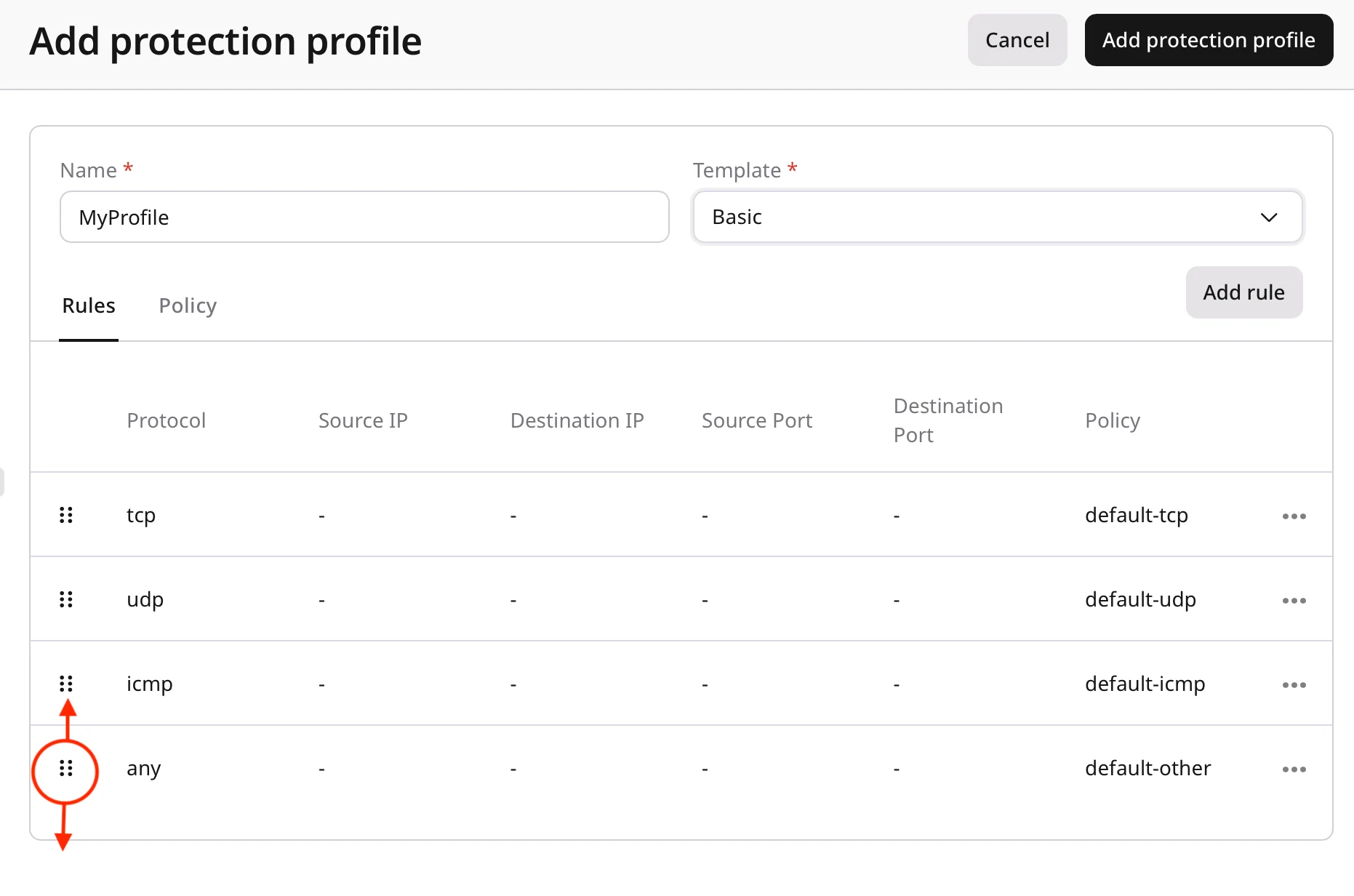
- Click Save.
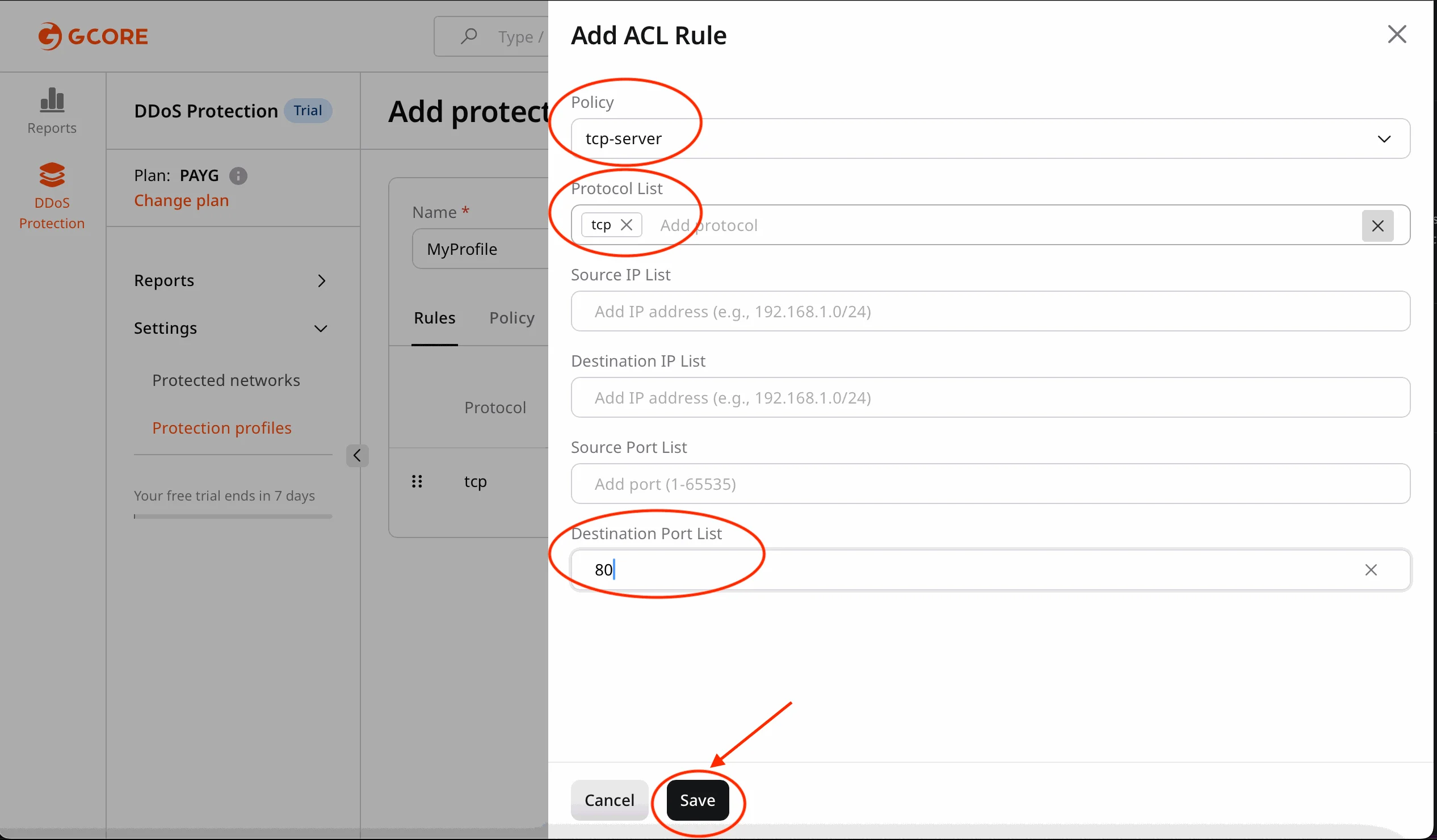
Match TCP traffic on destination port
80 (HTTP) and apply a whitelist policy.
Configure policies
Policies define how matching traffic is handled.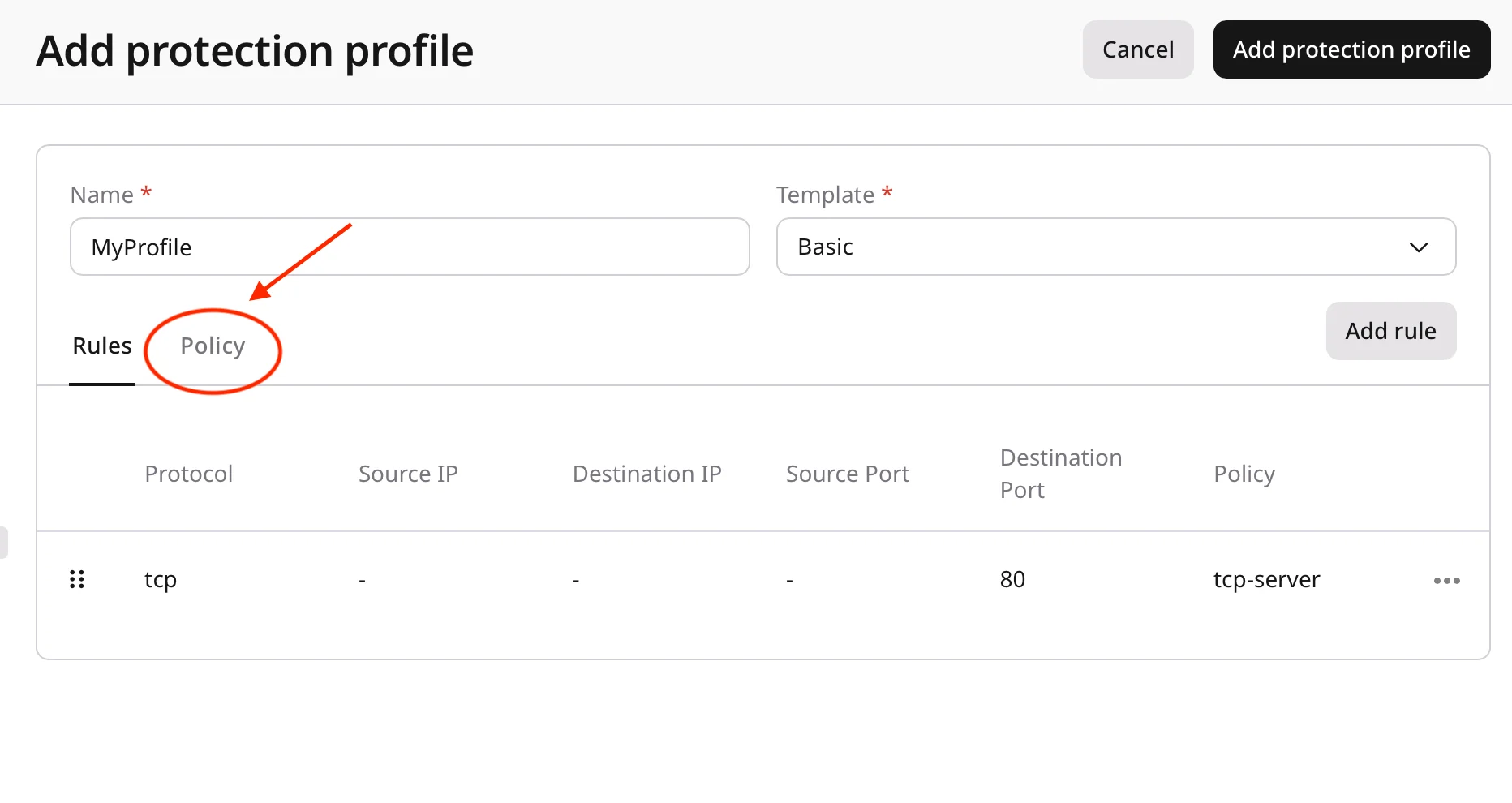
- Geo filtering
- Whitelisting
- Rate limiting
- Traffic filtering
- Anomaly detection thresholds
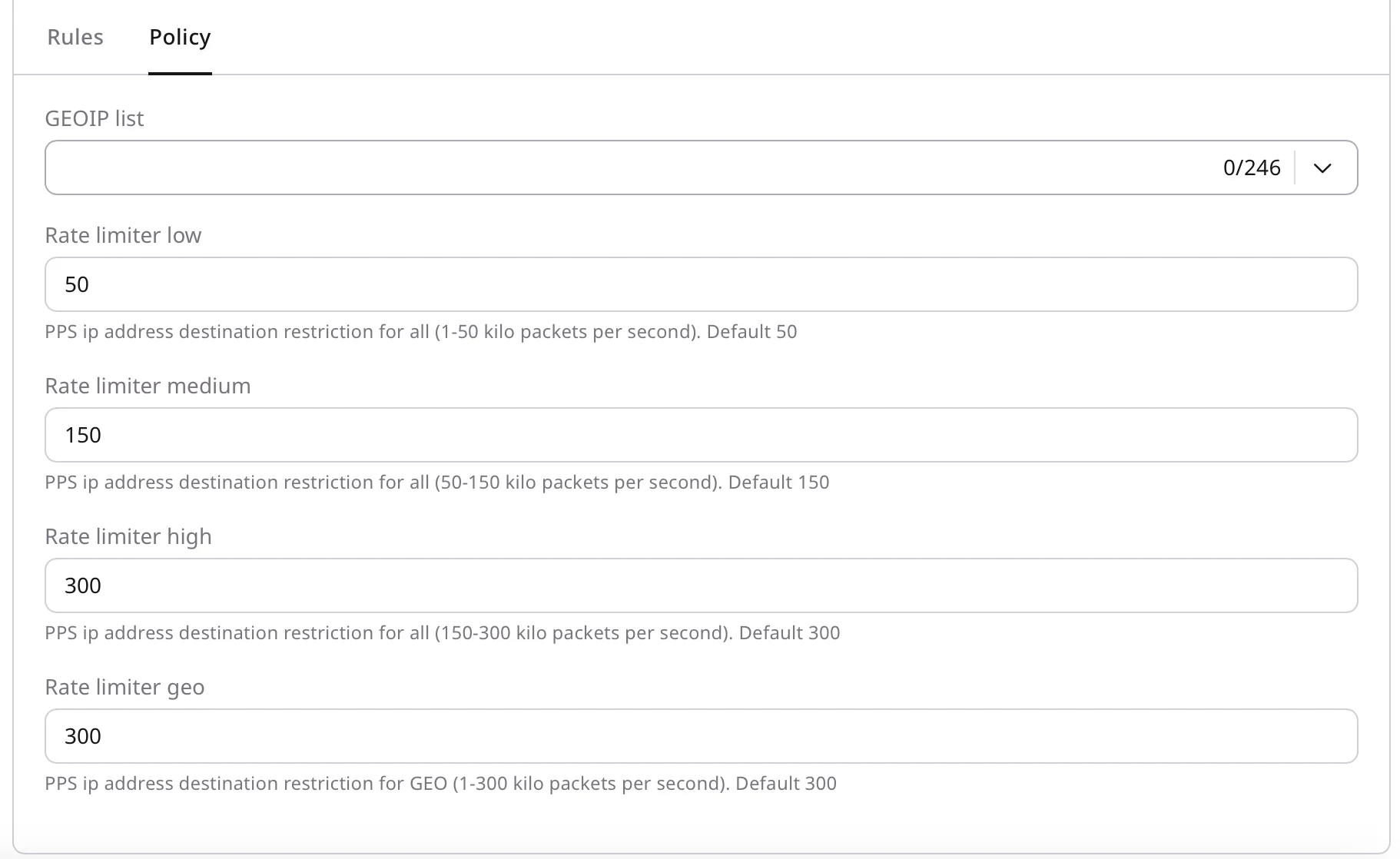
Example: Configure a whitelist
- Add trusted IP addresses or ranges to the whitelist.
- Confirm that whitelisted traffic bypasses the required protection mechanisms.
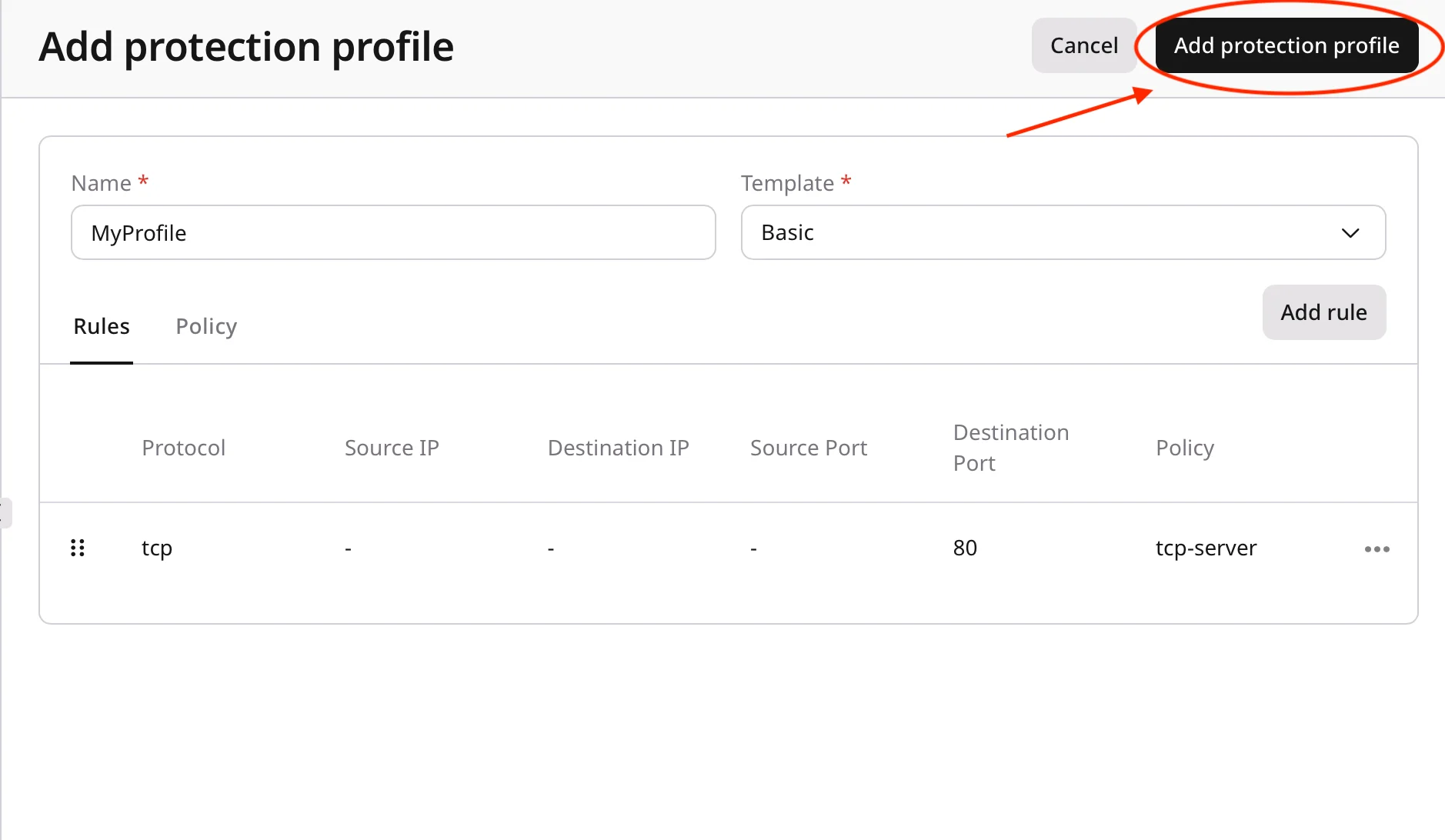
Save the profile
- Review the configured rules and policies.
- Click Add protection profile.
Best practices and next steps
- Start with simple rules and expand them as needed.
- Test new profiles in a non-production environment first.
- Document rules and policies for future maintenance.
- Review and update profiles regularly based on traffic patterns.
- Next, apply the custom profile to a protected network