You can reboot your virtual private server from two interfaces: the Control Panel and VMmanager.Documentation Index
Fetch the complete documentation index at: https://gcore.com/docs/llms.txt
Use this file to discover all available pages before exploring further.
Via the Control Panel
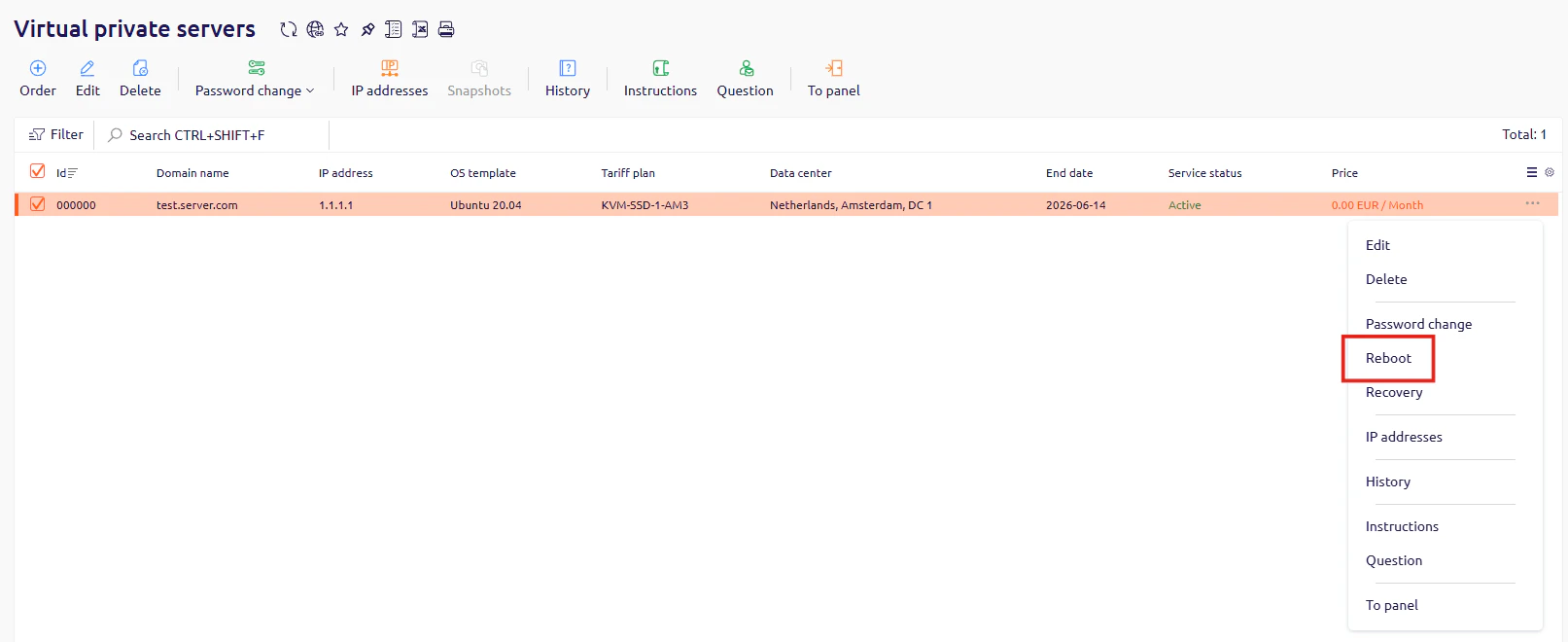
- In the Control Panel, go to Virtual private servers.
- Find the server you want to reboot, click … at the end of its row, and select Reboot.
Via VMmanager
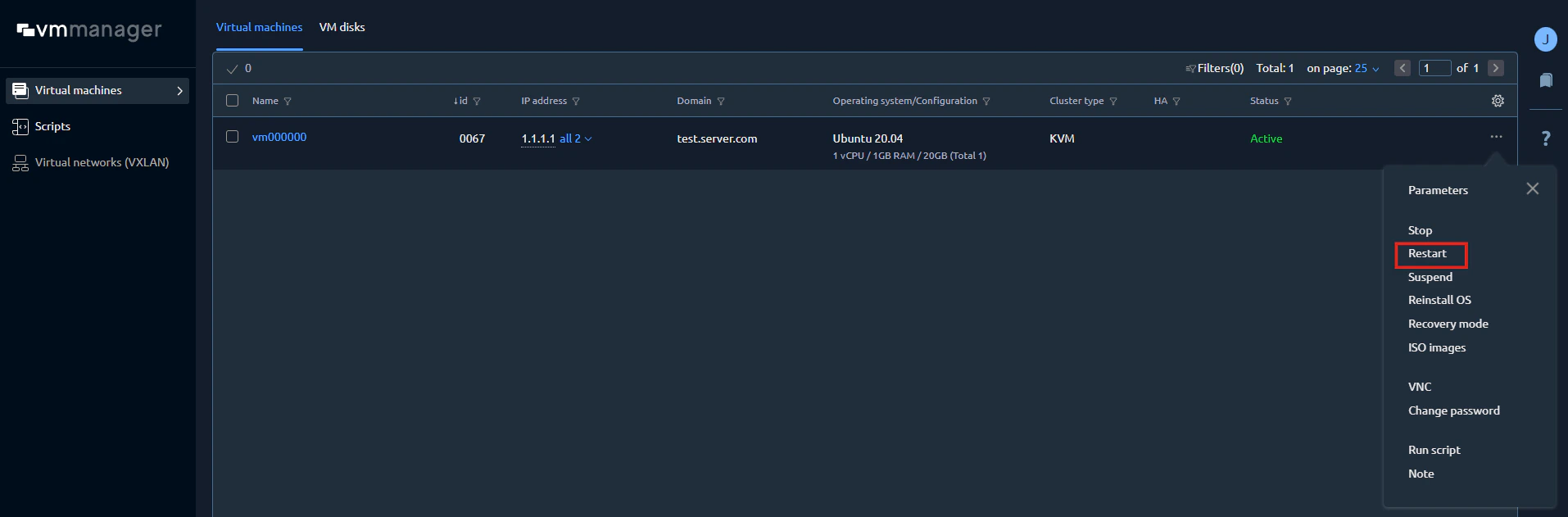
- In VMmanager, go to Virtual machines.
- Find the server you want to reboot, click … at the end of its row, and select Restart.