



Video hosting platform for developers and businesses
Upload once and get hosted playback with adaptive renditions, REST API, and ready-to-embed delivery for web and app experiences.

What's included with Gcore Video Hosting
Faster publishing
Upload from the dashboard or REST API, then publish with a player link, iframe, or JS SDK without building a separate media backend.
Better playback
Generate adaptive renditions for HLS, MPEG-DASH, and MP4 so viewers get smooth playback across devices and networks.
Ready player
Use the built-in HTML5 player with subtitles and customizable playback to ship polished viewing experiences sooner.
What the platform handles

Upload paths
Upload or migrate content from other platforms, using TUS resumable API for large files.
Managed prep
Transcode source files into adaptive playback outputs without building your own media backend.
Playback outputs
Publish through the built-in player or use the JS Player SDK to embed video in app and web experiences.
Format coverage
Prepare HLS, MPEG-DASH, and MP4 outputs to match device support and playback requirements.
Presentation layer
Add subtitles and use the customizable player to ship polished viewing experiences with less implementation work.
Global delivery
Use the integrated Gcore CDN to cache close to viewers and scale audiences without loading your own origin.
Migrate and upload video from any source
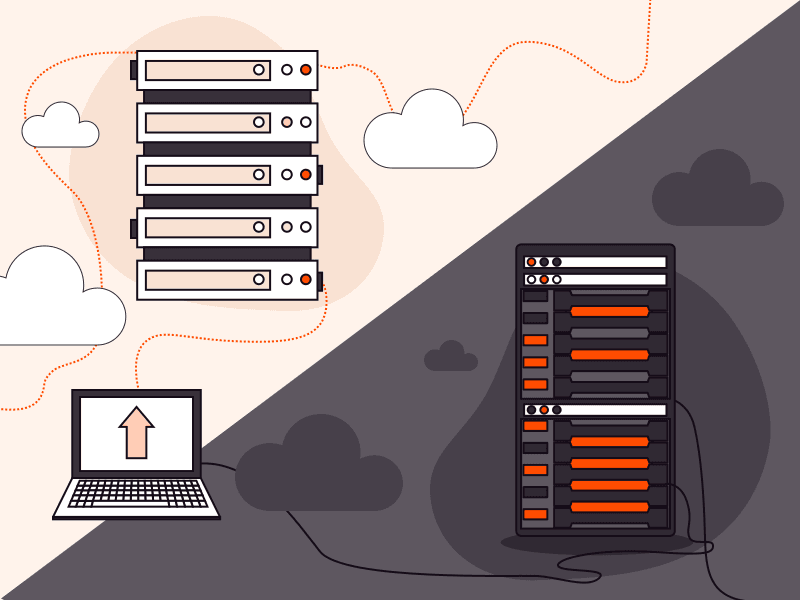
Gcore supports multiple upload methods to fit your workflow. Upload from mobile apps, web browsers, or servers. Migrate content from existing platforms via remote URL fetch or Google Drive. TUS resumable protocol ensures reliable uploads for large files.
- Upload from mobile apps: record or select videos within iOS/Android apps and upload directly to video hosting via API
- Browser and server uploads: drag-and-drop via UI dashboard or programmatic API uploads from your backend infrastructure
- Remote URL fetch: migrate content from existing CDNs, cloud storage (S3, Azure, GCS), or public URLs without downloading first
- Google Drive integration: import videos directly from Google Drive and other cloud platforms without manual downloads
- TUS resumable upload protocol: automatically resume interrupted uploads from the last completed chunk for large files over unreliable connections
What you can build with video hosting
Premium VOD libraries
Publish film, entertainment, and subscription content without stitching together separate media vendors. Built for SVOD, AVOD, and TVOD libraries.

Event replays
Turn recorded events and webinars into replay-ready video experiences soon after the live session ends.

Learning platforms
Deliver hosted lesson libraries and training video with smoother playback across browsers and devices.

Product video hubs
Launch demos, onboarding, and knowledge-base video inside your product or marketing site.

Vertical video feeds
Create short-form mobile video experiences for user-generated content and audience discovery flows.

In-app media libraries
Add a managed video backend to your product when your roadmap needs hosted playback more than media ops.

Platform capabilities and feature tiers
Professional video management with HLS adaptive streaming, MPEG-DASH for cross-platform compatibility, and MP4 progressive download for offline playback and legacy devices. Built for scaled production workflows from individual developers to enterprise media teams.
- Content organization: directories for hierarchical structure, labels for flexible categorization, search and filtering across your video library
- Advanced features: live imitation (looped playlists as pseudo-live streams), multi-audio track support for multilingual content, playlist creation, subtitle integration with VTT/SRT formats, timeline preview thumbnails
- Migration tools: automated content migration from external cloud storage (AWS S3, Google Cloud Storage, Azure Blob) with batch import and metadata preservation
- Premium transcoding: 2K (1440p) and 4K (2160p) output ladders, H.265/HEVC and AV1 codec encoding for 30-50% bandwidth savings while maintaining quality
- Enterprise infrastructure: custom CDN resources with geo-blocking, referrer validation, and IP-based access policies for content protection and broadcasting rights compliance, dedicated regional transcoding, extended datacenter coverage

Frequently asked questions
Does Gcore offer a video hosting API?
Yes. Gcore provides a REST API and SDKs that cover the full video lifecycle: upload (including TUS resumable uploads), automatic multi-bitrate transcoding, live stream management, recording, AI subtitles, webhooks, and a customizable JS player SDK. All content is delivered globally via Gcore CDN with built-in DRM and access control.
What source video formats and codecs are supported for ingest?
Gcore accepts MP4, MOV, AVI, MKV, and WebM containers. The transcoding pipeline normalizes all inputs to adaptive bitrate outputs.
What are the available playback integration methods?
Embed using iframe code, integrate via JavaScript Player SDK for custom UI control, or retrieve HLS/DASH manifest URLs for use with your own player implementation. The JS SDK provides programmatic access to playback events, quality switching, and analytics hooks.
Which streaming protocols and output formats does the platform generate?
Gcore transcodes source videos to HLS (HTTP Live Streaming) with .m3u8 manifests, MPEG-DASH with .mpd manifests, and progressive MP4 downloads. All adaptive outputs include multiple quality ladders for automatic bitrate switching based on viewer bandwidth.
Can I use my own video player instead of Gcore's built-in player?
Yes. Gcore provides HLS master.m3u8 manifest URLs for each video. Use these manifests with any HLS-compatible player like Video.js, Shaka Player, JW Player, or native mobile players (AVPlayer on iOS, ExoPlayer on Android). You maintain full control over player UI, behavior, and analytics while Gcore handles delivery and CDN caching.
When should I choose Video Hosting instead of Video CDN?
Choose Video Hosting when you need managed transcoding, storage, and adaptive bitrate generation from source files. Choose Video CDN when you already have prepared HLS/DASH streams or MP4 files and only require global delivery and caching infrastructure without transcoding services.
How do I migrate large video libraries from external cloud storage platforms?
Gcore supports automated batch migration from AWS S3, Google Cloud Storage, and other cloud storage providers via remote URL fetch. Upload videos by providing bucket URLs and authentication credentials. The migration API preserves metadata and allows parallel imports. Use TUS resumable protocol for individual large files to automatically resume interrupted transfers.
Is Gcore Video Hosting suitable for enterprise video?
Yes. Gcore scales to 1M+ concurrent viewers across 210+ PoPs with enterprise security: DRM, AES encryption, and GDPR/ISO 27001 compliance. It provides SLA backed uptime, priority support, AI subtitles, and a full REST API for custom integrations.
Estimate video hosting costs
Free tier includes transcoding (up to 1080p). Paid plans bill per minute with transparent calculator for usage forecasting.
- Start for free with no credit card, test uploading and delivery workflows immediately
- Use the pricing calculator to estimate costs based on expected concurrent viewers
- Enterprise plans also offer per-gigabyte delivery pricing and custom architecture for high-volume broadcasts

Start video hosting
Upload videos, get adaptive bitrate transcoding, and deliver globally through CDN with built-in player included.