



Before you launch: an 18-point security checklist for web applications and APIs
- October 30, 2026
- 6 min read

Your application works. The front end loads, the API responds, and the login flow passes its tests. You're ready to launch. But is your application ready to be exposed to the Internet?
An origin server, the backend that hosts your application, might still be reachable directly, allowing attackers to bypass your security controls. An API might have no rate limits. A misconfigured cache could expose one user's private data to another. And a security rule intended to stop attackers could end up blocking legitimate customers.
These are problems to identify and fix before users arrive. The 18 items cover public endpoints, content delivery, traffic protection, API access, and monitoring. The checklist focuses on how requests reach your application and how to configure and test the controls along that path. Use it alongside reviews of application code, dependencies, authentication, secrets, and recovery procedures.
Know what you're exposing to the Internet
Before configuring protection, identify what an attacker can reach, where legitimate users and trusted integrations connect from, and whether geographic access restrictions are necessary. Check more than the application's main domain.
1. Inventory every public endpoint and open port. List your websites, APIs, TCP and UDP application ports, and administrative interfaces. Close anything that doesn't need to be publicly accessible. An overlooked service can provide an entry point even when the main application is protected.
2. Check that web and API traffic follows the intended protected path. Confirm that your public HTTP endpoints and APIs pass through the CDN or web application protection service, and test real application flows, including WebSockets and long-lived connections. Review any other public TCP or UDP ports separately.
3. Enforce HTTPS and verify TLS configuration. TLS (Transport Layer Security) encrypts data as it travels between systems. Make sure browsers connect securely, certificates are valid, and HTTP requests are redirected to HTTPS where appropriate. Where suitable, enable HTTP Strict Transport Security (HSTS) after confirming HTTPS works for the domain and any subdomains the policy will cover. If you use a content delivery network (CDN), which serves content through distributed servers, or a reverse proxy, which receives requests on behalf of your application, check that connections between it and your origin are also secured. Encryption at the edge alone doesn't guarantee an encrypted connection all the way to your application.
4. Block direct access to your origin. An attacker who discovers the origin IP may try to bypass your CDN or other edge security controls. Configure the firewall or equivalent security policies on the origin server to accept protected traffic only from approved proxy IP addresses. Review current and historical DNS records and exposed subdomains; certificate transparency logs can reveal related hostnames. Test connecting directly to the origin from an unapproved source: protected ports should reject the connection.
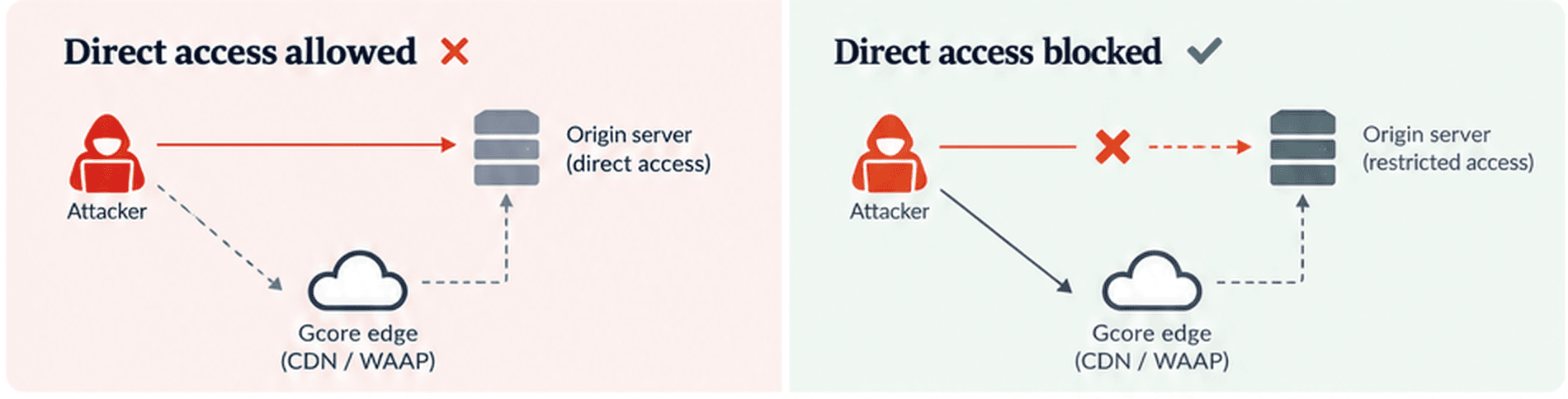
Gcore CDN provides HTTPS delivery and caching, while Gcore WAAP (web application and API protection) helps protect web applications and APIs from malicious traffic. Direct-to-origin access must be restricted using the origin's firewall or equivalent security policies.
Secure content delivery and edge requests
A CDN can reduce latency and origin load, but its configuration matters. Caching the wrong response can create a security problem even when the application code is behaving correctly.
5. Check which responses can be cached. Public images, scripts, and other static assets are often good candidates. Authenticated pages, account details, and user-specific API responses require different treatment. Review cache rules, response headers, cookies, and query parameters. For example, a rule that caches URLs ending in `.css` could inadvertently store a dynamic account page. Test with two user accounts and verify neither can receive the other's data from the cache.
6. Protect content that shouldn't be publicly accessible. If users need authorisation to download files, use appropriate access controls, such as signed URLs or time-limited tokens. A URL that is difficult to guess isn't necessarily secure. Test what happens when a token is missing, invalid, or expired.
7. Validate custom authentication and request rules at the edge. For example, edge logic can verify a signed authentication token, check required claims, or reject malformed requests before they reach the origin. This reduces unnecessary origin traffic. Keep authorisation and input validation in the application too; edge checks are an additional layer.
Gcore CDN supports caching and secure content delivery. FastEdge can run custom request-handling logic closer to users, including signed-token checks before forwarding requests to the origin.
Configure protection against application-layer attacks
Web and API attacks can involve repeated requests, abusive automation, or attempts to exploit application vulnerabilities. Start with the legitimate traffic your application needs, then configure controls for these patterns.
8. Establish a baseline for application-layer traffic. First identify legitimate automated clients, partner connections, and monitoring services that must keep working. Then measure normal request volume, including busy periods and expected peaks. Use this baseline for Layer 7 DDoS thresholds, and test that limits do not block trusted traffic.
9. Start with appropriate WAF policies. A web application firewall (WAF) can detect and block malicious requests, including attempts to exploit common web vulnerabilities. Begin with high-confidence detections and review events before enabling more aggressive blocking. A rule that looks effective on paper may interfere with legitimate application behaviour.
10. Configure rate limits for sensitive endpoints. Login, registration, password reset, token refresh, and resource-intensive API operations deserve particular attention. Rate limits control how frequently requests are allowed. They help reduce credential stuffing, the automated reuse of stolen login details, as well as other automated abuse and application-layer floods. They should reflect how legitimate users and integrations interact with each endpoint.
11. Decide how to handle automated traffic. Identify legitimate search crawlers, monitoring, partner integrations, and AI agents before choosing bot policies. Give necessary automation narrowly scoped access, and distinguish it from scraping, credential stuffing, and other abusive requests. AI search crawlers, AI training crawlers, and user-triggered AI agents may require different policies.
12. Review IP reputation and geographic restrictions. Reputation signals can help identify suspicious traffic, while geographic restrictions may be necessary for regulatory or business reasons. Be careful about broad restrictions on VPNs, proxies, hosting networks, or entire countries. Legitimate users and services may depend on them, so test the consequences before blocking.
Gcore WAAP combines web application protection, application-layer DDoS mitigation, bot management, and access policies. Enable the controls that fit your application and its traffic, rather than every rule available.
Check that your APIs are protected too
APIs handle authentication, account information, payments, and integrations with other systems. Some endpoints may be undocumented or forgotten, so establish what is actually exposed before enforcing a schema.
13. Discover undocumented or shadow APIs. Compare observed API traffic with your documented inventory to identify forgotten or unofficial endpoints. Check which of those are publicly reachable and whether they have suitable authentication and protection before enforcing an API schema.
14. Validate API requests against your specification. If your application uses OpenAPI, a standard for describing an API’s endpoints and request formats, make sure the specification accurately describes the endpoints, parameters, and request structures you support. API schema enforcement can help detect requests that don't conform to that definition. Review violations before blocking them, and update the specification as the API evolves.
15. Test API permissions and trusted integrations. Confirm that users can access only the records and actions they are authorised to use. With an ordinary account, change a record identifier to one belonging to another user and attempt an administrative action; both should be denied. A valid API request isn't necessarily an authorised one. For trusted integrations, validate authentication tokens and relevant request attributes where possible, and review exceptions so they grant only the access needed.
Gcore API Security includes API discovery, schema enforcement, and protections against common API attacks and abuse.
Test your security configuration before enforcing it
Security controls need to be tested before they start rejecting requests. A policy that blocks customers from logging in or completing payments can cause an availability incident of its own.
16. Test critical user journeys with protection enabled. Go through authentication, registration, payments, file uploads, and important API integrations. Test both successful and unsuccessful requests. Include legitimate automated traffic and application workflows that use unusual headers, request sizes, or connection patterns. Check security event logs when a legitimate flow is blocked.
17. Move gradually from monitoring to blocking. Where supported, begin with monitoring so you can identify false positives before enforcing a policy. Review security events, refine exceptions, and enable blocking progressively. Have a way to adjust or revert problematic rules if legitimate requests are affected, and verify that the rollback works.
18. Set up alerts and keep reviewing traffic. Configure security notifications before launch and, where appropriate, send events to a security information and event management (SIEM) system, which brings logs together for investigation. Make sure alerts reach the people responsible for responding. After launch, review attack activity, blocked requests, false positives, and changes in normal traffic. Update your policies when the application changes.
These last checks matter because a successful launch isn't the end of security configuration. New features, API endpoints, integrations, and traffic patterns can all change which protections the application needs.
Before you press deploy
A web application can pass every functional test and still be exposed through an open port, an unprotected origin, a cache rule, or an overly permissive API.
Before launch, confirm that you know what's publicly reachable, legitimate traffic follows the protected path, critical workflows still function with security controls enabled, and someone will notice when something changes. For larger deployments, keep policy definitions in version control and manage supported settings through reviewed API or Terraform changes, so updates can be reproduced and rolled back.
The goal is to launch with protections you understand, have tested, and can keep improving as the application grows.
Explore Gcore WAAP for application and API protection.

Related articles

Most products do not launch with predictable traffic. They begin with an idea, a first release, and users who could be anywhere.Until now, starting small with Gcore meant starting with limited network coverage. Reaching 210+ PoPs meant choo

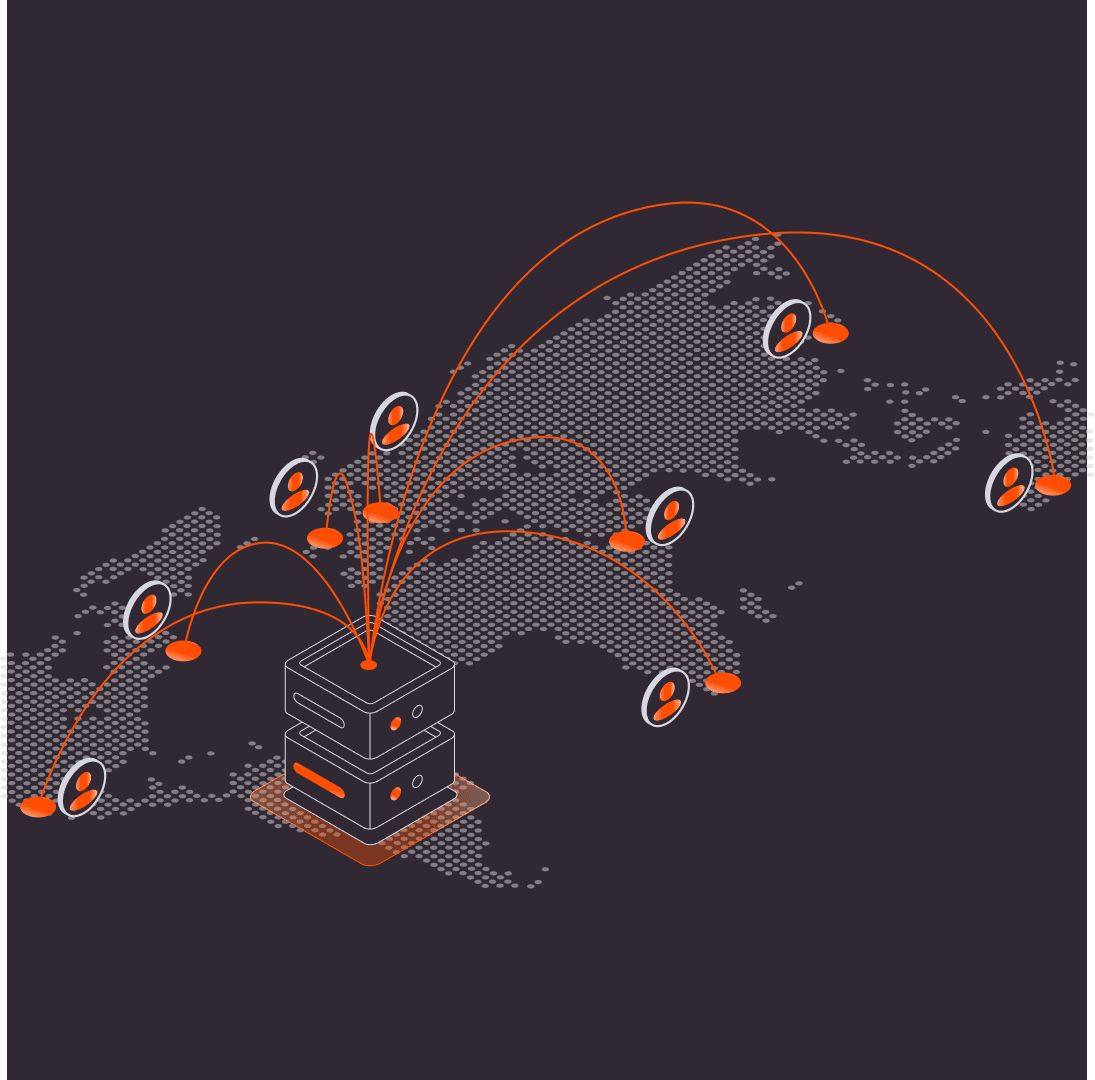
A page served from a single origin can perform very differently depending on where the person loading it is located. For a website owner testing close to that origin, the difference is easy to miss. We wanted to measure how much an optimize

OpenClaw is an actively maintained open-source agent framework with an established community. Running an OpenClaw agent yourself, however, can mean configuring a server, connecting an inference provider, managing API keys, and maintaining t
Subscribe to our newsletter
Get the latest industry trends, exclusive insights, and Gcore updates delivered straight to your inbox.