

screenshot field of a live stream.
Screenshot generation
Gcore creates one instant JPEG screenshot every 10 seconds while the live stream is live. The image is up to 1080 px wide, or lower when the source stream has a lower resolution. Thescreenshot field points to the latest image created by the service. Screenshot history is not stored, so download the JPEG on a schedule when a monitoring system or custom gallery needs multiple frames over time.
Player placeholder
The built-in player uses the latest screenshot as a placeholder when playback starts during page loading. This gives viewers a still frame from the live stream instead of a black player area before the video is ready. When embedding a live stream, keep the player code unchanged unless a custom placeholder flow is needed. The hosted player reads the screenshot from the live stream state.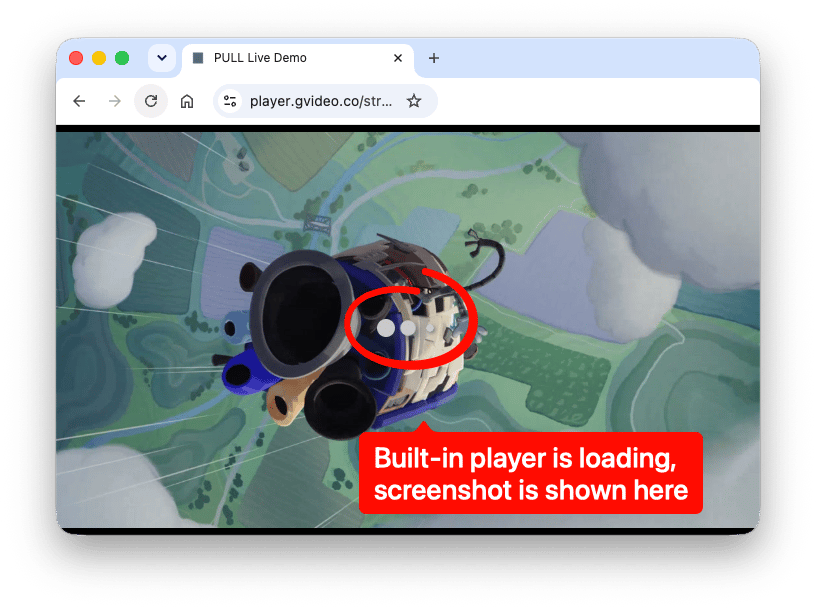
Old screenshots
Whenlast.jpg appears stale, check that the stream is live and wait at least 10 seconds before reloading the URL. If the image remains unchanged after several update intervals while live video is being sent, check that stream has no issues.