



The web has a new reader: serving Markdown for agents
- August 27, 2026
- 5 min read
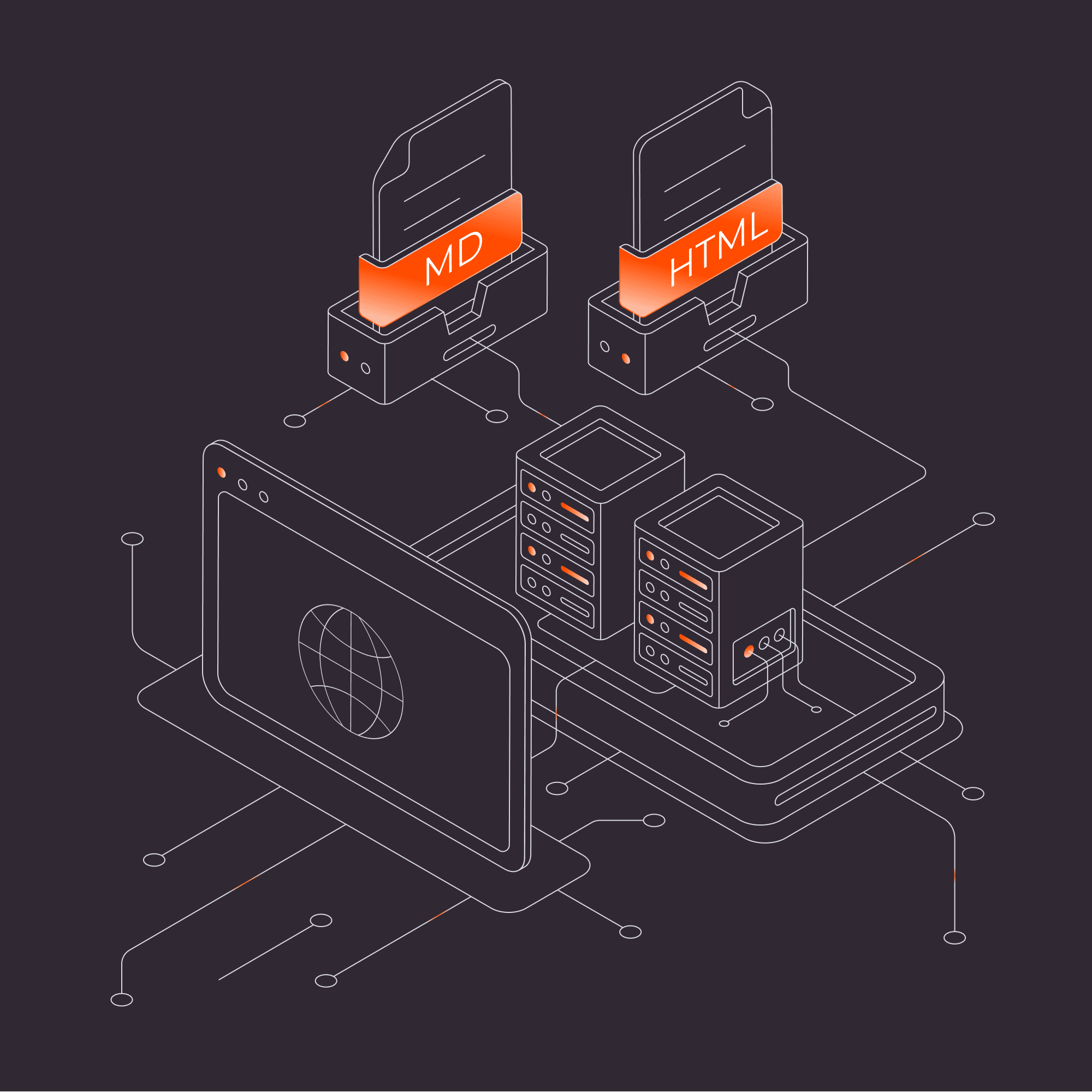
FastEdge Markdown Transformation lets websites serve Markdown to AI agents directly from the CDN edge, while browsers continue to receive the same HTML page.Websites now have more than one kind of reader. Browsers need HTML (layout, styling, scripts, and navigation). AI agents and automated systems often arrive with a simpler goal: retrieve the meaningful content and understand its structure. Today, most of those systems fetch the same HTML a browser receives and run their own extraction step: stripping tags, rebuilding headings, and recovering document structure. That works, but every system repeats the same cleanup independently, burning tokens and compute in the process.
Markdown gives these systems a cleaner representation. It preserves useful document structure — headings, links, lists, code blocks, tables — while removing most layout overhead. On a live Gcore blog post, the standard HTML response came to roughly 110,000 tokens, while the Markdown representation of the same page was about 4,400 tokens, a 96% reduction. The exact numbers depend on the page, but at the scale of millions of automated requests per month, that kind of difference compounds quickly in both processing cost and latency.
This particular page carries a large site-wide navigation menu in its HTML, which is stripped entirely in the Markdown version. Sites with lighter markup will see a smaller, though still meaningful, reduction.
Gcore's FastEdge Markdown Transformation uses a simple pattern: same URL, different representation when the client explicitly asks for it. A browser request receives HTML. A client that sends Accept: text/markdown receives Markdown. No separate endpoint, no CMS changes, no duplicate pages.
Variations of this pattern have started appearing across the infrastructure ecosystem as AI agents and automated systems become a larger share of web consumers. FastEdge Markdown Transformation is available directly through Gcore's CDN and edge compute platform, including on the free CDN tier.
How the request works
The flow uses standard HTTP content negotiation. A client can request a Markdown representation of a page like this:
curl -L -H "Accept: text/markdown" https://gcore.com/blog/gpu-vm-launchThe response returns clean Markdown, with the article content structured as headings, lists, and body text:
# Introducing GPU VMs on NVIDIA AI infrastructure in Sines (EU)
* March 30, 2026
* 3 min read

Some AI jobs require the full power and predictability of
dedicated bare metal clusters. Others need something more
agile: compute that can be sized up or down quickly, used
for a burst of experimentation, powered down when idle...

## A more adaptable way to use NVIDIA Hopper GPUs

GPU VMs give teams a way to tap into Hopper performance
without committing to long-running hardware...

(truncated for brevity)
Without the Accept header, the same request returns the original HTML page unchanged.
FastEdge checks the incoming request. If Accept: text/markdown is present, the FastEdge application fetches the origin response, verifies it is HTML, applies the HTML-to-Markdown transformation, and returns Markdown. Without that header, the response passes through unchanged as HTML.
The client is not identified by the user agent — the response is determined entirely by what the client explicitly asks for. That distinction matters. Serving different content based on user-agent detection is the pattern search engines flag as cloaking. Responding to an explicit Accept header is standard HTTP content negotiation, the same mechanism the web already uses for JSON, XML, compressed assets, and image formats.
The server is not guessing who is asking. It is responding to an explicit request for a different representation of the same resource.
Why at the CDN edge
You could generate Markdown at build time, add Markdown rendering to your backend, or expose a separate /markdown route. FastEdge Markdown Transformation takes a different approach: transform the existing HTML response directly in the CDN (Content Delivery Network) delivery path. Because the transformation runs on Gcore's global CDN infrastructure, the logic executes close to where requests are already being handled, across more than 210 PoPs (points of presence) worldwide with an average global latency of around 30 ms.
That has four practical advantages.
- No origin changes. The application transforms the existing HTML response without requiring changes to your origin.
- No CMS changes. The CMS continues serving HTML as it always has.
- Transformation at the edge. FastEdge runs WebAssembly applications within the CDN pipeline, so the logic executes close to where requests are already being handled.
- A reusable pattern. Inspect a header, fetch content, transform the response, and return a better-suited representation. The same model applies to other edge transformations beyond Markdown.
The origin does not need to change. The CMS does not need to know about Markdown. The transformation happens close to the request — FastEdge runs WebAssembly applications within the CDN pipeline, so the logic executes where traffic is already being handled. And the pattern is reusable: inspect a header, fetch content, transform the response, return a better-suited representation. The same model applies to other edge transformations beyond Markdown.
Gcore uses this same template in production for gcore.com and its documentation, proof that the pattern holds up on a content-heavy site with the same requirements you're evaluating.
Caching
Once a Markdown response is generated, the CDN can cache and reuse it for subsequent requests. The template handles cache separation automatically. It adds a Convert: markdown request header and Vary: Convert to the response, so the CDN maintains separate cache entries for HTML and Markdown variants of the same URL.
Setting it up
The implementation is available as a FastEdge HTML-to-Markdown template in the Gcore portal.
- Create a FastEdge app from the HTML to Markdown template in the Gcore portal.
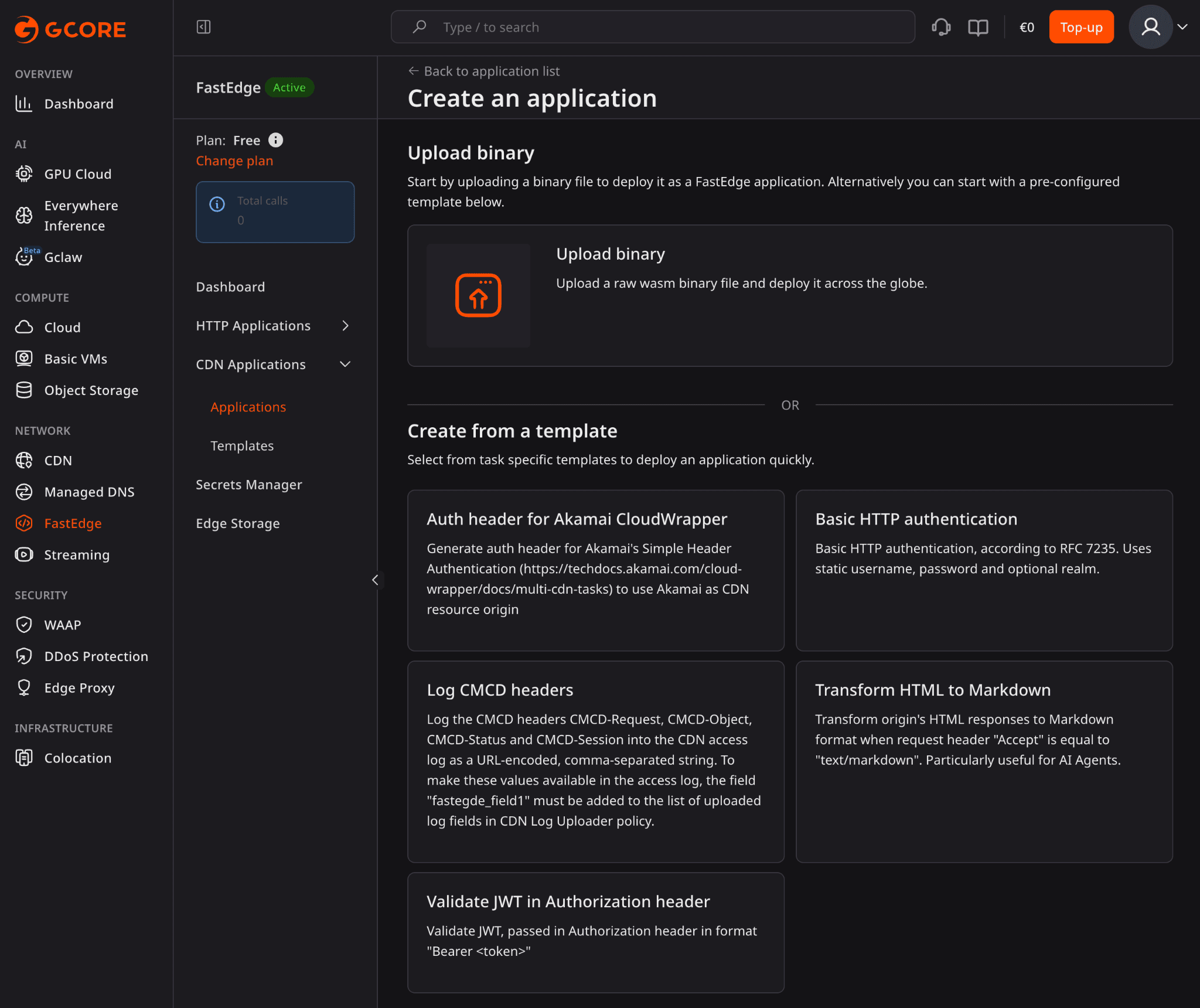
- Attach the FastEdge app to the relevant CDN resource, with on request headers, on response headers, and on response body enabled.
- Configure CDN rules to define which paths or requests should run the FastEdge app transformation.
Test with curl:
curl -H "Accept: text/markdown" https://your-domain.com/pageCompare against the same URL without the header (you should receive standard HTML).
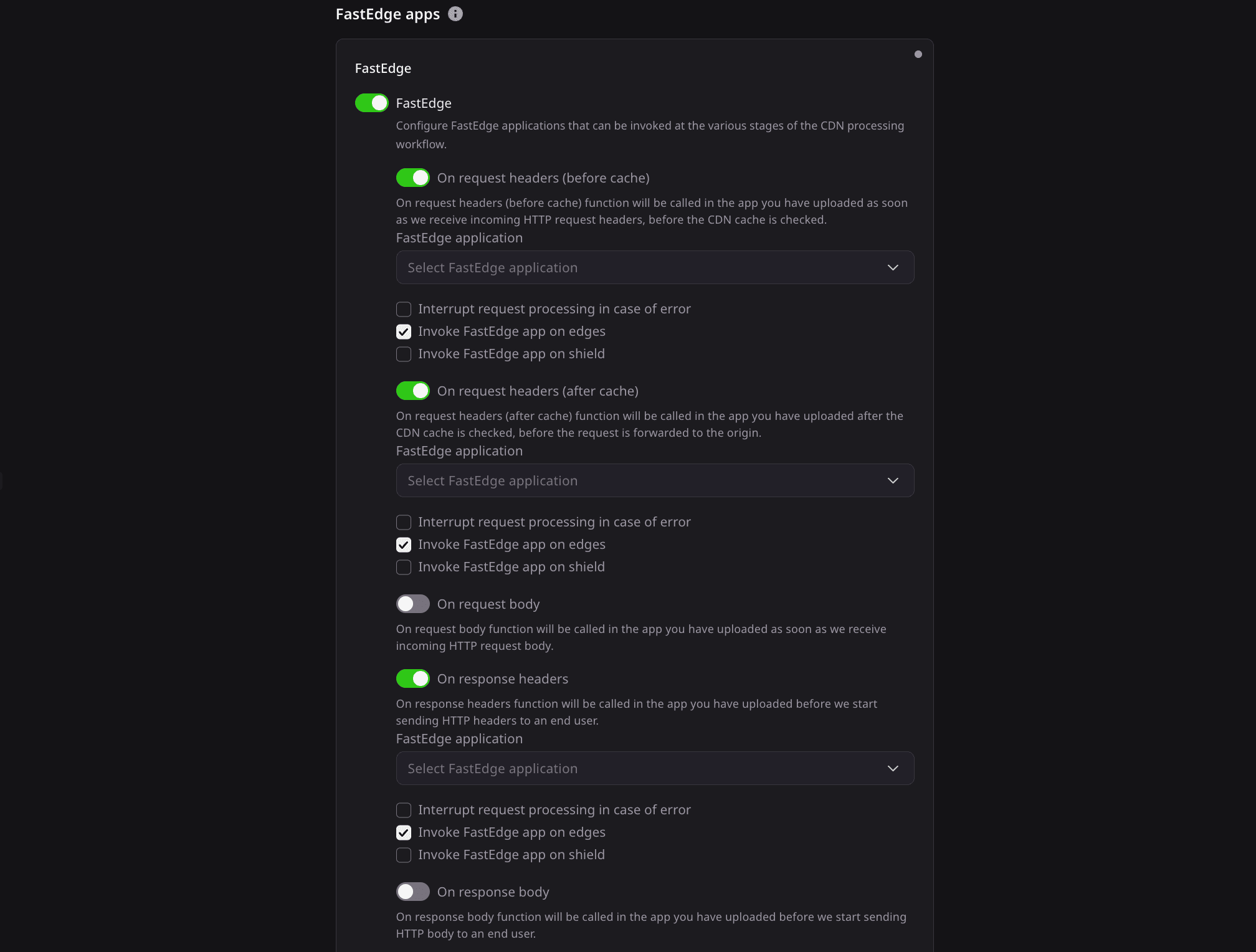
Developers can also use the published template source as a starting point for building custom FastEdge apps.
The source is published on GitHub at github.com/G-Core/FastEdge-templates/tree/main/html2md. For a faster setup, the template repository includes a Deploy now button that provisions the FastEdge app directly, for logged-in Gcore users.
What this is useful for
The pattern works best for content-heavy pages where structure matters: documentation, technical blogs, product docs, changelogs, support articles, knowledge bases, and developer reference pages. These are pages where an automated system needs headings, links, and code examples more than it needs visual layout.
Markdown is not a replacement for HTML. It is a second representation of the same content, for clients that ask for it.
Things to check before deploying
The feature works best when meaningful content is present in the raw HTML response. Sites that rely heavily on client-side rendering may find the origin response doesn't contain enough content to produce useful Markdown (worth testing on a few representative pages first).
Conversion quality also depends on source HTML structure. Clean semantic markup produces better results than pages with heavily nested layout or large amounts of dynamically injected content.
The FastEdge app buffers the full HTML response before conversion, so very large or unusually complex pages may run into memory or execution-time constraints. For most documentation and blog content, this is not a practical issue.
A small pattern with useful consequences
FastEdge Markdown Transformation is not about replacing the web page. Browsers get HTML, as always. Clients that explicitly ask for Markdown get Markdown. The origin and CMS stay unchanged. The CDN edge handles the transformation.
For developers, that is the useful part: a practical HTTP and edge-compute pattern you can add without redesigning the infrastructure behind it.
If you'd like to see the feature working end-to-end, including deployment, request flow, and a live comparison of HTML and Markdown responses, this video walks through the complete implementation.

Related articles

Most products do not launch with predictable traffic. They begin with an idea, a first release, and users who could be anywhere.Until now, starting small with Gcore meant starting with limited network coverage. Reaching 210+ PoPs meant choo


A page served from a single origin can perform very differently depending on where the person loading it is located. For a website owner testing close to that origin, the difference is easy to miss. We wanted to measure how much an optimize


OpenClaw is an actively maintained open-source agent framework with an established community. Running an OpenClaw agent yourself, however, can mean configuring a server, connecting an inference provider, managing API keys, and maintaining t
Subscribe to our newsletter
Get the latest industry trends, exclusive insights, and Gcore updates delivered straight to your inbox.