



How to Install Brave on Ubuntu 22.04
- June 9, 2023
- 2 min read

Elevate your online privacy and experience a faster, more efficient browsing session by installing the Brave browser on Ubuntu 22.04.
What Is the Brave Browser?
Developed by Brave Software, Inc., Brave is a ground-breaking web browser that emphasizes user privacy and seamless functionality. Constructed on the sturdy Chromium platform, Brave is open-source and is compatible with various operating systems, including Windows, macOS, Linux, Android, and iOS.
Here are some key features of Brave:
- Prioritizing Your Privacy: Brave revolutionizes web browsing by placing privacy at the forefront. Its potent ad and tracker blocking system ensure optimal browsing speeds and hinder third-party trackers from violating your online privacy
- Chromium Under the Hood: With its origins shared with Google Chrome, Brave offers a familiar user experience. It proudly boasts compatibility with most Chrome extensions and delivers a performance on par with other Chromium-based browsers
- Basic Attention Token (BAT) Integration: Brave seamlessly incorporates the innovative Basic Attention Token (BAT) system. This allows users to support their preferred content creators with cryptocurrency tokens, thus promoting a new era in digital advertising
- Inbuilt Tor Support: Brave takes your privacy up a notch with integrated Tor support. This enables private tabs that shield your online activities from prying eyes
- Speed and Efficiency Redefined: By eliminating ads and trackers, Brave provides a streamlined browsing experience that is quicker and more efficient, ultimately helping you conserve data and battery life
Install Brave on Ubuntu 22.04
1. Verify the installation of the cURL command. If it’s not installed, add it to your system with the command:
sudo apt install curl2. Add the Brave repository keys to your system using the following command:
sudo curl -fsSLo /usr/share/keyrings/brave-browser-archive-keyring.gpg https://brave-browser-apt-release.s3.brave.com/brave-browser-archive-keyring.gpg3. Create a file named “/etc/apt/sources.list.d/brave-browser-release.list” in the /etc/apt/sources.list/ directory, and add the repository from the previous step with the following command:
echo "deb [signed-by=/usr/share/keyrings/brave-browser-archive-keyring.gpg] https://brave-browser-apt-release.s3.brave.com/ stable main"|sudo tee /etc/apt/sources.list.d/brave-browser-release.list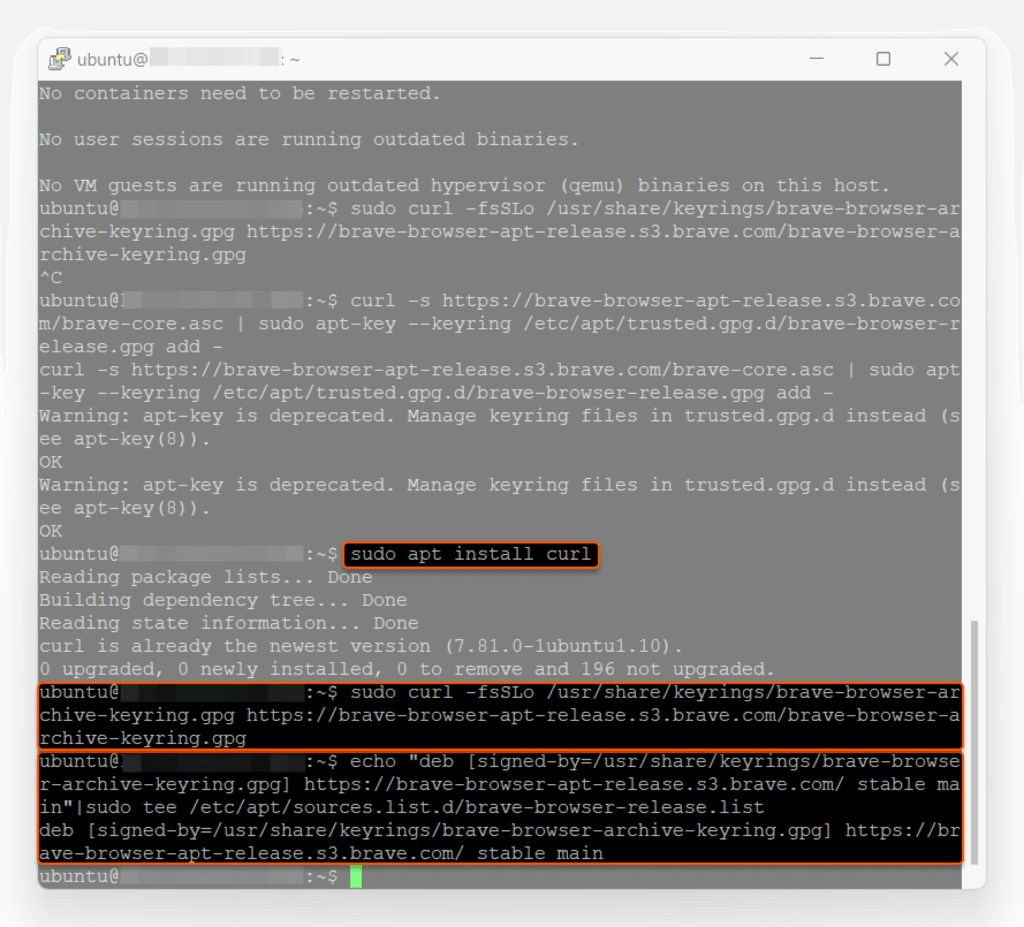
4. Update your system’s package index with the command:
sudo apt update5. Install the Brave browser using the command:
sudo apt install brave-browser
6. Launch the Brave browser from your Ubuntu GUI by searching for “Brave”.

The program window will appear as follows:
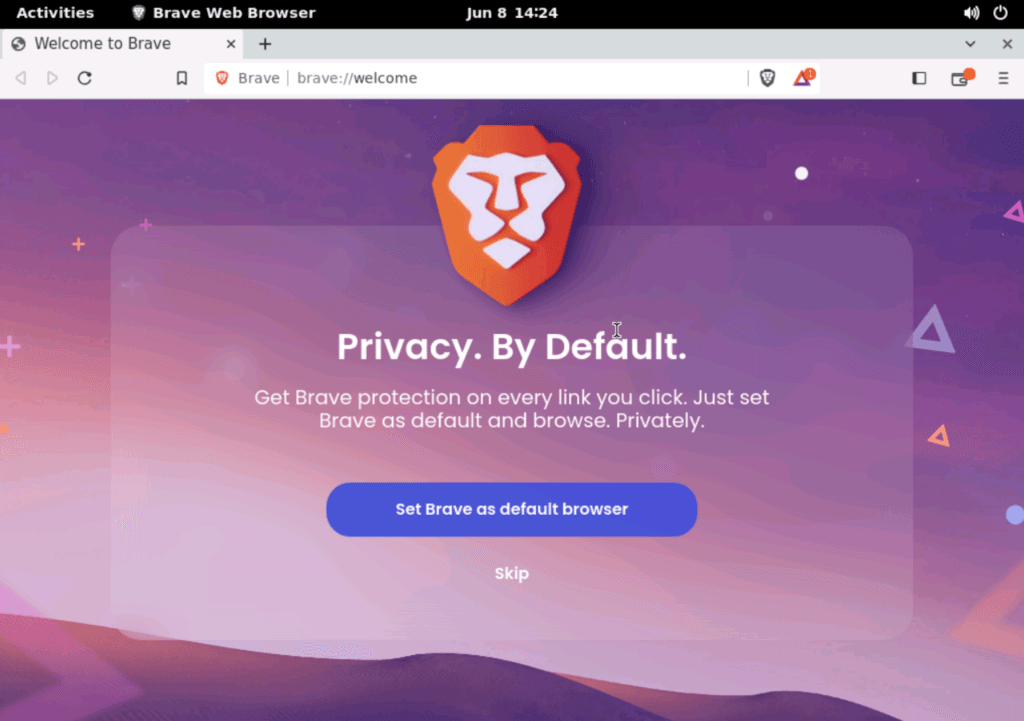
Congratulations! You are now all set to enjoy web browsing with Brave on Ubuntu 22.04.
Conclusion
Want to run Ubuntu in a virtual environment? With Gcore Cloud, you can choose from Basic VM, Virtual Instances, or VPS/VDS suitable for Ubuntu:
- Gcore Basic VM offers shared virtual machines from €3.2 per month
- Virtual Instances are virtual machines with a variety of configurations and an application marketplace
- Virtual Dedicated Servers provide outstanding speed of 200+ Mbps in 20+ global locations

Related articles





Imagine discovering that migrating your company's data to a new cloud provider will cost hundreds of thousands of dollars in egress fees alone, before you've even touched the re-engineering work. Or worse, picture being in Synapse Financial

Subscribe to our newsletter
Get the latest industry trends, exclusive insights, and Gcore updates delivered straight to your inbox.