



What is Session Hijacking: Definition, Types & Prevention
- March 4, 2026
- 9 min read
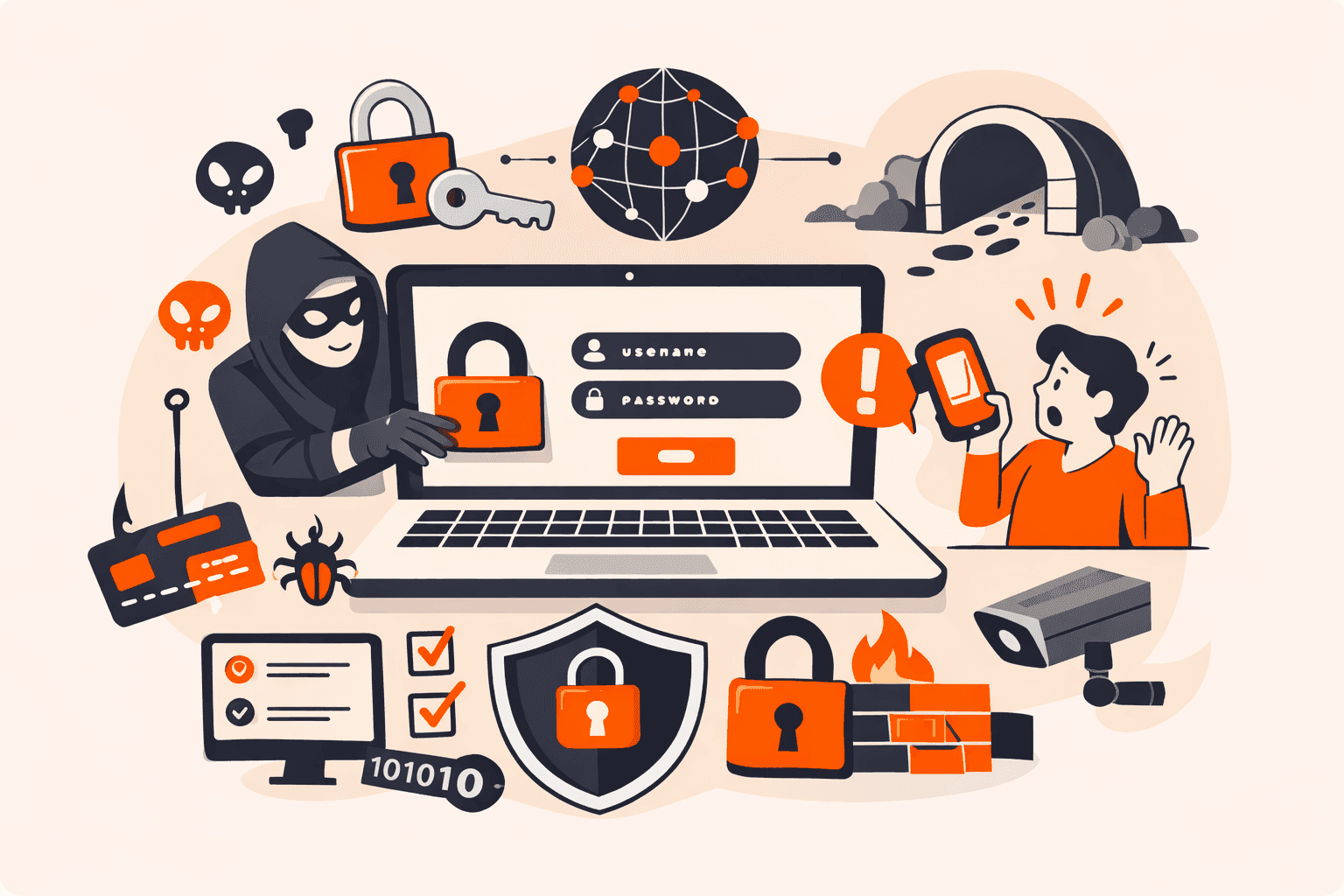
You've logged into your banking app, checked your balance, and closed the browser. But here's what you don't see: an attacker is now inside your account, moving money and accessing sensitive data, without ever needing your password. Session hijacking bypasses your login credentials entirely, even rendering your multi-factor authentication useless because the attack happens _after_ you've already authenticated.
The danger lies in its invisibility. Unlike brute force attacks that trigger security alerts, session hijacking leaves your login credentials completely untouched. Attackers operate undetected until significant damage occurs, making this threat particularly dangerous on public Wi-Fi networks where simple sniffer tools like Wireshark can intercept your active sessions in real-time.
You'll discover exactly how attackers steal session tokens to impersonate legitimate users, why encryption on login pages alone isn't enough to protect you, and what multi-layered defenses you need to prevent these stealthy cyberattacks before they compromise your systems.
What is session hijacking?
Session hijacking is a cyberattack where an adversary steals or intercepts a valid session token (typically a cookie or authentication ID) to impersonate a legitimate user and gain unauthorized access to systems, applications, or data.
Here's what makes it particularly dangerous: attackers bypass authentication entirely by exploiting active sessions after you've already logged in, which means they don't need your username or password. Once they've stolen your session token, they can operate with the same access privileges you have, whether that's transferring funds from your bank account, accessing sensitive corporate databases, or deploying ransomware.
The attack is difficult to detect because your login credentials remain untouched, and the attacker's actions appear to come from your authenticated session, letting them operate undetected until significant damage occurs.
How does session hijacking work?
Session hijacking works by stealing or intercepting a user's active session token after they've successfully logged into a system. Here's the process: once you authenticate to a web application, the server generates a unique session ID (typically stored as a cookie) that acts as your temporary credential for that browsing session. Attackers target this token because it lets them bypass login requirements entirely. They don't need your password if they have your active session ID.
The attack unfolds in three phases. First, a legitimate user establishes a session by logging in normally. Second, the attacker intercepts or steals the session token through methods like packet sniffing on public Wi-Fi, cross-site scripting (XSS) attacks that extract cookies from browsers, or malware that harvests browser data. Third, the attacker uses the stolen token to impersonate the victim, gaining the same access privileges without triggering authentication alerts.
What makes this particularly dangerous is that attackers can bypass Multi-Factor Authentication entirely. Since they're stealing the session cookie that's generated after you've already authenticated, your MFA becomes irrelevant. The system sees the valid session token and grants access. The attack leaves your login credentials untouched, so you might not realize anything's wrong until unauthorized actions appear in your account.
What are the main types of session hijacking attacks?
Session hijacking attacks fall into several distinct categories based on how attackers intercept or steal session tokens. The main types are listed below.
- Session sniffing: Attackers use packet sniffing tools like Wireshark to monitor network traffic and capture unencrypted session IDs as they travel between users and servers. This attack is particularly common on public Wi-Fi networks where data isn't encrypted. Once the attacker captures a valid session token, they can replay it to gain unauthorized access.
- Man-in-the-Browser (MitB): Malware installed on a user's device injects itself into the browser to steal session tokens or manipulate transactions in real-time. Unlike simple sniffing, MitB attacks can succeed even over encrypted HTTPS connections because they operate inside the browser after the data is decrypted.
- Session fixation: Attackers trick users into authenticating with a predetermined session ID that the attacker already knows. The attacker typically sends a link containing the fixed session ID through email or social engineering. Once the victim logs in using that ID, the attacker immediately gains access to the authenticated session.
- Cross-site scripting (XSS): Malicious scripts are injected into vulnerable web applications to steal session tokens directly from users' browsers. The injected code executes in the victim's browser context and can send session cookies to attacker-controlled servers. This method bypasses encryption because the theft happens before data transmission.
- Man-in-the-middle attacks: Attackers position themselves between the user and server to intercept session data during transit. They exploit weak encryption or lack of encryption on non-login pages to capture session tokens. This attack often combines with other techniques like DNS spoofing or ARP poisoning.
- Malware-based hijacking: Trojans and other malicious programs installed on a user's device steal browser cookie files without the user's knowledge. These programs can operate continuously in the background, harvesting session tokens from multiple applications. Browser hijacking malware specifically targets stored authentication data.
- Session Prediction: Attackers guess or predict valid session IDs by analyzing weak token generation algorithms. If an application uses sequential or predictable patterns for session cookies, an attacker can generate a valid ID without ever stealing one from a user.
- Brute Force: Instead of stealing a token, attackers attempt to guess valid session IDs using automated tools. This is effective against applications that use short, predictable, or sequential session keys instead of long, random, cryptographically secure tokens.
What are the warning signs of session hijacking?
Warning signs of session hijacking are the observable indicators that suggest an attacker may have compromised an active user session. The signs are listed below.
- Unexpected logouts: You're suddenly signed out of applications or websites without initiating the action yourself. This can happen when an attacker takes over your session and the system detects multiple active sessions from different locations.
- Unfamiliar account activity: Your account history shows actions you didn't perform, such as password changes, profile updates, or transactions. These unauthorized activities often appear in different geographic locations or at times when you weren't using the service.
- Multiple concurrent sessions: Security dashboards or email notifications indicate your account is active in multiple locations simultaneously. If you're logged in from New York but see activity from another country, that's a red flag.
- Changed session timeouts: Sessions that normally stay active for extended periods suddenly expire quickly, or sessions that should timeout remain active indefinitely. Attackers sometimes manipulate session duration to maintain access.
- Unusual network traffic patterns: Network monitoring tools detect abnormal data transfers or connection requests from your authenticated sessions. Heavy traffic during off-hours or connections to unfamiliar IP addresses warrant investigation.
- Browser behavior anomalies: Your browser displays unexpected redirects, new toolbars, or modified settings you didn't configure. Malware designed for session hijacking often leaves these traces.
- Failed authentication alerts: You receive notifications about failed login attempts even though you're already logged in. This suggests someone is trying to access your account while you have an active session.
- Suspicious cookie modifications: Browser cookie files show recent changes or new entries you don't recognize. Session hijacking attacks frequently target and manipulate these authentication tokens.
What is the impact of session hijacking attacks?
Session hijacking attacks create severe consequences that extend far beyond simple unauthorized access. Once attackers steal valid session tokens, they can perform any action the legitimate user could: transferring funds from bank accounts, accessing confidential corporate databases, modifying critical system configurations, or deploying ransomware across entire networks.
The damage is particularly severe because these attacks bypass Multi-Factor Authentication entirely, since the theft occurs after authentication is complete. Detection becomes extremely difficult because login credentials remain untouched, letting attackers operate undetected until significant harm has already occurred, whether that's data exfiltration, financial theft, or complete system compromise.
How to prevent session hijacking attacks?
You prevent session hijacking attacks by combining secure session management, encryption, and continuous monitoring to protect authentication tokens throughout their lifecycle.
- Encrypt all traffic with HTTPS/TLS: Deploy TLS encryption across your entire website, not just login pages. Many sites only encrypt authentication pages while leaving active sessions vulnerable to interception. This gap lets attackers sniff session cookies from unencrypted traffic, especially on public Wi-Fi networks where packet sniffing tools like Wireshark can capture tokens in plain text.
- Generate cryptographically secure session tokens: Create session IDs using strong random number generators with at least 128 bits of entropy. Avoid predictable patterns or sequential IDs that attackers can guess through session prediction attacks. The token should be long enough and random enough that brute-force attempts become computationally infeasible.
- Configure secure cookie attributes: Set the HttpOnly flag to prevent JavaScript access to session cookies, blocking XSS-based theft attempts. Add the Secure flag so cookies only transmit over HTTPS connections. Use SameSite attributes to restrict cross-origin requests that could expose tokens to malicious sites.
- Implement session timeout policies: Set absolute and idle timeout limits for all sessions. Absolute timeouts terminate sessions after a fixed period regardless of activity, while idle timeouts end sessions after inactivity. This reduces the window attackers have to exploit stolen tokens, forcing re-authentication before they can complete unauthorized actions.
- Regenerate session IDs after authentication: Issue new session tokens immediately after successful login and whenever privilege levels change. This prevents session fixation attacks where attackers trick users into authenticating with predetermined session IDs. The old token becomes invalid, so any attacker holding it can't hijack the authenticated session.
- Monitor for suspicious session behavior: Track session characteristics like IP addresses, user agents, and geographic locations. Flag anomalies such as simultaneous logins from different countries or sudden changes in browser fingerprints. These patterns often indicate token theft, letting you terminate compromised sessions before damage occurs.
- Implement device fingerprinting and behavioral analysis: Bind session tokens to specific device characteristics (like User-Agent or Client Hints) rather than just IP addresses. Strict IP binding can block legitimate mobile users who switch networks. Instead, use risk-based analysis: if a session suddenly jumps to a different country or the browser fingerprint changes completely, trigger a re-authentication challenge.
Deploy Web Application Firewalls and intrusion detection: Use WAFs to filter malicious traffic patterns and block common attack vectors like XSS injections that steal session data. Configure intrusion detection systems to alert on packet sniffing attempts or unusual session activity across the network, particularly on high-traffic systems where hijacking attacks often hide.
The key thing is layering these defenses. Attackers bypass single protections, but combining encryption, secure token handling, and behavioral monitoring creates multiple barriers that make session hijacking significantly harder to execute successfully.
How to respond to a session hijacking attack?
You respond to a session hijacking attack by immediately terminating compromised sessions, containing the breach, and using forensic analysis to prevent further damage.
- Terminate all active sessions immediately. Force logout every user across your system the moment you detect suspicious session activity. This kills the attacker's access and stops unauthorized actions in progress. Reset all session tokens and require fresh authentication from legitimate users.
- Revoke the compromised session tokens and credentials. Invalidate the stolen session IDs in your database and denylist them to prevent reuse. If you've identified affected user accounts, reset their passwords and notify them of the breach through a verified communication channel.
- Isolate affected systems from the network. Disconnect compromised servers or applications to prevent lateral movement. This containment step stops attackers from pivoting to other systems while you investigate the scope of the breach.
- Analyze server logs and traffic patterns to identify the attack vector. Review authentication logs, session creation timestamps, and IP addresses to determine how the attacker gained access. Look for unusual geographic locations, multiple concurrent sessions from different IPs, or abnormal user behavior patterns.
- Scan for malware and backdoors on affected systems. Run complete security scans to detect trojans, keyloggers, or persistent access mechanisms the attacker may have installed. Check browser extensions, system processes, and network connections for suspicious activity.
- Deploy emergency security patches. If the attack exploited a known vulnerability like XSS or weak encryption, deploy fixes immediately. Enable HTTPS across your entire site if you haven't already, and configure secure cookie attributes (HttpOnly, Secure, SameSite).
- Monitor for continued attack attempts. Watch for repeated login failures, session token manipulation, or traffic from the attacker's IP range. Set up alerts for unusual session patterns and geographic anomalies that might indicate ongoing intrusion attempts.
- Document the incident and notify stakeholders. Create a detailed timeline of the attack, affected accounts, and response actions taken. Inform users whose data may have been exposed and report the breach to relevant authorities if regulatory requirements apply.
After containment, conduct a complete security audit to identify weaknesses in your session management and deploy long-term preventive measures like token rotation and continuous session monitoring.
How can Gcore help protect against session hijacking?
Gcore protects against session hijacking through Web Application Firewall and DDoS protection services that operate across 210+ global PoPs, filtering malicious traffic before it reaches your applications. The Gcore platform monitors session behavior in real time, flagging anomalies like unusual geographic locations or rapid session token reuse that indicate potential hijacking attempts.
You'll benefit from built-in TLS encryption enforcement across your entire application, not just login pages. This is a critical defense since many hijacking attacks exploit unencrypted authenticated sessions. The edge security also includes bot detection and IP reputation filtering to block the automated tools attackers commonly use for packet sniffing and session interception.
Explore Gcore's web application security solutions
Frequently asked questions
What's the difference between session hijacking and phishing?
Session hijacking steals active session tokens to bypass authentication entirely, while phishing tricks users into voluntarily surrendering their login credentials through deceptive emails or fake websites. Phishing requires user interaction and credential entry, but session hijacking operates silently by intercepting tokens from already-authenticated sessions.
How common are session hijacking attacks?
Session hijacking attacks are widespread but difficult to quantify because they often go undetected until significant damage occurs. These attacks are particularly common on public Wi-Fi networks and websites that don't encrypt authenticated sessions, with attackers targeting high-traffic networks where numerous active sessions provide both opportunities and cover.
Can HTTPS prevent session hijacking?
No, HTTPS alone can't prevent session hijacking, though it significantly reduces the risk by encrypting data in transit and protecting against man-in-the-middle attacks and packet sniffing. Attackers can still hijack sessions through XSS exploits, malware that steals browser cookies, session fixation, or by compromising endpoints before encryption occurs.
What industries are most vulnerable to session hijacking?
Industries handling high-value personal data face the greatest session hijacking risk, particularly financial services (banking, payment processors), healthcare systems managing patient records, and e-commerce platforms processing transactions. Government agencies and SaaS providers with privileged access to customer systems are also prime targets because a single compromised session can expose thousands of user accounts or sensitive databases.
How long does it take to detect session hijacking?
Detection time varies from minutes to months depending on monitoring capabilities. Many organizations don't discover session hijacking until noticing unauthorized transactions or data breaches. Without robust session monitoring and anomaly detection systems, attackers can operate undetected for extended periods since login credentials remain untouched.
Is session hijacking legal for security testing?
Yes, session hijacking is legal when performed by authorized security professionals during penetration testing with explicit written permission from the system owner. Conducting session hijacking tests without proper authorization violates computer fraud laws like the Computer Fraud and Abuse Act (CFAA) in the United States and can result in criminal prosecution.
What's the difference between session hijacking and session fixation?
Session hijacking is a broad category where attackers steal active session tokens through various methods like sniffing or malware, while session fixation is a specific technique where attackers trick users into accepting a predetermined session ID before login. The key difference: hijacking steals legitimate tokens post-authentication, but fixation plants a known token that becomes valid once the victim authenticates.

Related articles
Your database gets compromised. Customer records disappear. Credit card data ends up for sale on the dark web. SQL injection attacks remain one of the most prevalent web application vulnerabilities in 2024, consistently appearing in top ten
You click a link in what looks like a routine email from your bank, and within seconds, $5,000 vanishes from your account, transferred to a stranger while you were simply logged in to your banking app. Many legacy web applications have vuln
API rate limiting is the process of controlling how many requests a user or system can make to an API within a specific timeframe. This mechanism caps transactions to prevent server overload and ensures fair distribution of resources across
Subscribe to our newsletter
Get the latest industry trends, exclusive insights, and Gcore updates delivered straight to your inbox.