



What Is an Edge Server?
- April 27, 2026
- 11 min read
Picture an autonomous vehicle doing 70 mph on the highway, waiting on a response from a data center hundreds of miles away. Or a surgeon depending on real-time imaging that freezes mid-procedure because data has to make a round trip across the country. In environments like these, every millisecond matters, and traditional centralized infrastructure simply can't keep up.
That's the problem edge servers solve. It's why industries from manufacturing and healthcare to smart cities and connected vehicles are rapidly rethinking where computing actually happens. When data gets processed close to where it's generated rather than routed to a distant data center, applications become faster, more resilient, and capable of real-time decision-making that wasn't previously possible. For IoT deployments, 5G networks, and industrial automation, that shift isn't just an upgrade. It's a requirement.
Here you'll learn exactly how edge servers work, the different types available, the key benefits they deliver, and the challenges you'll need to navigate when deploying them. You'll also find a practical breakdown of how to choose the right edge server for your specific environment and workload.
What is an edge server?
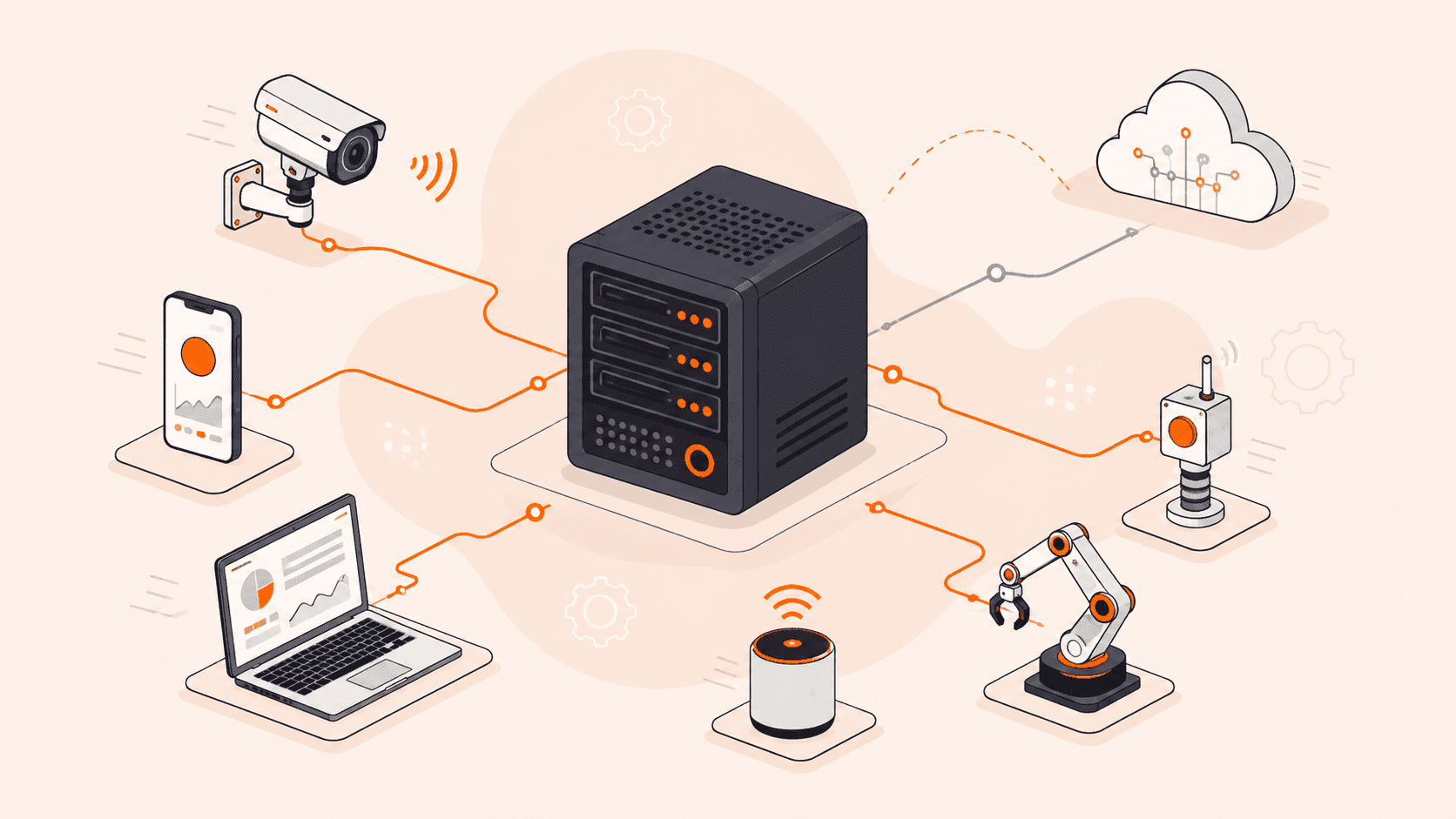
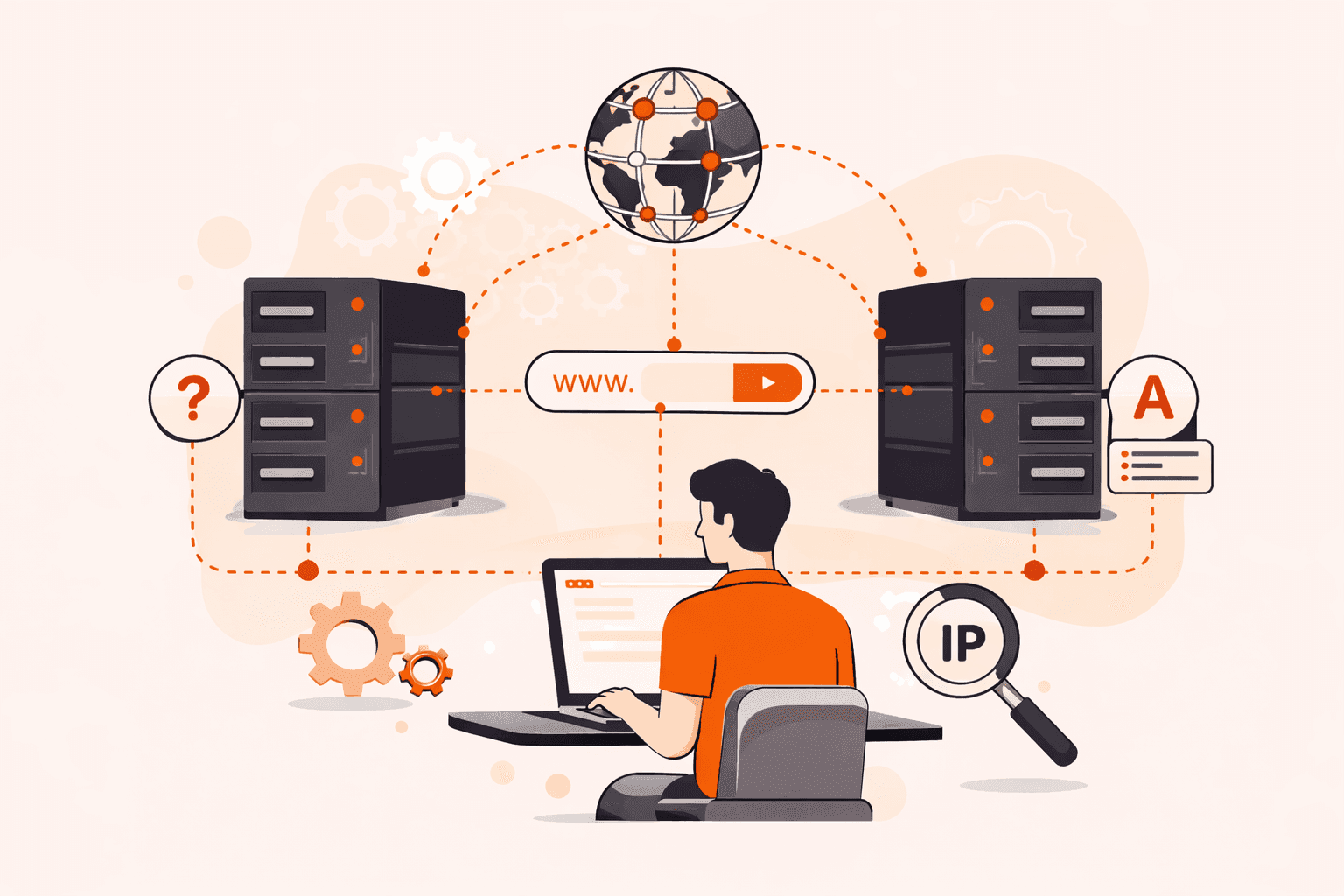
An edge server is a computing system deployed close to end-users or data sources, processing data locally instead of routing it to a centralized data center. That proximity is what makes it powerful. Because computation happens near the source, response times drop dramatically and real-time applications (like autonomous vehicles, industrial automation, and smart cities) actually become viable.
Unlike traditional data center servers built for storage and scalability, edge servers prioritize speed and local decision-making. They handle compute, networking, storage, and security functions close to where data is generated, whether that's a factory floor, a hospital, or a retail location. That means less data traveling across the network, which conserves bandwidth and reduces exposure during transit.
In simple terms: An edge server sits close to where you and your devices are, so it can process data on the spot instead of sending it halfway around the world to a data center.
How does an edge server work?
Here's the short version: when your device sends a request, the edge server catches it before it ever reaches a distant data center, handles it locally, and sends a response right back. That's it. No long round trips, no waiting on a central server halfway around the world.
The flow is straightforward. Your request hits the edge server first. If it has what's needed, cached content, a local compute result, a security decision, it responds immediately. Only if local processing isn't enough does the request travel upstream to a central data center.
What does that look like in practice? For content delivery, it means serving cached files from a location close to your users instead of pulling them from an origin server that may be thousands of miles away. For IoT and industrial applications, it means running analytics or triggering automated responses in milliseconds, without waiting on a network round trip. Security checks happen locally too, filtering traffic before anything reaches your core infrastructure.
And if the upstream connection drops? A well-designed edge server keeps running. With proper configuration, local processing and cached data stay available even when the central connection is down.
In simple terms: Your request goes to the nearest edge server, gets handled on the spot, and only escalates to a central data center if it absolutely has to.
What are the main types of edge servers?
Edge servers aren't one-size-fits-all. There are several distinct types, each built for a specific job, and the right one depends on where your data is generated, how fast you need to act on it, and what your environment actually looks like.
- CDN edge servers: These cache static content (images, videos, scripts) at locations close to your users, so most requests are served locally without traveling back to an origin server. They're the most widely deployed type of CDN infrastructure, purpose-built for cutting page load times and offloading traffic from central infrastructure.
- IoT edge servers: Positioned right next to sensors, machines, or connected devices, these process high-frequency data streams locally. A factory floor generating thousands of sensor readings per second can't afford the round-trip to a cloud data center, so this type handles that on the spot.
- Compute edge servers: These run actual application logic at the edge, not just caching. Think AI inference, video analytics, or personalization engines that need low latency but also genuine processing power.
- Telecom edge servers: Deployed inside or adjacent to 5G network infrastructure, these reduce backhaul traffic and support ultra-low latency applications like connected vehicles and augmented reality. They're tightly integrated with carrier networks.
- On-premises edge servers: Installed directly at a facility (a hospital, a warehouse, a retail store), these keep sensitive data local and maintain operations even when the wider network goes down. Ruggedized models handle high temperatures and humidity in industrial settings.
- Regional edge servers: Sitting between on-premises deployments and central data centers, these aggregate data from multiple local sites before passing it upstream. You'll find them in large-scale industrial or smart city deployments where you need a middle tier.
- Industrial edge servers: Designed specifically for manufacturing, energy, and utilities, these are hardened for harsh physical environments. Condition monitoring, predictive maintenance, and automated safety responses are typical workloads.
| Type | What it does | Best for |
|---|---|---|
| CDN edge servers | Caches static content near users | Web delivery, media streaming |
| IoT edge servers | Processes high-frequency device data locally | Sensors, connected devices |
| Compute edge servers | Runs application logic at the edge | AI inference, video analytics |
| Telecom edge servers | Reduces 5G backhaul, cuts latency | Connected vehicles, AR/VR |
| On-premises edge servers | Keeps data local, works offline | Hospitals, warehouses, retail |
| Regional edge servers | Aggregates data between local and central tiers | Smart cities, multi-site deployments |
| Industrial edge servers | Ruggedized for harsh environments | Manufacturing, energy, utilities |
What are the key benefits of edge servers?
The benefits of edge servers come down to one core idea: process data where it's generated, not somewhere far away.
- Lower latency: Compute close to the user means round-trip times drop fast. Real-time applications like autonomous vehicles, AR/VR, and industrial automation depend on this. A decision that takes hundreds of milliseconds from a central data center might take single-digit milliseconds from an edge server deployed near the source.
- Reduced bandwidth consumption: Local processing means only relevant, filtered data travels upstream. In sensor-heavy or video-based environments, that's a real reduction in traffic, and in the costs that come with it.
- Offline resilience: Edge servers keep running when the connection to a central data center drops. For hospitals, factories, or retail environments, that continuity isn't optional. It's critical.
- Faster decision-making: When data doesn't have to travel far, you get insights faster. Predictive maintenance, safety shutdowns, and real-time quality checks all need responses in milliseconds, not seconds.
- Improved security: Processing data locally reduces how much sensitive information travels across public or shared networks. Less data in transit means less exposure to interception, which matters especially in healthcare and financial environments. However, the distributed nature of edge deployments introduces a broader overall attack surface, so DDoS protection services and edge security planning are essential.
- Scalability at the edge: You can distribute workloads across many edge locations instead of routing everything through one central point. That spreads load, reduces bottlenecks, and makes your architecture more resilient overall.
- Better user experience: For content-heavy applications, edge servers cache and serve assets from locations close to your users. Page load times drop, buffering decreases, and the experience feels faster regardless of where your origin infrastructure sits.
| Benefit | What it does | Best for |
|---|---|---|
| Lower latency | Cuts round-trip time to milliseconds | Real-time apps, autonomous systems |
| Reduced bandwidth | Filters data before sending upstream | IoT, video, sensor-heavy environments |
| Offline resilience | Maintains operations without central connectivity | Hospitals, factories, retail |
| Faster decision-making | Delivers insights in milliseconds | Industrial automation, safety systems |
| Improved security | Reduces data exposure in transit; requires edge security planning | Healthcare, finance, regulated industries |
| Scalability at the edge | Distributes load across many locations | High-traffic, multi-site architectures |
| Better user experience | Serves cached content from nearby locations | Web apps, media streaming |
What are the most common edge server use cases?
Edge servers show up across a wide range of industries. Anywhere that processing data close to the source makes a real difference, you'll find them. Here are the most common examples.
- Content delivery: CDN edge servers cache static assets (images, video, scripts) at locations close to your users. Instead of every request hitting your origin server, most get served locally. That cuts load times and takes pressure off your core infrastructure.
- IoT data processing: Industrial sensors, smart meters, and connected devices generate enormous volumes of data, continuously. Edge servers filter and process that data on-site, sending only what's relevant upstream rather than flooding the network with raw telemetry.
- Autonomous vehicles: Self-driving systems can't wait on a round-trip to a distant data center. Sensor feeds, camera inputs, and navigation decisions are all processed by powerful onboard computers in real time. Edge servers near the vehicle's route support this with supplementary services like V2X coordination, HD map updates, and fleet-level analytics.
- Smart city infrastructure: Traffic management, public safety cameras, utility monitoring. All of these need real-time responses. Edge servers handle that compute at the infrastructure level, without depending on centralized connectivity.
- Industrial automation: Factories use edge servers for predictive maintenance, quality control, and safety shutdowns. When a machine starts behaving abnormally, the response needs to happen in milliseconds, not after a round-trip to the cloud.
- Healthcare: Hospitals and clinics deploy edge servers near medical devices and imaging systems to process patient data locally. That keeps sensitive information on-site and supports real-time diagnostics without relying on external connectivity.
- Retail: Point-of-sale systems, inventory tracking, in-store analytics, these all run on edge servers deployed within the store. If the internet connection drops, operations continue without interruption.
- AR/VR applications: Augmented and virtual reality demand ultra-low latency to feel responsive. While today's headsets handle most rendering on-device, edge servers can offload heavier compute tasks like environmental mapping or AI inference, reducing the processing burden and helping maintain the smooth frame rates these experiences require.
| Use case | What it does | Best for |
|---|---|---|
| Content delivery | Caches assets near users | Web apps, media streaming |
| IoT data processing | Filters and processes on-site data | Smart sensors, industrial telemetry |
| Autonomous vehicles | Supports onboard systems with V2X, maps, and fleet analytics | Self-driving systems, connected transport |
| Smart city infrastructure | Manages real-time public systems at the edge | Traffic, utilities, public safety |
| Industrial automation | Enables millisecond responses to machine events | Factories, predictive maintenance |
| Healthcare | Processes patient data on-site securely | Hospitals, medical imaging |
| Retail | Keeps operations running without central connectivity | Stores, point-of-sale systems |
| AR/VR applications | Offloads compute to reduce on-device processing burden | Gaming, training simulations |
What are the main challenges of deploying edge servers?
Edge deployments come with real trade-offs. Here's what you're actually dealing with in practice.
- Physical environment: Edge servers often end up in places nobody designed for IT equipment, factory floors, roadside cabinets, retail back rooms. Heat, humidity, dust, vibration. Any of those can shorten hardware lifespan fast if you don't spec ruggedized equipment from the start.
- Distributed management: Running dozens or hundreds of edge locations is a completely different problem from managing a single data center. You need consistent configuration, patching, and monitoring across sites that may have limited or unreliable connectivity. That's harder than it sounds.
- Network resilience: Here's the irony, edge servers are often deployed because connectivity is unreliable. So your architecture has to handle intermittent or lost upstream connections without falling over, keeping local operations running independently when the central link drops.
- Data consistency: When multiple edge servers process and store data locally, keeping that data in sync across sites and with a central data center is a real challenge. Conflicting updates, stale reads, and synchronization delays are inherent trade-offs of distributed architectures. Applications that depend on accurate, up-to-date data need clear consistency strategies from the start.
- Security at scale: Every edge site is a potential attack surface. Unlike a centralized data center with a defined perimeter, edge deployments are physically distributed and sometimes in publicly accessible locations. Enforcing consistent physical and network security across all of them is genuinely difficult.
- Hardware standardization: Edge environments vary widely. What works in a climate-controlled retail store won't work in an outdoor 5G enclosure or a manufacturing plant. Standardizing hardware across different deployment types adds real procurement and logistics complexity.
- Latency vs. capability trade-offs: Edge servers are smaller and less powerful than data center hardware. If your workload grows beyond what local compute can handle, you'll need to decide what stays at the edge and what moves upstream, and that boundary shifts as requirements change.
- Skilled staffing on-site: Remote hands aren't always available at edge locations. Troubleshooting a failed node in a factory or at a remote cell tower site takes far more planning than swapping hardware in a colocation facility.
| Challenge | What it means | Most affected deployments |
|---|---|---|
| Physical environment | Hardware exposed to heat, dust, vibration | Factories, outdoor 5G sites |
| Distributed management | Patching and monitoring across many sites | Large-scale IoT, retail networks |
| Network resilience | Must operate during connectivity loss | Industrial, healthcare, retail |
| Data consistency | Keeping data in sync across distributed sites | IoT, retail, multi-site deployments |
| Security at scale | Many physical sites, each a potential risk | Any public-facing edge deployment |
| Hardware standardization | Different sites need different specs | Mixed-environment deployments |
| Latency vs. capability | Limited compute compared to data centers | AR/VR, autonomous vehicles |
| Skilled staffing on-site | Remote troubleshooting is harder | Rural or unmanned edge locations |
How does an edge server compare to a CDN?
These two things solve related but different problems. A CDN is a network of globally distributed servers originally built for caching and delivering content (images, videos, web pages) close to users. Today, major CDN providers also offer edge compute capabilities that can run application logic directly at their edge locations. An edge server is the underlying compute infrastructure that can run applications, process data, and make decisions locally.
Here's the practical distinction: a traditional CDN edge server's primary job is to serve cached content fast. A general-purpose edge server goes further, it can run full application workloads, process data, and make decisions locally, without being limited to content delivery alone.
If you just want faster page loads and less traffic hitting your origin, a CDN handles that well. But if you need real-time data processing, local decision-making, or IoT device support, you need compute at the edge that goes beyond content delivery.
The good news? They're not mutually exclusive. Plenty of architectures combine both: the CDN handles content delivery while edge servers handle application logic and data processing closer to where it's generated.
In simple terms: A CDN caches and delivers content quickly; an edge server actually runs compute workloads locally. They're complementary tools, not the same thing.
How to choose the right edge server for your needs?
The right edge server depends on your workload, environment, and performance requirements. Here's what to think through before committing.
- Deployment environment: Where the server physically lives matters. A retail store or office can work fine with a standard rack server, but a factory floor, outdoor telecom site, or vehicle needs a ruggedized unit built to handle temperature extremes, vibration, and humidity.
- Latency requirements: Real-time applications (autonomous systems, industrial automation, connected vehicles) need compute as close to the data source as possible. The tighter your latency tolerance, the closer to the edge you need to go.
- Processing workload: Think about what the server actually needs to run. Light telemetry aggregation has very different compute demands than running machine learning inference on video streams. Match CPU, GPU, and RAM specs to your actual workload.
- Connectivity and resilience: Some edge locations have unreliable network connections. If your server needs to keep working during an outage, look for local storage capacity and the ability to work independently from the central network.
- Physical footprint: Space is often limited at the edge. A compact form factor matters in retail deployments, remote sites, or anywhere you can't install full rack infrastructure.
- Security posture: Edge servers sit outside a controlled data center, so physical security and local data handling both need attention. Local processing reduces data exposure in transit, but the hardware itself needs to be physically secured and tamper-resistant.
- Scalability path: Think beyond day one. If your deployment grows from one site to dozens, you'll want servers that fit a consistent management model and can be provisioned and monitored remotely without on-site intervention each time.
How can Gcore help with edge server deployment?
Gcore's 210+ Points of Presence put compute infrastructure close to your users and devices, so you don't have to build or manage physical hardware at the edge.
If you're running latency-sensitive workloads like real-time analytics, video processing, or IoT applications, Gcore's edge cloud lets you deploy virtual machines and containerized workloads at the network edge in minutes. You get the processing proximity of an edge server with the flexibility of cloud infrastructure, and none of the hardware procurement headaches.
Gcore's edge locations deliver low latency across a broad global footprint, so your applications can make real-time decisions without routing traffic back to a central data center.
Explore Gcore Edge Cloud to see how it fits your deployment.
Frequently asked questions
What is the difference between an edge server and an origin server?
Your origin server holds your application's source content. It's the authoritative source. Edge servers cache and serve that content closer to your users, cutting latency by processing requests locally instead of routing everything back to the origin.
How far away is an edge server from the end user?
It varies, but edge servers are typically deployed within a few dozen miles of end users, close enough to cut round-trip latency to single-digit or low double-digit milliseconds. The exact proximity depends on the deployment type, from on-premises edge hardware inside a factory or retail store to regional edge nodes serving a metropolitan area.
Are edge servers the same as edge computing?
No. Edge computing is the broader concept. It's the strategy of processing data close to where it's generated. Edge servers are the physical hardware that makes that strategy work.
How secure are edge servers compared to centralized servers?
Edge servers actually offer a security advantage in one specific way: local processing means less data travels across public networks, reducing exposure during transit. That said, their distributed, often remote deployments introduce physical security risks that centralized data centers, with controlled access and dedicated security teams, don't face.
What industries benefit most from edge servers?
Manufacturing, healthcare, retail, smart cities, and autonomous vehicles all get significant value from edge servers. Anywhere real-time decisions or low-latency data processing directly affects safety, effectiveness, or user experience, edge computing makes a real difference.
How much does it cost to deploy an edge server?
Edge server costs vary widely. Hardware alone ranges from a few thousand dollars for basic units to tens of thousands for ruggedized industrial models, and that's before you factor in installation, connectivity, power, and ongoing maintenance. Managed edge services let you sidestep that upfront capital investment entirely, paying on a consumption basis instead.
Can edge servers work alongside a cloud infrastructure?
Yes, edge servers and cloud infrastructure work together naturally. Edge handles time-sensitive processing locally, while the cloud manages storage, analytics, and workloads that don't need low latency. It's a complementary model, not an either/or choice.

Related articles


Subscribe to our newsletter
Get the latest industry trends, exclusive insights, and Gcore updates delivered straight to your inbox.